

How to use the Xiaomi Interconnectivity on the Xiaomi 14T?
The Xiaomi 14T features the Xiaomi Interconnectivity function, allowing seamless integration with nearby devices signed in to the same Xiaomi Account. You can easily discover and add these devices to the Xiaomi Smart Hub.
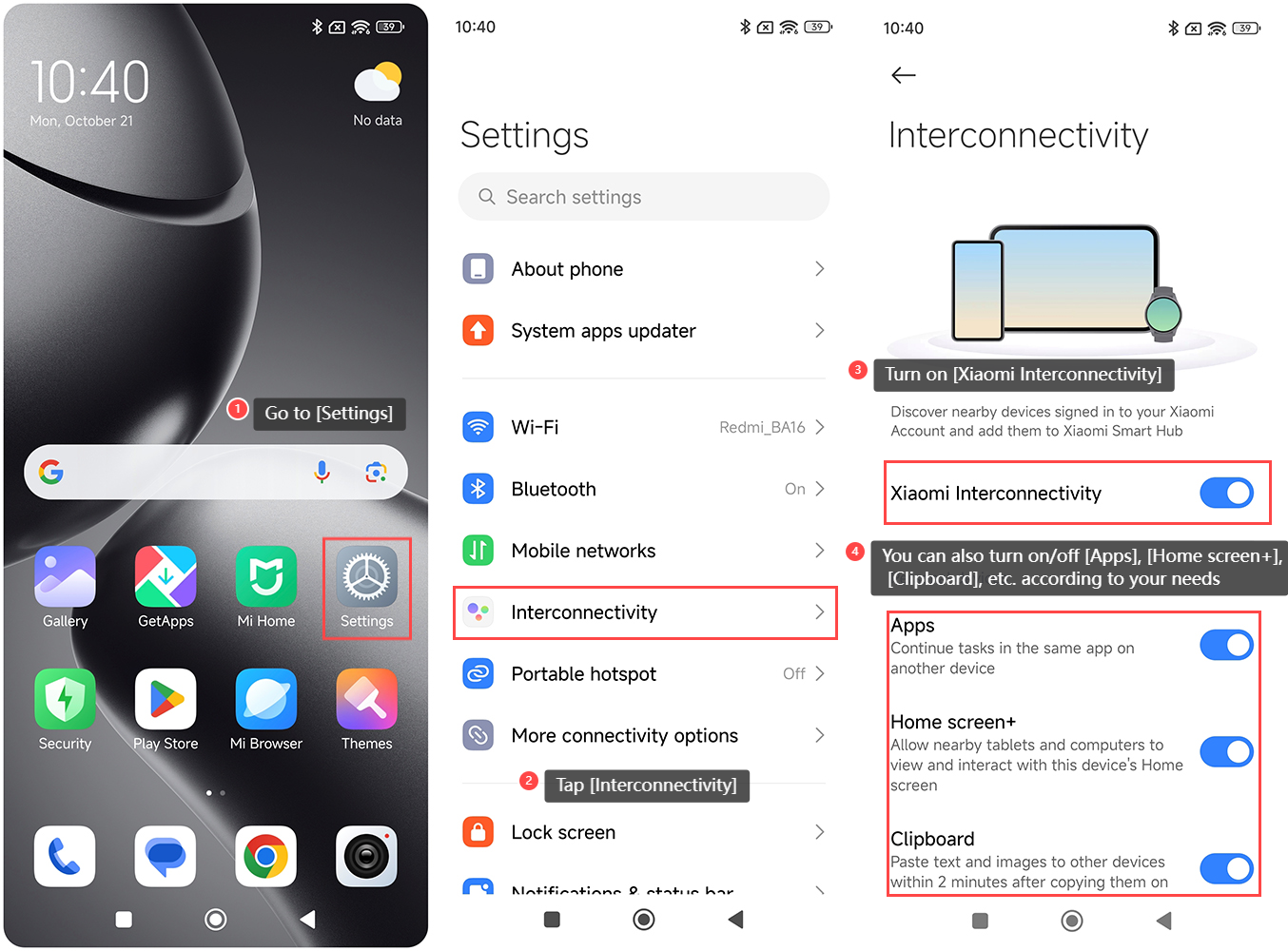
To use the Xiaomi Interconnectivity on the Xiaomi 14T, please refer to the following steps:
1. Go to [Settings] on your phone;
2. Tap [Interconnectivity];
3. Turn on [Xiaomi Interconnectivity];
4. You can also turn on/off [Apps], [Home screen+], [Clipboard], etc. according to your needs.
Note:
With this feature, you can continue tasks in the same application across different devices, ensuring a smooth workflow. Additionally, the feature allows tablets and computers to view and interact with the device's Home screen. You can also copy text and images, which can be pasted on other devices within two minutes, simplifying sharing and collaboration.
To use the Xiaomi Interconnectivity on the Xiaomi 14T, please refer to the following steps:
1. Go to [Settings] on your phone;
2. Tap [Interconnectivity];
3. Turn on [Xiaomi Interconnectivity];
4. You can also turn on/off [Apps], [Home screen+], [Clipboard], etc. according to your needs.
Note:
With this feature, you can continue tasks in the same application across different devices, ensuring a smooth workflow. Additionally, the feature allows tablets and computers to view and interact with the device's Home screen. You can also copy text and images, which can be pasted on other devices within two minutes, simplifying sharing and collaboration.
Does it help?
Yes
No