

How to set and switch an input method on the Redmi 13C?
Setting and switching input methods on the Redmi 13C allows for versatile typing experiences, accommodating multiple languages and preferences. This enhances productivity, making it easier to communicate and type in different contexts effectively.
To set and switch an input method on the Redmi 13C, please refer to the following steps:
1. Open the [Settings] APP on your phone;
2. Scroll down and select [Additional settings];
3. Tap [Languages and input];
4. Tap [Current keyboard];
5. Select your desired input method;
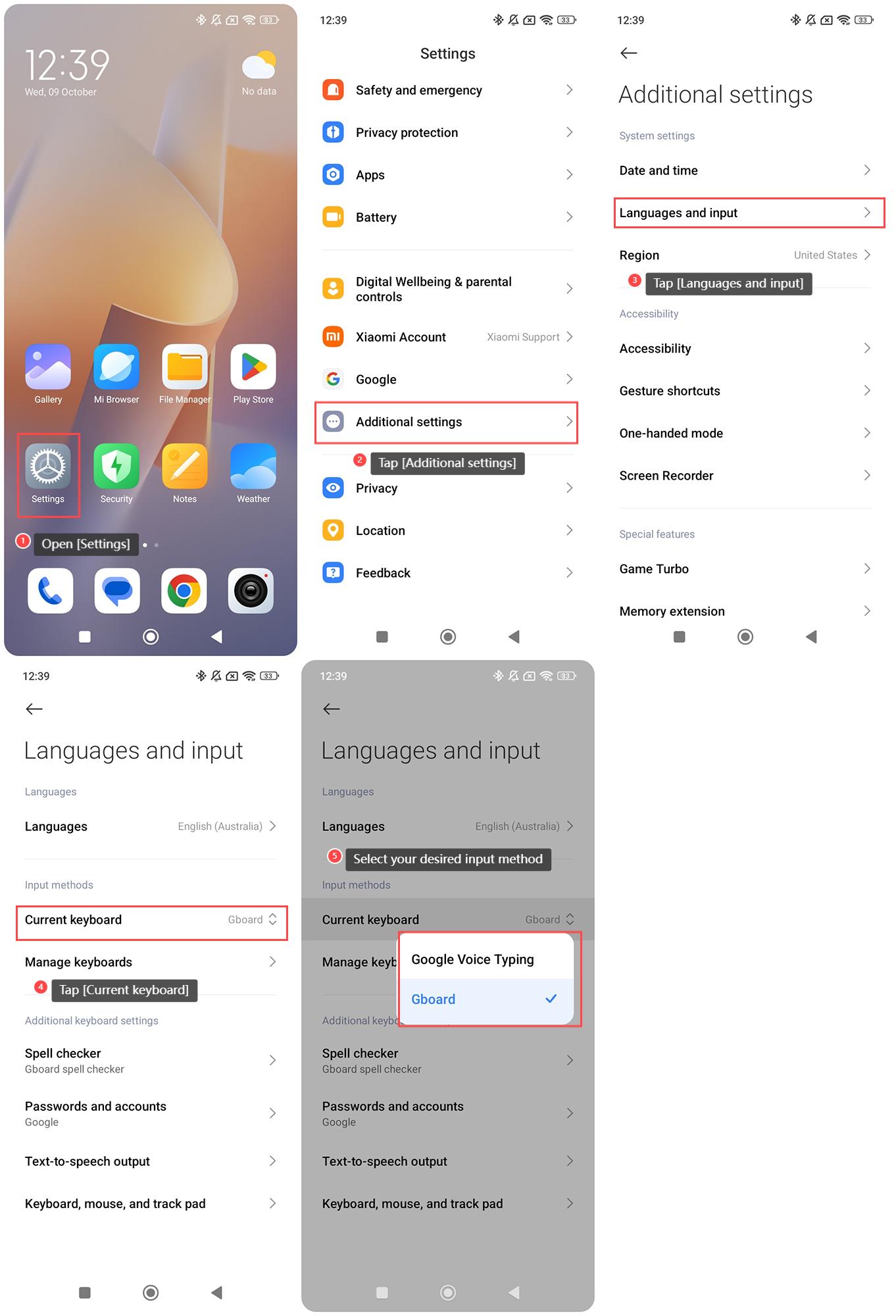
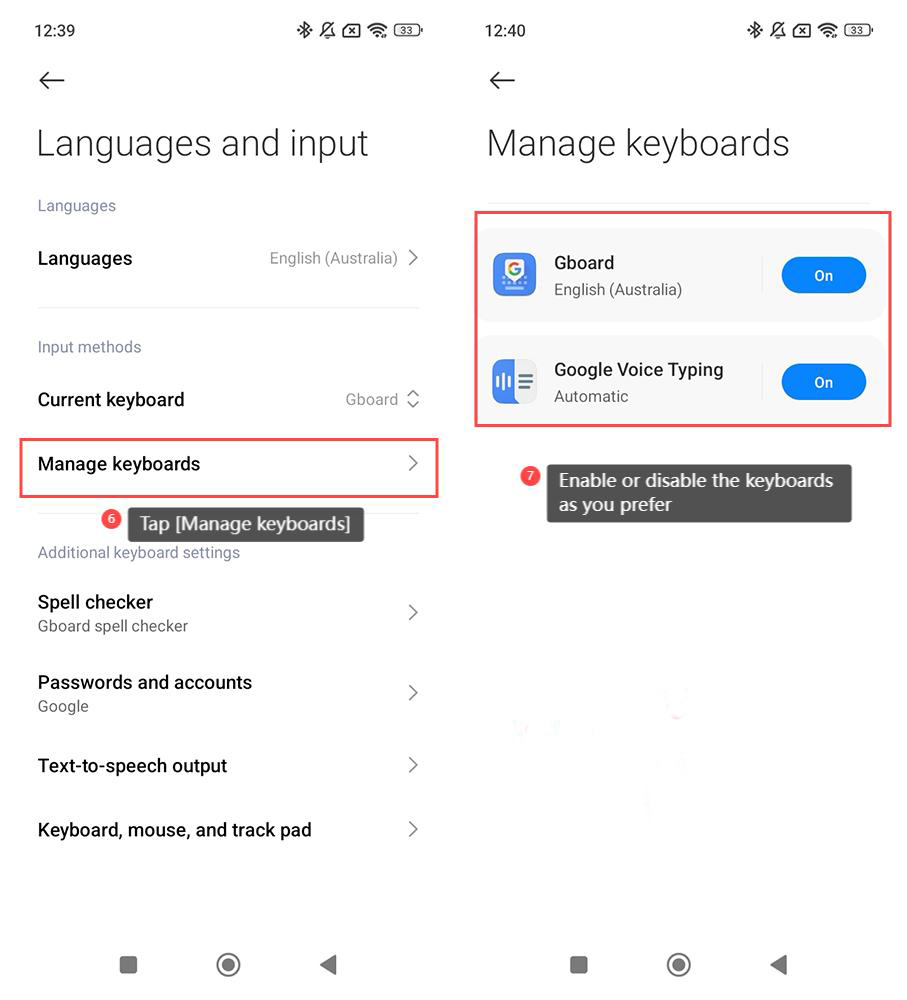
6. Additionally, you can tap [Manage keyboards];
7. Enable or disable the keyboards as you prefer.
Note:
Please ensure the input method supports your preferred languages and is compatible with the APPs you use.
To set and switch an input method on the Redmi 13C, please refer to the following steps:
1. Open the [Settings] APP on your phone;
2. Scroll down and select [Additional settings];
3. Tap [Languages and input];
4. Tap [Current keyboard];
5. Select your desired input method;
6. Additionally, you can tap [Manage keyboards];
7. Enable or disable the keyboards as you prefer.
Note:
Please ensure the input method supports your preferred languages and is compatible with the APPs you use.
Does it help?
Yes
No