

How to adjust the ringtone volume on the Redmi 13C?
The ringtone volume on the Redmi 13C is an essential feature that allows you to customize the sound level for incoming calls, enhancing usability. Easily adjustable through the device's sound settings, this feature ensures that you can hear calls clearly in various environments, whether you're at home, in a crowded place, or outdoors. You can the settings menu for more precise control. This customization can help you stay connected and never miss important calls.
To adjust the ringtone volume on your phone, please refer to the following methods:
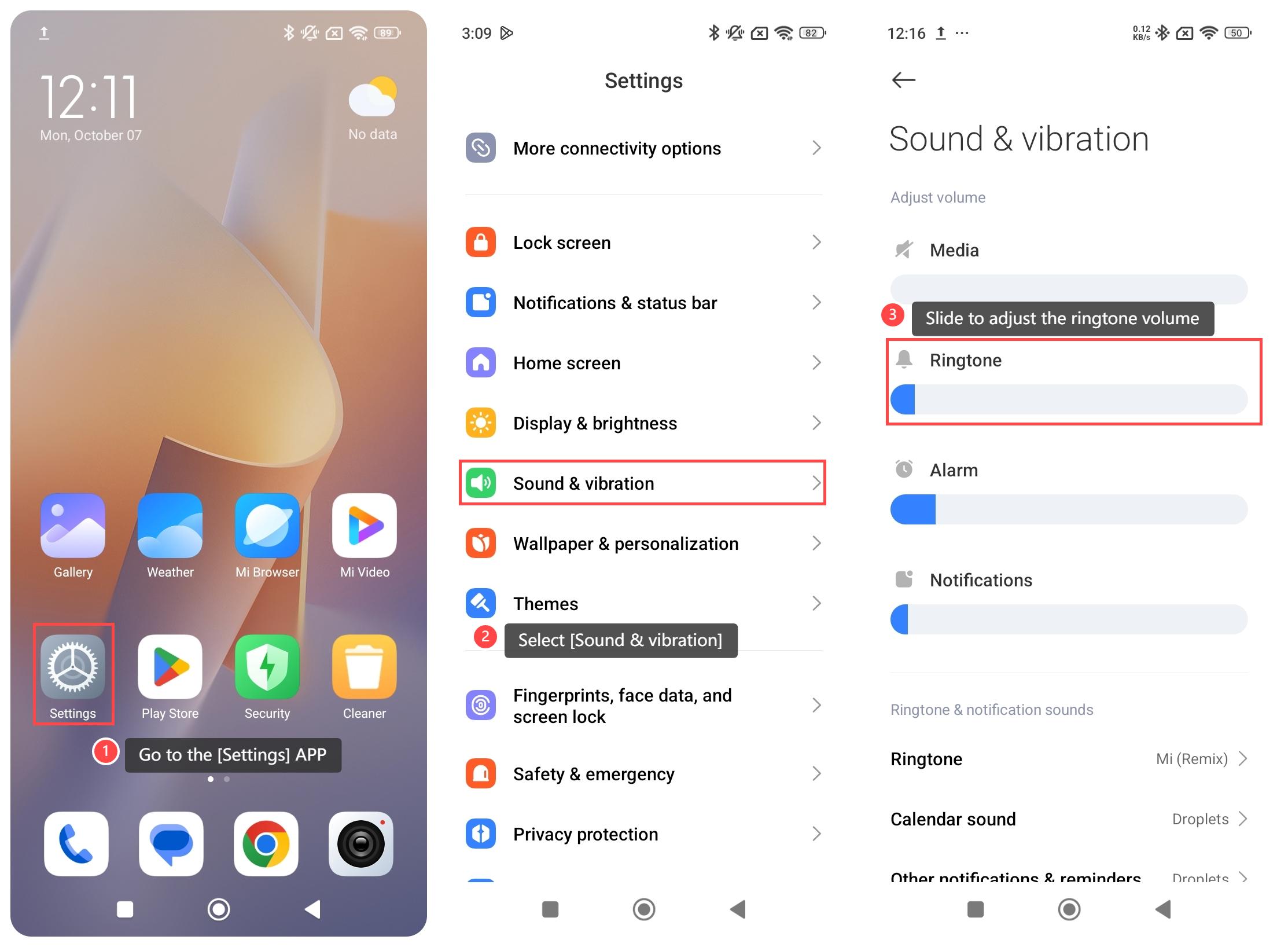
Method 1:
1. Go to the [Settings] APP on your phone;
2. Select [Sound & vibration];
3. Slide to adjust the ringtone volume.
Method 2:
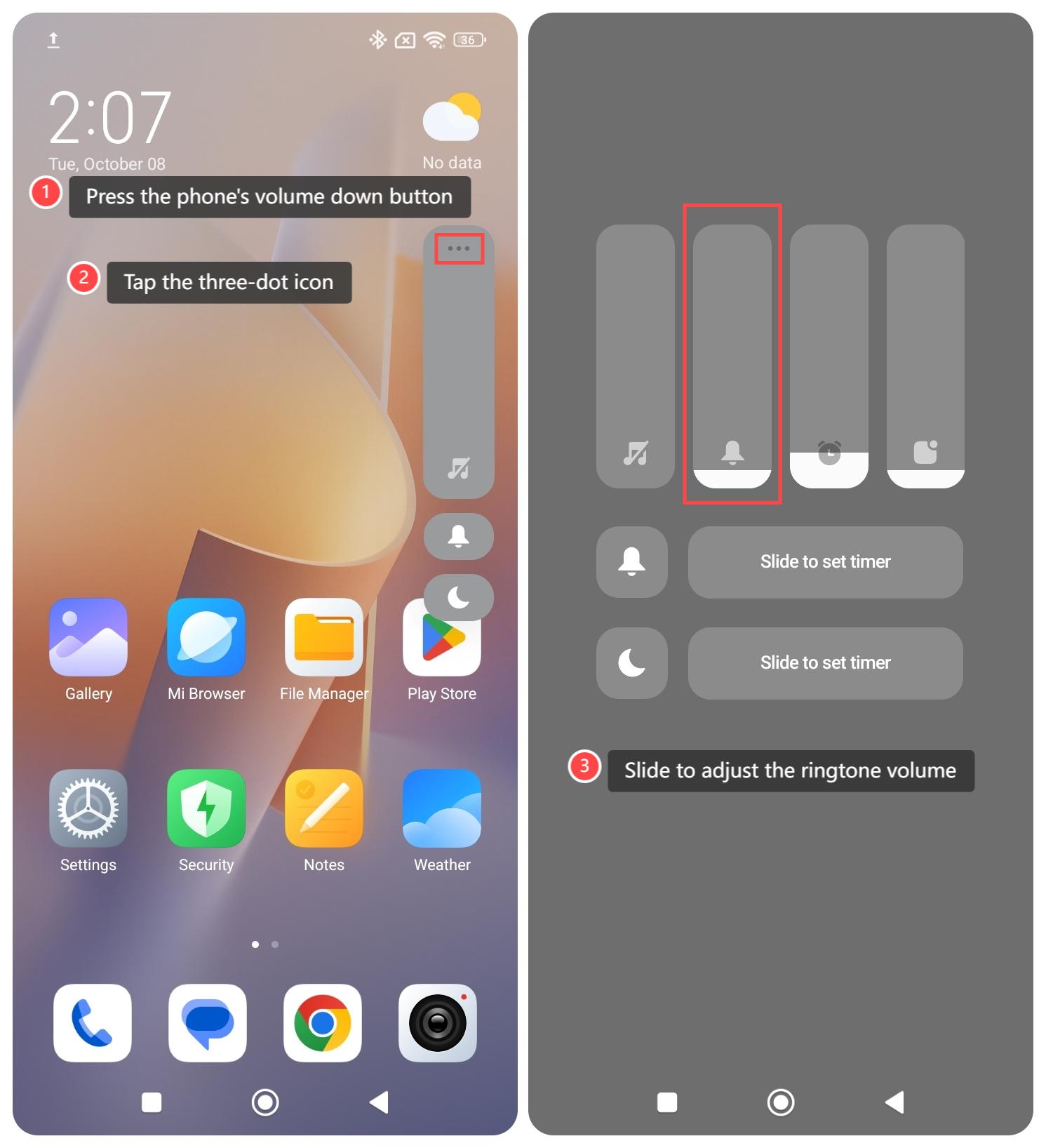
1. Press the phone's volume down button;
2. Tap the three-dot icon above the volume bar;
3. Slide to adjust the ringtone volume.
To adjust the ringtone volume on your phone, please refer to the following methods:
Method 1:
1. Go to the [Settings] APP on your phone;
2. Select [Sound & vibration];
3. Slide to adjust the ringtone volume.
Method 2:
1. Press the phone's volume down button;
2. Tap the three-dot icon above the volume bar;
3. Slide to adjust the ringtone volume.
Does it help?
Yes
No