

How to restore the NFC functionality on the Redmi 13C?
The Redmi 13C supports the NFC function, which enables quick and easy connections, making everyday tasks more convenient. Restoring NFC functionality is important if you're experiencing issues with features like mobile payments, contactless sharing, or pairing devices.
To restore the NFC functionality on your phone, please refer to the following steps:
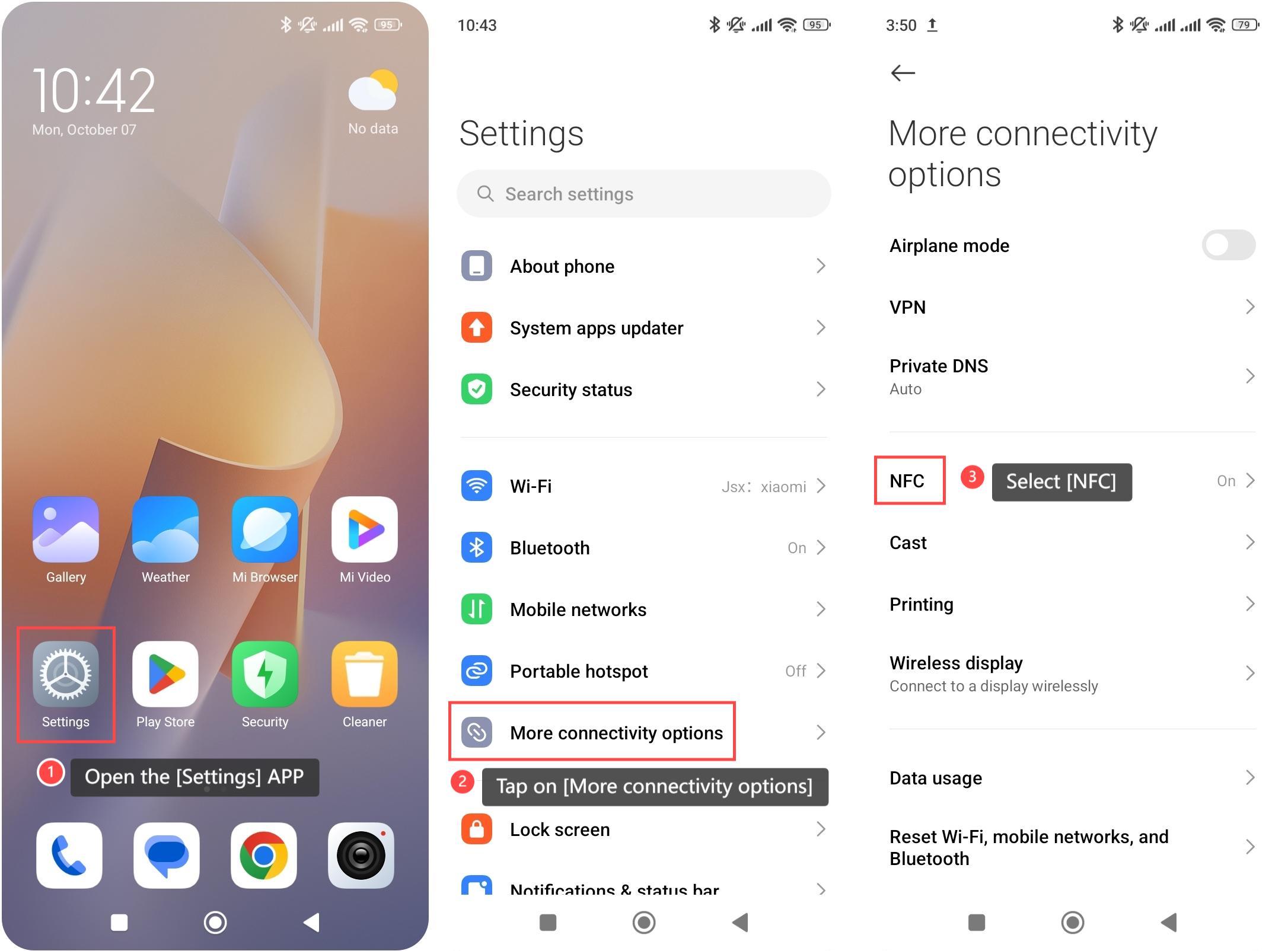
1. Open the [Settings] APP, which looks like a gear or cogwheel icon;
2. Tap on [More connectivity options];
3. Select [NFC];
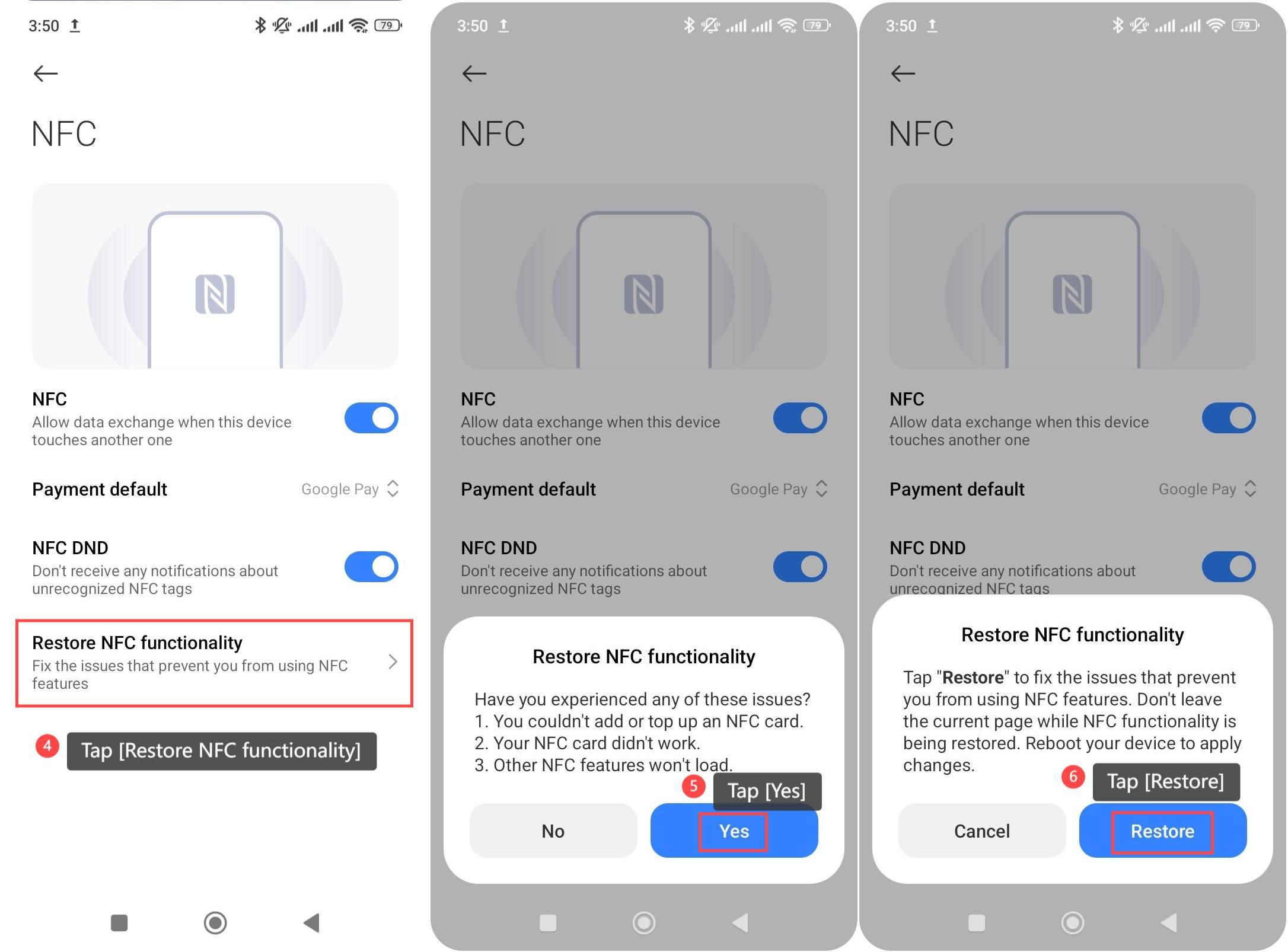
4. Tap [Restore NFC functionality];
5. Your phone will pop up a window to ensure whether you have experienced any NFC issues. If you have encountered the above issues, tap [Yes] to confirm;
6. Finally, tap [Restore] to fix the issues that prevent you from using NFC features.
To restore the NFC functionality on your phone, please refer to the following steps:
1. Open the [Settings] APP, which looks like a gear or cogwheel icon;
2. Tap on [More connectivity options];
3. Select [NFC];
4. Tap [Restore NFC functionality];
5. Your phone will pop up a window to ensure whether you have experienced any NFC issues. If you have encountered the above issues, tap [Yes] to confirm;
6. Finally, tap [Restore] to fix the issues that prevent you from using NFC features.
Does it help?
Yes
No