

How to preserve the previous settings on the Redmi Pad SE 8.7 camera?
Preserving the previous settings on the Redmi Pad SE 8.7 camera allows you to maintain your preferred configurations for photography.
It enhances the overall photography experience, making it easier to capture images as desired.
To update the camera on your tablet, please refer to the following steps:
1. Open the [Camera] APP;
2. Tap the icon in the middle at the top;
3. Select [Settings];
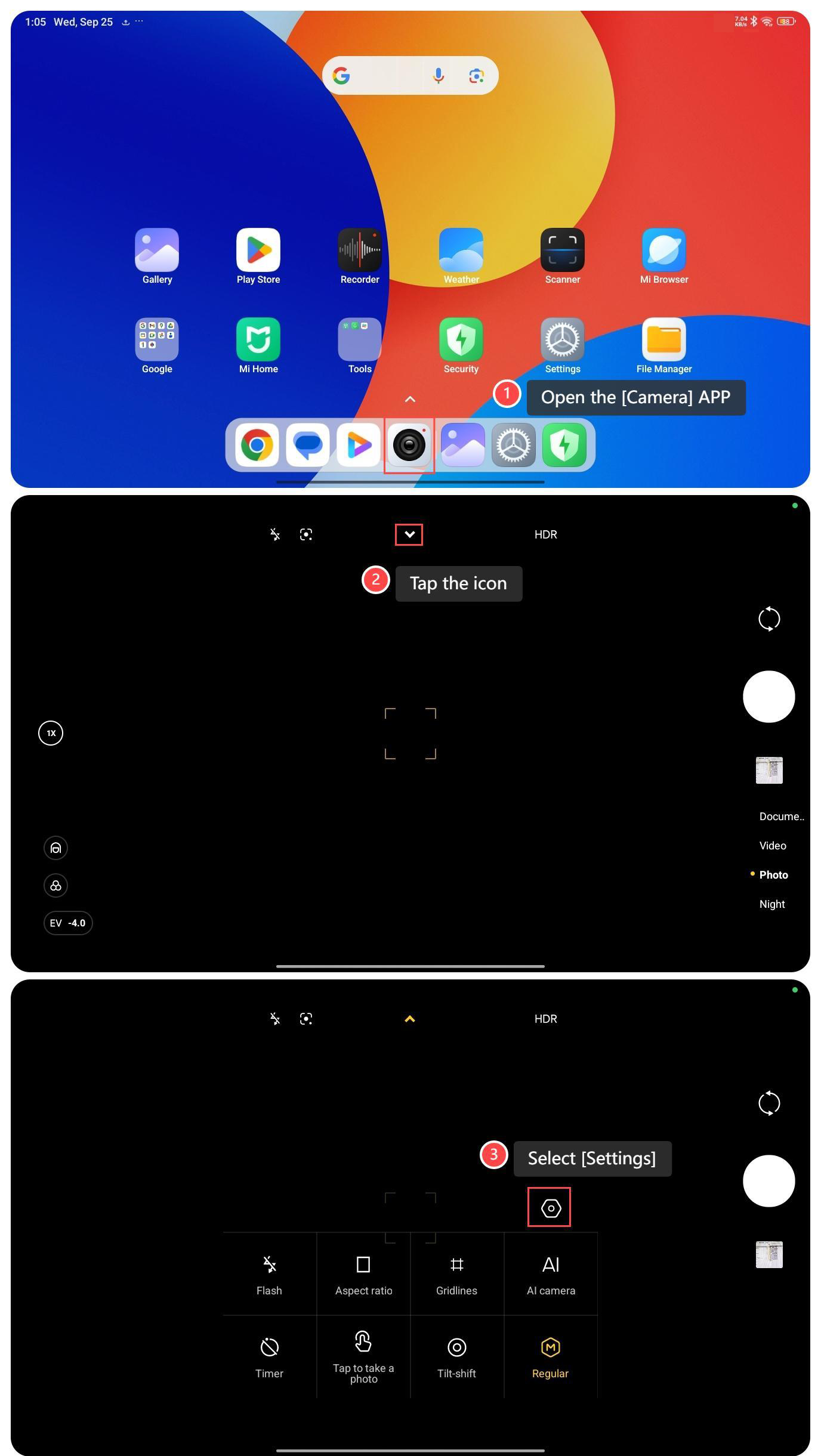
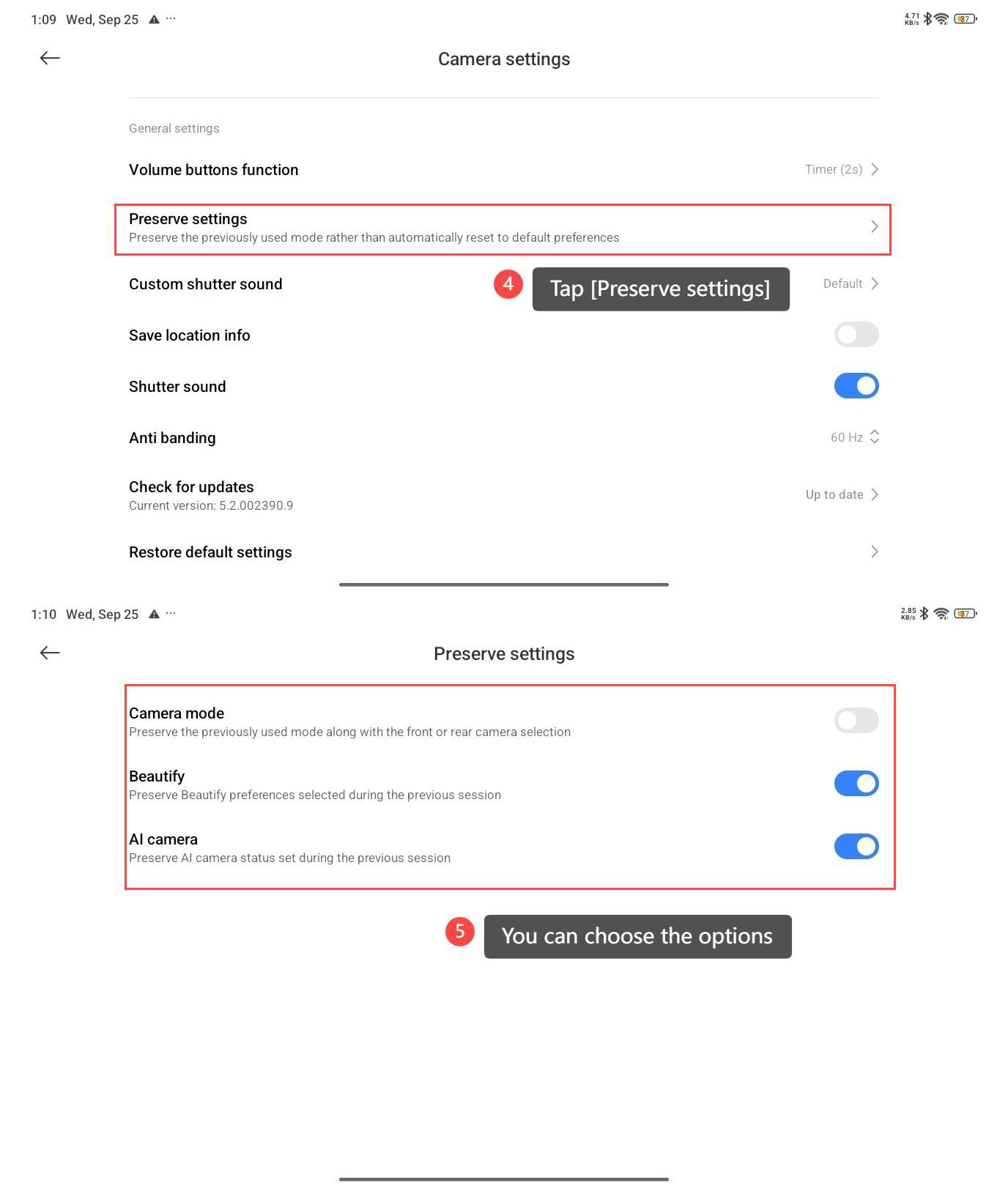
4. Tap [Preserve settings];
5. You can choose the options: [Camera mode], [Beatify], and [AI camera].
Note:
1. You can quickly access your favorite settings without having to readjust them every time you open the camera;
2. Maintaining the same settings helps achieve consistent results in photos, particularly when shooting in similar conditions;
3. It saves time for you, as you don’t need to reconfigure settings for each session.
It enhances the overall photography experience, making it easier to capture images as desired.
To update the camera on your tablet, please refer to the following steps:
1. Open the [Camera] APP;
2. Tap the icon in the middle at the top;
3. Select [Settings];
4. Tap [Preserve settings];
5. You can choose the options: [Camera mode], [Beatify], and [AI camera].
Note:
1. You can quickly access your favorite settings without having to readjust them every time you open the camera;
2. Maintaining the same settings helps achieve consistent results in photos, particularly when shooting in similar conditions;
3. It saves time for you, as you don’t need to reconfigure settings for each session.
Does it help?
Yes
No