

How to set up a reminder for watching the road on the Redmi Pad SE 8.7 4G?
The Redmi Pad SE 8.7 4G features Heads Up. If you are used to using your tablet while you are walking, you will not pay attention to the traffic conditions. When the feature detects this situation, it sends a notification to you, reminding you to be cautious while walking with your tablet.
To set up a reminder for watching the road on your tablet, please refer to the following steps:
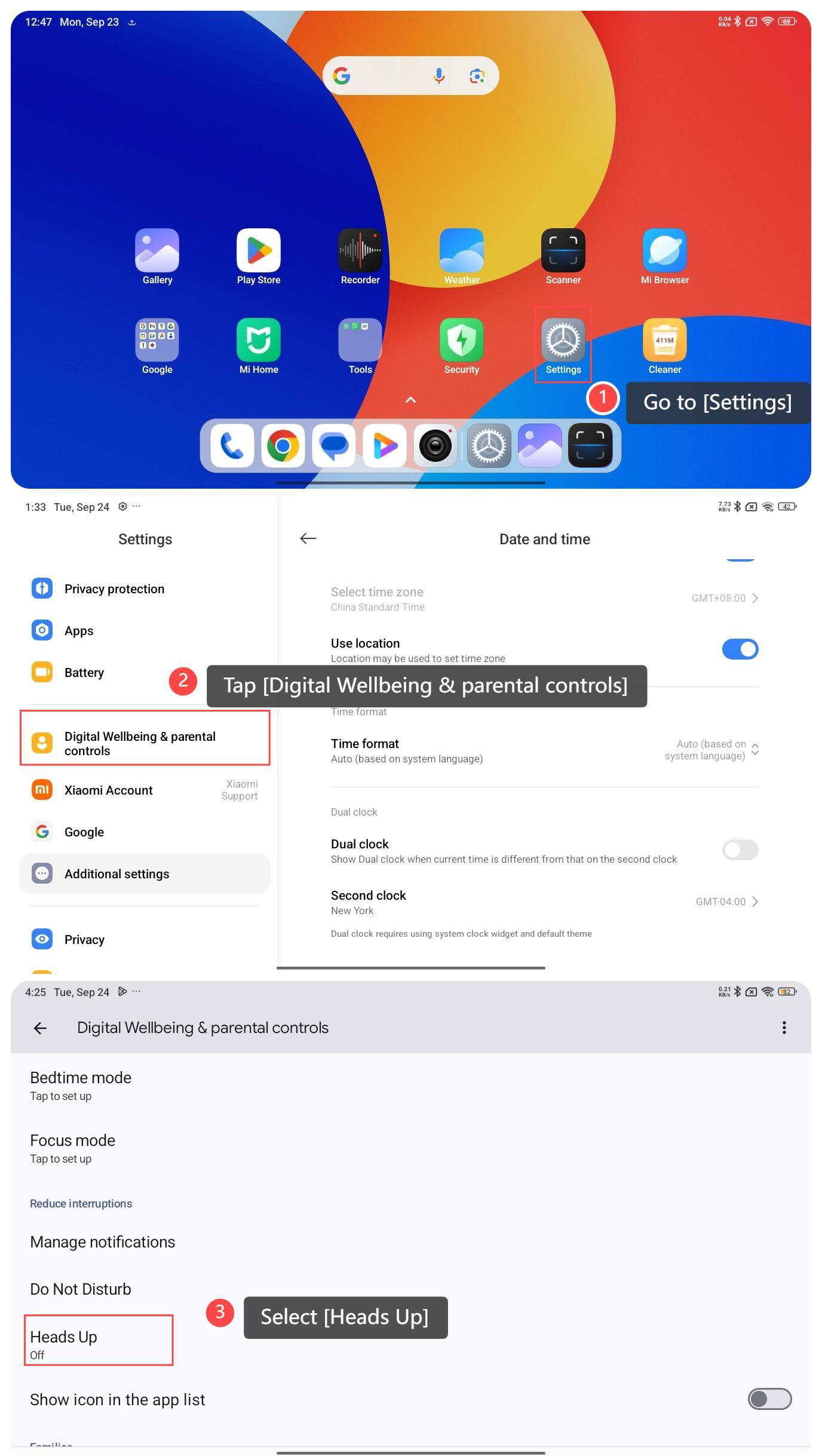
1. Go to [Settings] on your tablet;
2. Tap [Digital Wellbeing & parental controls];
3. Scroll down and select [Heads Up];
To set up a reminder for watching the road on your tablet, please refer to the following steps:
1. Go to [Settings] on your tablet;
2. Tap [Digital Wellbeing & parental controls];
3. Scroll down and select [Heads Up];
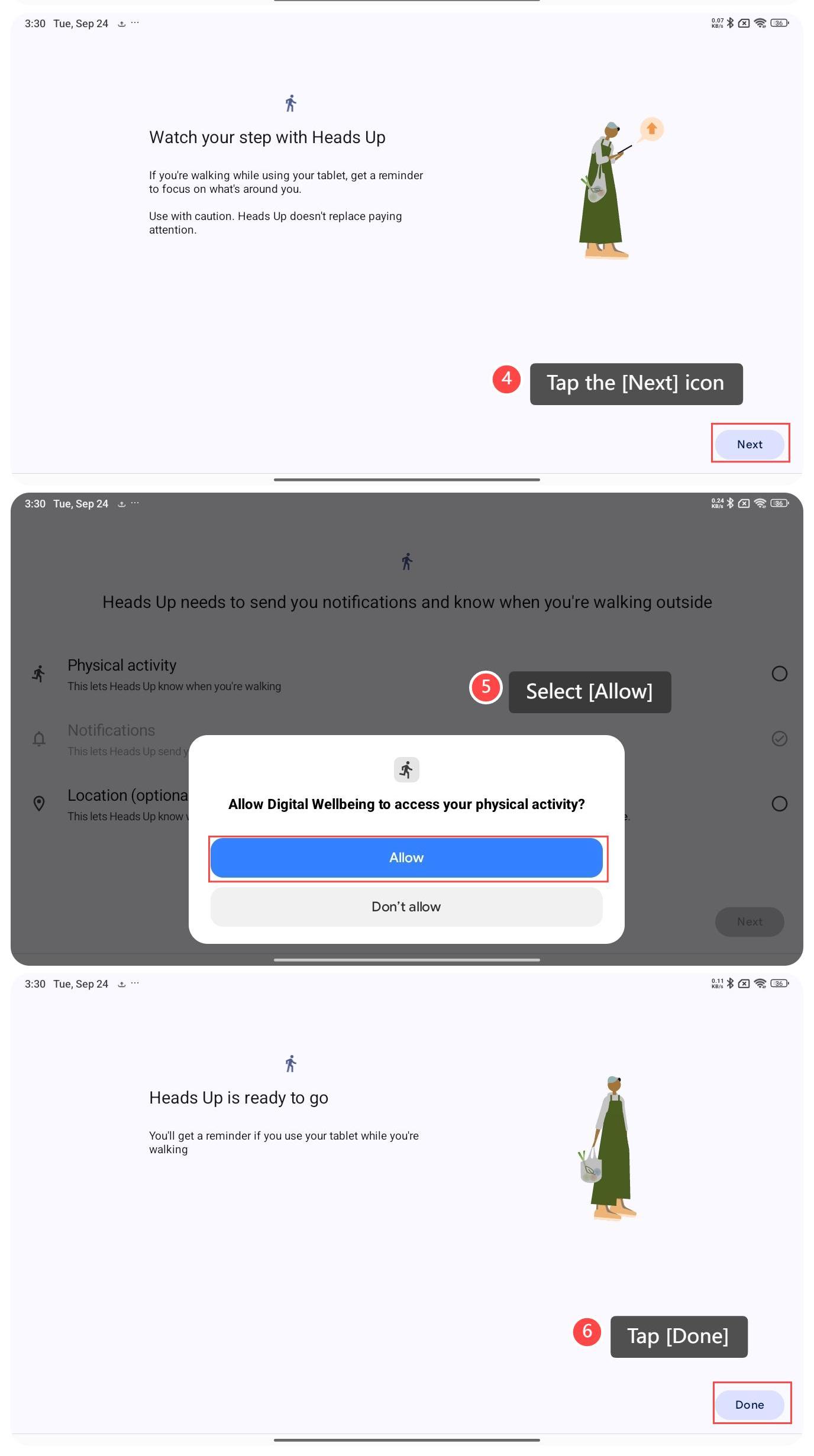
4. Tap the [Next] icon;
5. The message will appear on the screen prompting you to allow Heads Up to send you notifications and know when you’re walking outside. Please select [Allow];
6. Tap [Done]. You have enabled Heads Up by now and you will get a reminder if you use your tablet while you are walking.
5. The message will appear on the screen prompting you to allow Heads Up to send you notifications and know when you’re walking outside. Please select [Allow];
6. Tap [Done]. You have enabled Heads Up by now and you will get a reminder if you use your tablet while you are walking.
Does it help?
Yes
No