

How to set the region on the Redmi Pad SE 8.7 4G?
The “region” on the Redmi Pad SE 8.7 4G determines the device’s geographical location and can affect various features, including language options, content availability, and network settings. Adjusting the region can help optimize app performance and access region-specific services, such as local news or weather updates.
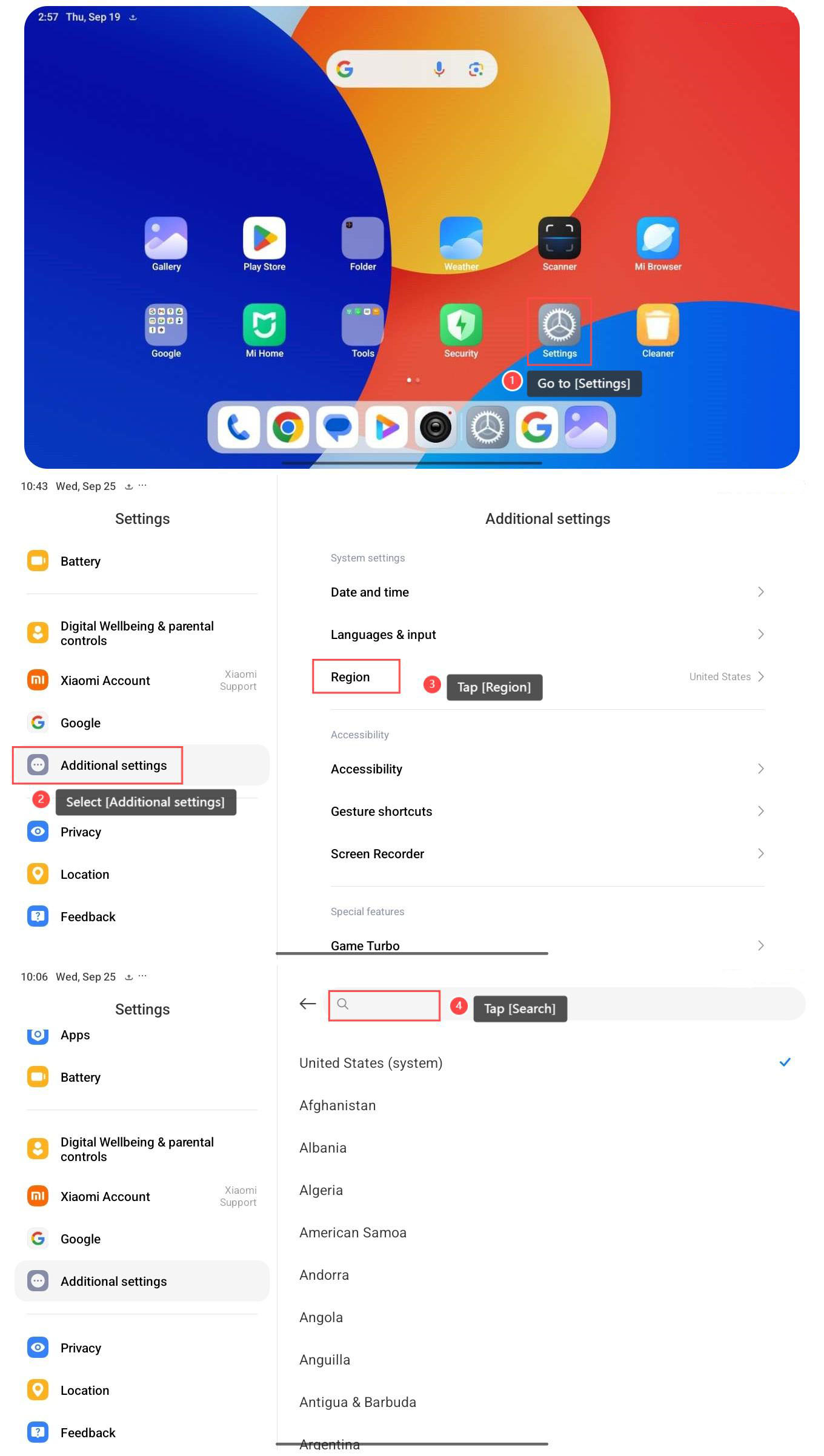
To set the region, please refer to the following steps:
1. Go to [Settings];
2. Select [Additional settings];
3. Tap [Region];
4. Tap [Search], and search for the region you need.
To set the region, please refer to the following steps:
1. Go to [Settings];
2. Select [Additional settings];
3. Tap [Region];
4. Tap [Search], and search for the region you need.
Note:
1. Some changes will require you to restart the device to take effect if needed;
This will adjust region-specific settings and services on your device.
2. Certain apps and services will be unavailable or limited based on the selected region;
3. Some features or network settings can not function correctly if the region is incorrectly set;
4. A wrong region setting can affect GPS accuracy and location-based functionalities.
1. Some changes will require you to restart the device to take effect if needed;
This will adjust region-specific settings and services on your device.
2. Certain apps and services will be unavailable or limited based on the selected region;
3. Some features or network settings can not function correctly if the region is incorrectly set;
4. A wrong region setting can affect GPS accuracy and location-based functionalities.
Does it help?
Yes
No