

How to enable/disable Silent mode on the Redmi Pad SE 8.7?
Silent mode on the Redmi Pad SE 8.7 is a feature that mutes all sounds on the device, including ringtones and notifications. When activated, the device will not produce any audible alerts, which is useful in situations where you need to avoid disturbances, such as during meetings or in quiet environments.
To enable/disable Silent mode on the Redmi Pad SE 8.7, please refer to the following methods:
Method 1:
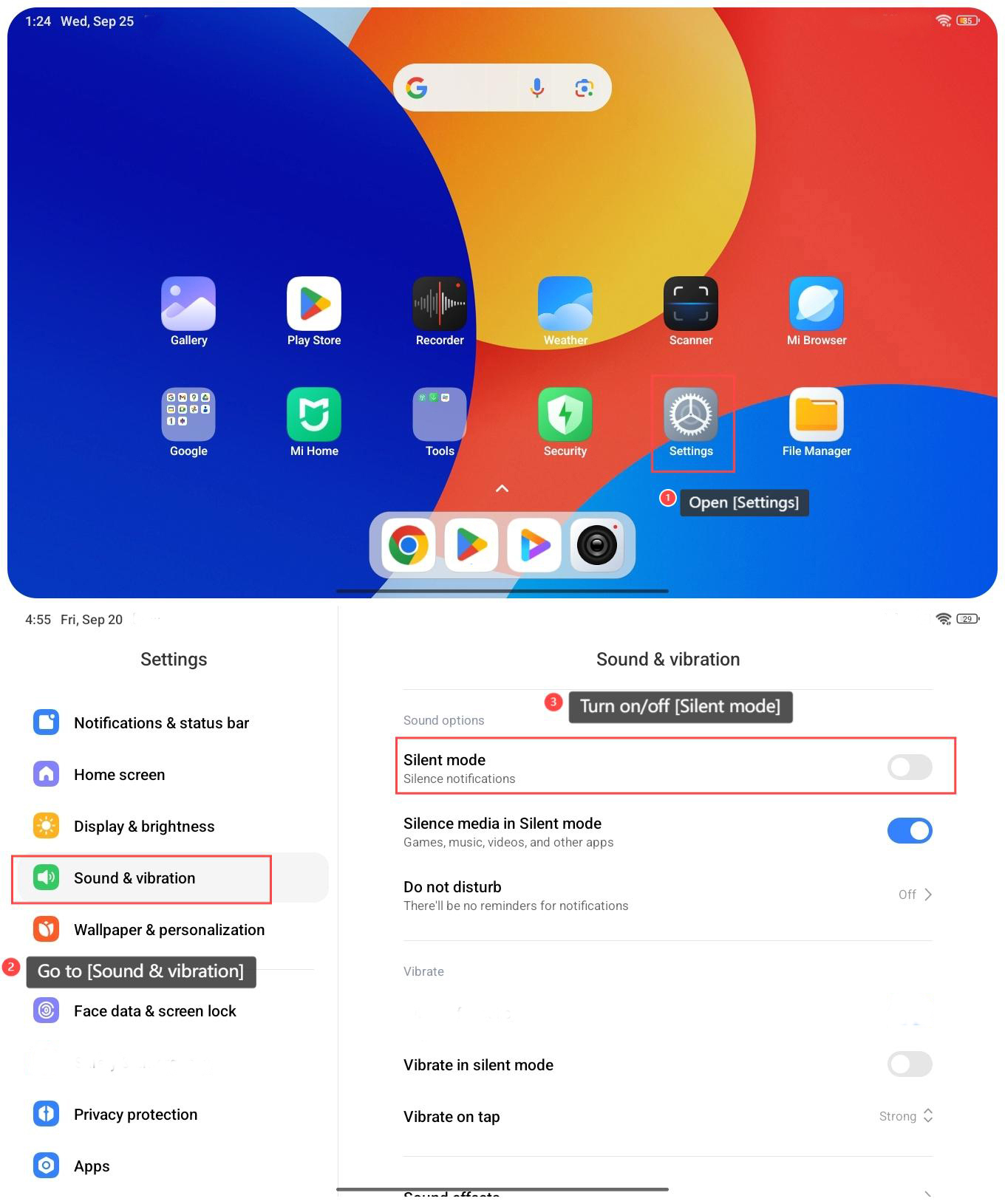
1. Open [Settings] on your tablet;
2. Go to [Sound & vibration];
3. Turn on/off [Silent mode].
To enable/disable Silent mode on the Redmi Pad SE 8.7, please refer to the following methods:
Method 1:
1. Open [Settings] on your tablet;
2. Go to [Sound & vibration];
3. Turn on/off [Silent mode].
Method 2:
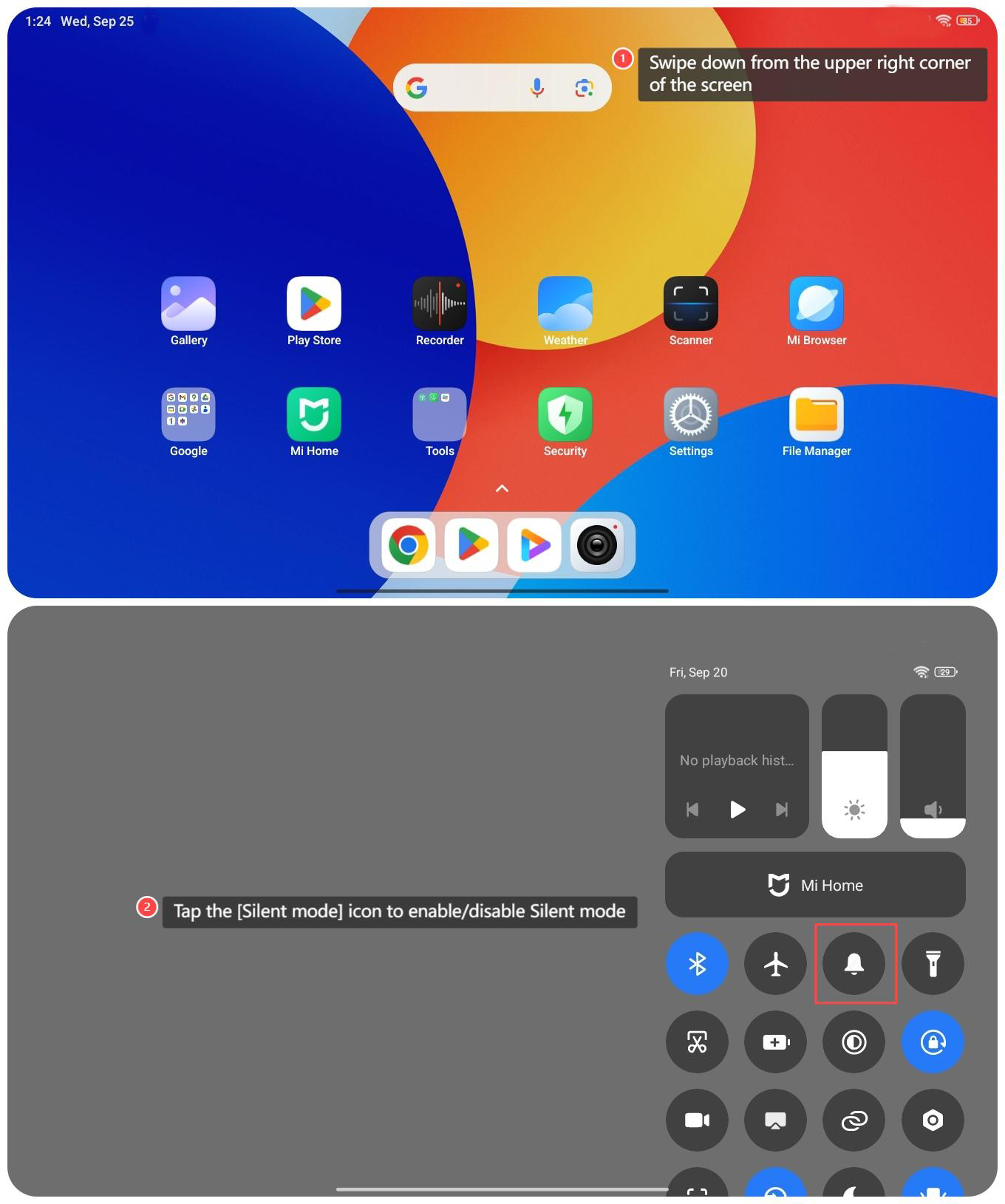
1. Swipe down from the upper right corner of the screen to access the control center;
2. Tap the [Silent mode] icon to enable/disable Silent mode.
1. Swipe down from the upper right corner of the screen to access the control center;
2. Tap the [Silent mode] icon to enable/disable Silent mode.
Method 3:
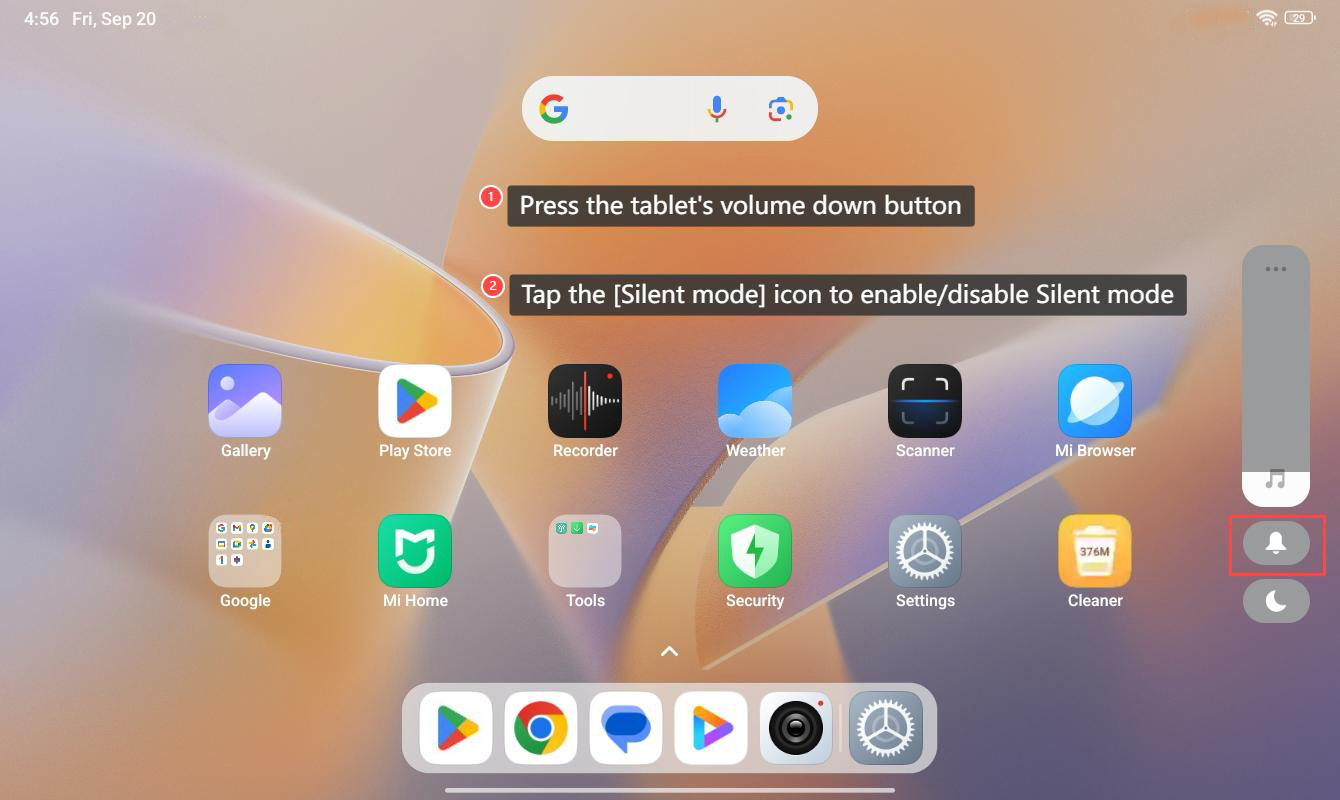
1. Press the tablet's volume down button;
2. Tap the [Silent mode] icon to enable/disable Silent mode.
1. Press the tablet's volume down button;
2. Tap the [Silent mode] icon to enable/disable Silent mode.
Does it help?
Yes
No