

How to adjust the brightness on the Redmi Pad SE 8.7 manually?
The screen brightness on the Redmi Pad SE 8.7 refers to the screen's light intensity, which can be adjusted to suit different lighting conditions. You can increase brightness for better visibility in bright environments or decrease it to reduce eye strain in darker settings.
To adjust the brightness on the Redmi Pad SE 8.7 manually, please refer to the following methods:
Method 1:
1. Open [Settings] on your tablet;
2. Go to [Display & brightness];
3. Slide the brightness bar to adjust the screen brightness.

To adjust the brightness on the Redmi Pad SE 8.7 manually, please refer to the following methods:
Method 1:
1. Open [Settings] on your tablet;
2. Go to [Display & brightness];
3. Slide the brightness bar to adjust the screen brightness.
Method 2:
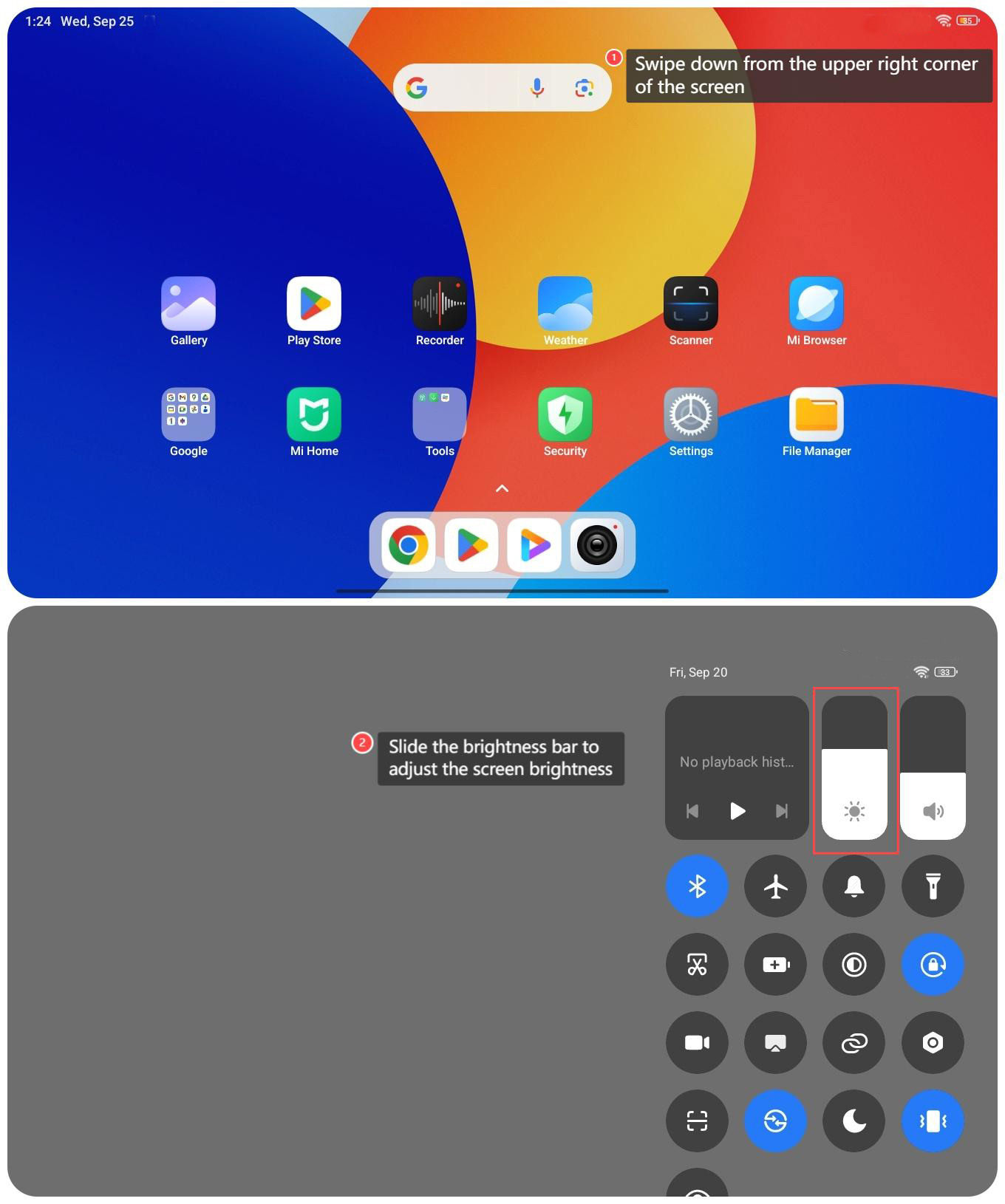
1. Swipe down from the upper right corner of the screen to access the control center;
2. Slide the brightness bar to adjust the screen brightness.
1. Swipe down from the upper right corner of the screen to access the control center;
2. Slide the brightness bar to adjust the screen brightness.
Note:
It is recommended to turn on the auto-brightness feature that adjusts the brightness based on ambient light conditions, which can effectively save power and protect your eyes.
It is recommended to turn on the auto-brightness feature that adjusts the brightness based on ambient light conditions, which can effectively save power and protect your eyes.
Does it help?
Yes
No