

How to make the Redmi Pad SE 8.7 play sound when charger is connected?
Making the Redmi Pad SE 8.7 play sound when charger is connected can serve as audible confirmation that the charger has been successfully connected to your tablet. This can be useful to ensure that the charging process has started.
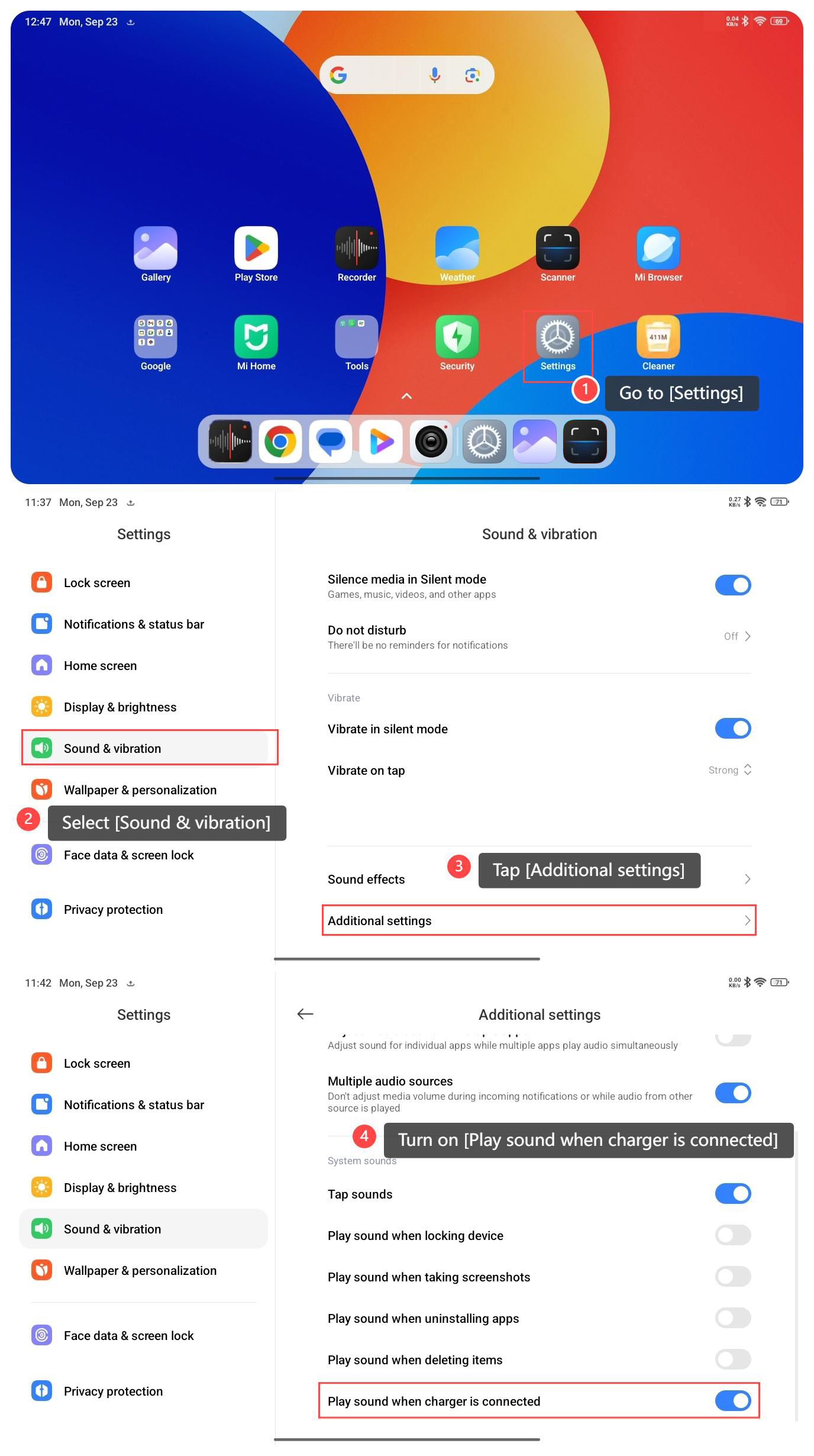
To make your tablet play sound when charger is connected, please refer to the following steps:
1. Go to [Settings];
2. Select [Sound & vibration];
3. Tap [Additional settings];
4. Turn on [Play sound when charger is connected].
Note:
1. If there’s an issue with the charging cable or connection, an audible notification can draw attention to the problem. This can help you identify and address charging issues promptly, such as a loose connection or a faulty cable;
2. Ensure that the device is not in Do not disturb mode, which can mute system sounds, including the charging sound.
To make your tablet play sound when charger is connected, please refer to the following steps:
1. Go to [Settings];
2. Select [Sound & vibration];
3. Tap [Additional settings];
4. Turn on [Play sound when charger is connected].
Note:
1. If there’s an issue with the charging cable or connection, an audible notification can draw attention to the problem. This can help you identify and address charging issues promptly, such as a loose connection or a faulty cable;
2. Ensure that the device is not in Do not disturb mode, which can mute system sounds, including the charging sound.
Does it help?
Yes
No