

How to enable/disable Do not disturb on the REDMI Pad SE 8.7?
The REDMI Pad SE 8.7 supports the function of Do not disturb, which can prevent notifications from disturbing you during meetings, events, or personal time. You can concentrate better on tasks or activities without distractions, improving productivity. Besides, enabling Do not disturb at night helps ensure uninterrupted sleep by silencing notifications and calls.
To enable or disable Do not disturb on your tablet, please refer to the following methods:
Method 1:
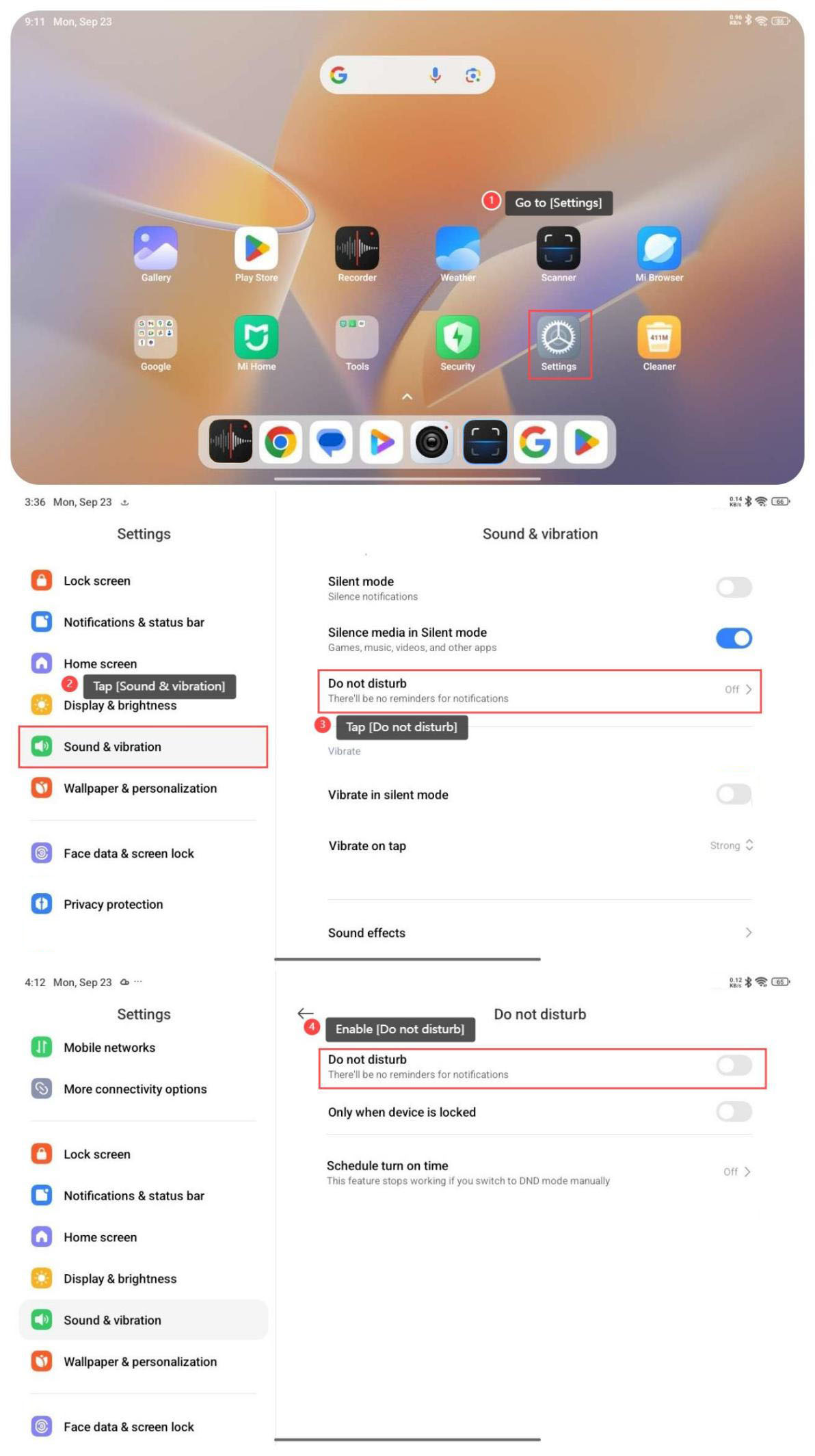
1. Go to [Settings];
2. Tap [Sound & vibration];
3. Tap [Do not disturb];
4. Enable [Do not disturb].
Note:
When you enable [Only when device is locked], your tablet will enter the DND mode automatically when the tablet is locked.
Method 2:
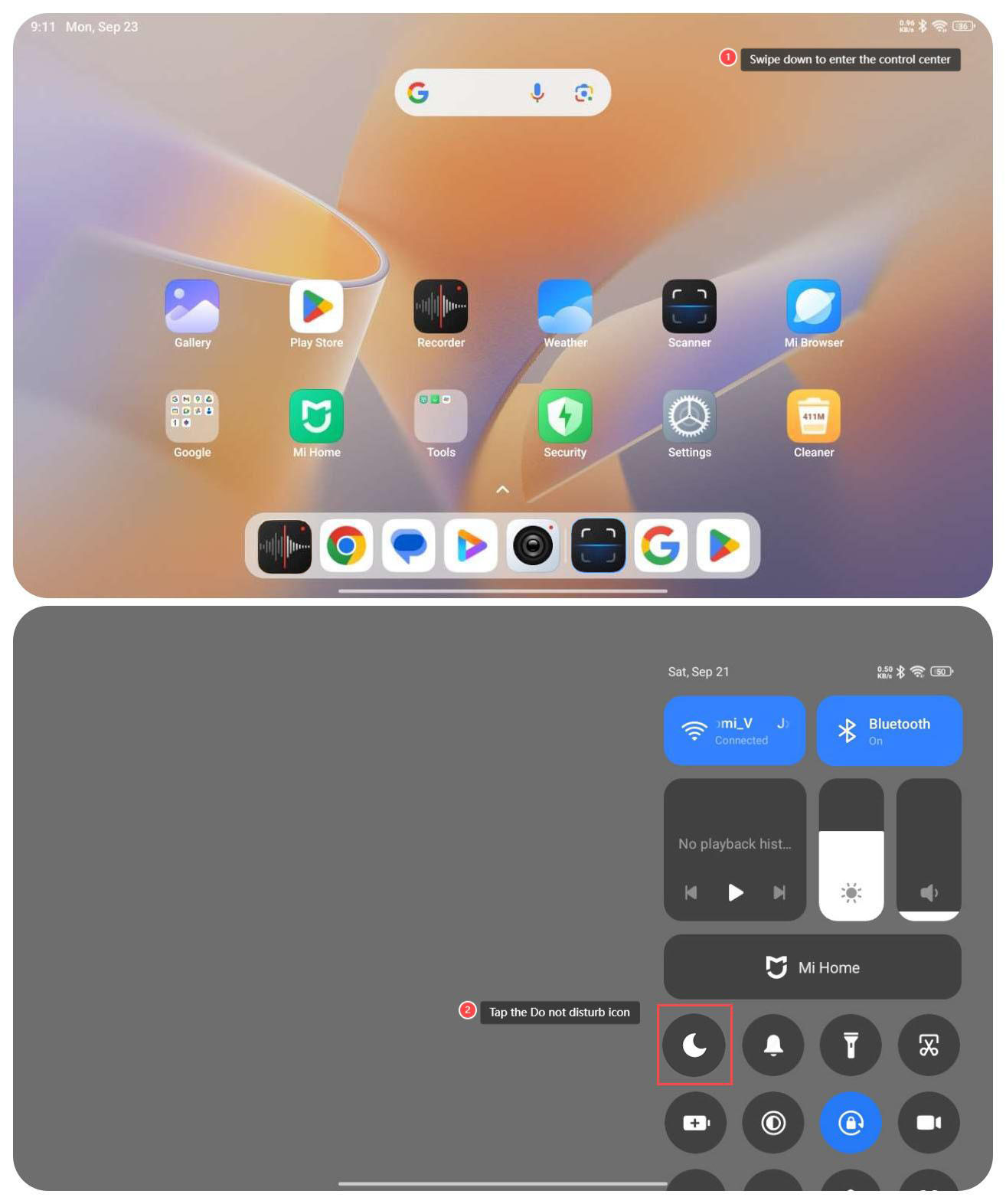
1. Swipe down from the right top of the screen to enter the control center;
2. Enable the Do not disturb icon.
To enable or disable Do not disturb on your tablet, please refer to the following methods:
Method 1:
1. Go to [Settings];
2. Tap [Sound & vibration];
3. Tap [Do not disturb];
4. Enable [Do not disturb].
Note:
When you enable [Only when device is locked], your tablet will enter the DND mode automatically when the tablet is locked.
Method 2:
1. Swipe down from the right top of the screen to enter the control center;
2. Enable the Do not disturb icon.
Does it help?
Yes
No