

How to change the album cover in Gallery on the Redmi Pad SE 8.7 4G?
The album cover in the Gallery on the Redmi Pad SE 8.7 4G is the thumbnail image that represents a specific album. This cover visually identifies the album, making it easier for you to locate and access your grouped photos and videos quickly. The album cover can be set to any image within that album, allowing you to choose a representative photo that captures the essence of the content inside. This feature enhances the organization and aesthetic appeal of the Gallery, helping you navigate your media library more efficiently.
To change the album cover in Gallery on the Redmi Pad SE 8.7 4G, please refer to the following steps:
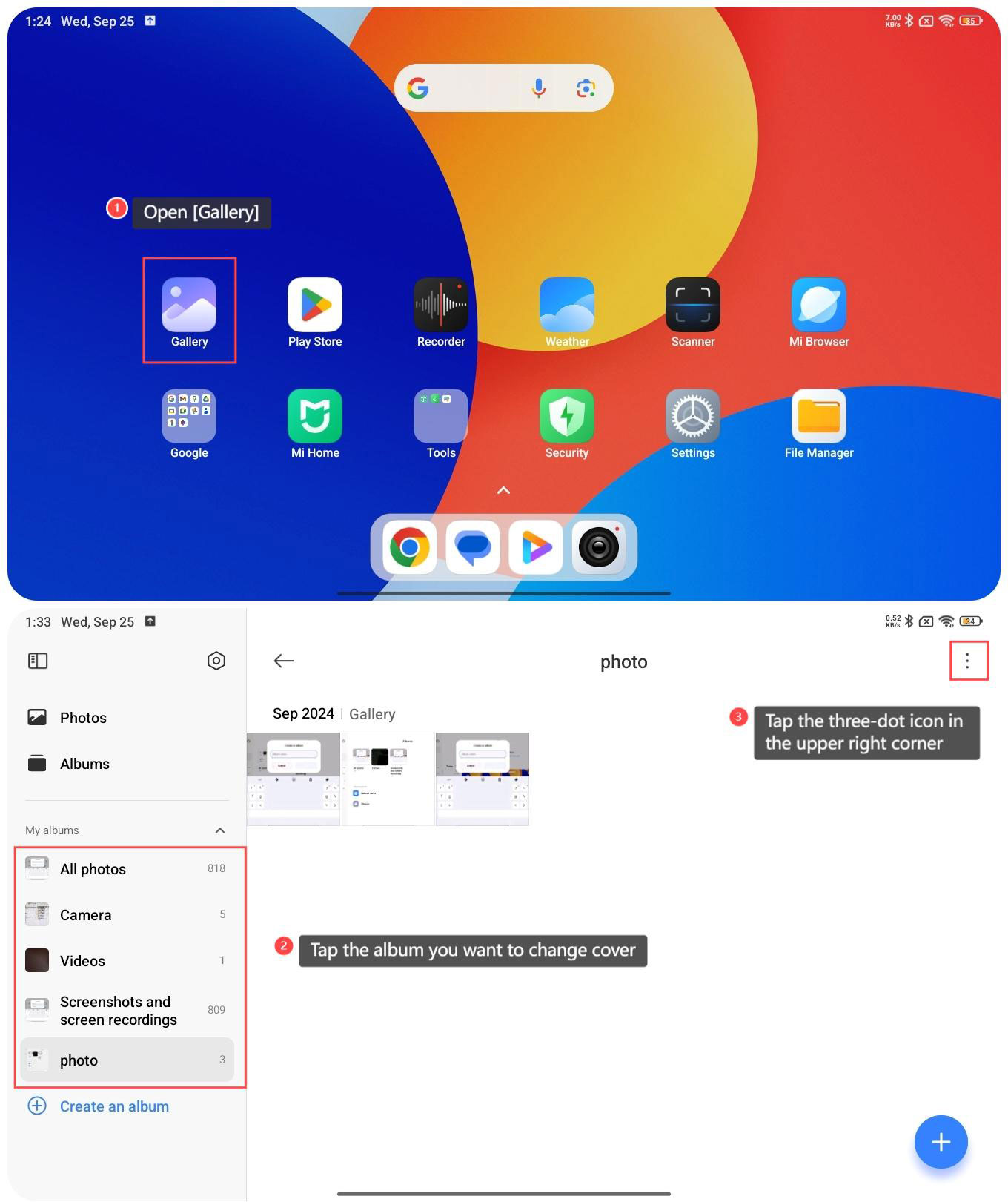
1. Open [Gallery];
2. Tap the album you want to change cover;
3. Tap the three-dot icon in the upper right corner;
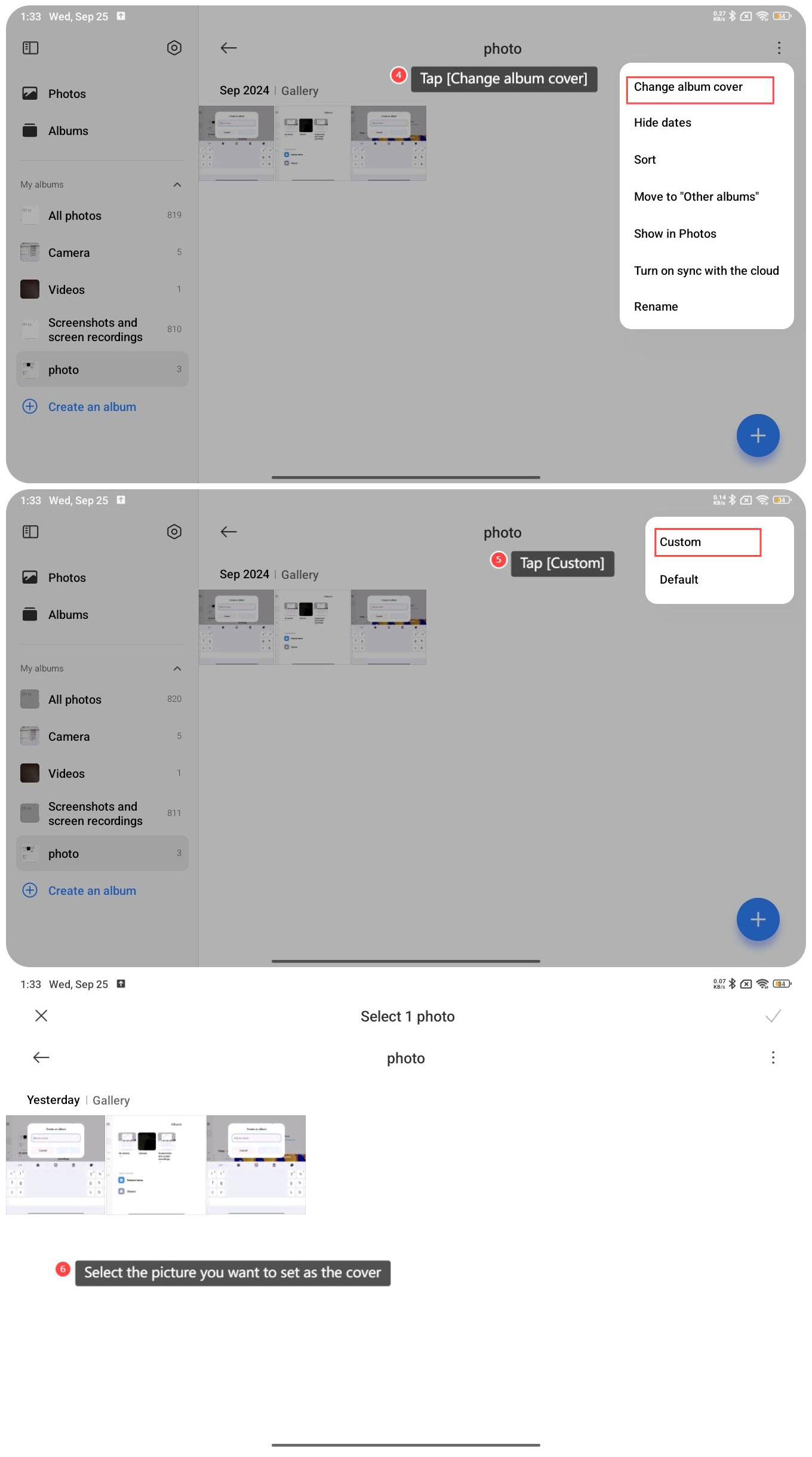
4. Tap [Change album cover];
5. Tap [Custom];
6. Select the picture you want to set as the cover.
To change the album cover in Gallery on the Redmi Pad SE 8.7 4G, please refer to the following steps:
1. Open [Gallery];
2. Tap the album you want to change cover;
3. Tap the three-dot icon in the upper right corner;
4. Tap [Change album cover];
5. Tap [Custom];
6. Select the picture you want to set as the cover.
Does it help?
Yes
No