

How to bind the Redmi Watch 5 Lite to a new phone?
To replace the mobile phone connection, please refer to the following steps:
1. Tap [Add device] in the new mobile phone’s Mi Fitness APP;
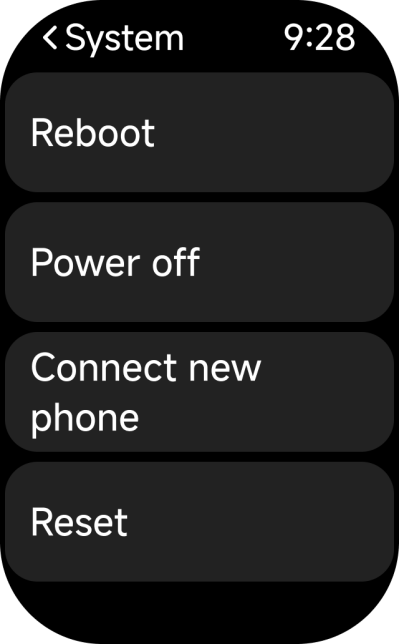
2. Go to the system settings in the watch;
3. Select [Connect new phone];
4. Then follow the instructions to bind to the new phone.
Note:
Personal data bound without changing account will not be lost. If it is changed to a new account, the watch will return to the factory settings and the unsynchronized data will be cleared.
1. Tap [Add device] in the new mobile phone’s Mi Fitness APP;
2. Go to the system settings in the watch;
3. Select [Connect new phone];
4. Then follow the instructions to bind to the new phone.
Note:
Personal data bound without changing account will not be lost. If it is changed to a new account, the watch will return to the factory settings and the unsynchronized data will be cleared.
Does it help?
Yes
No