

How to install the Xiaomi Faucet Water Purifier?
To install the Xiaomi Faucet Water Purifier using an adapter, please refer to the following steps:
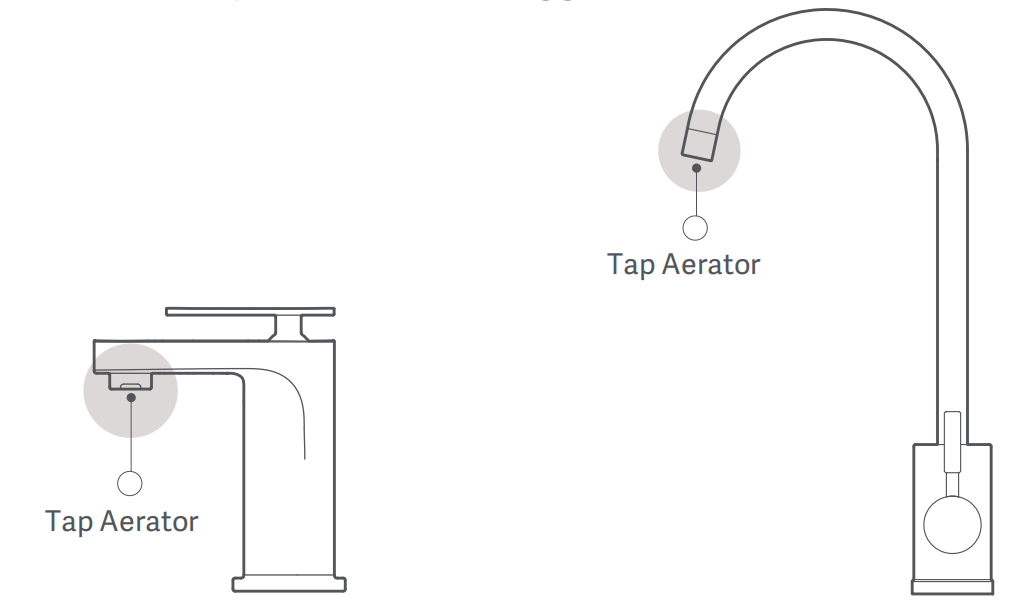
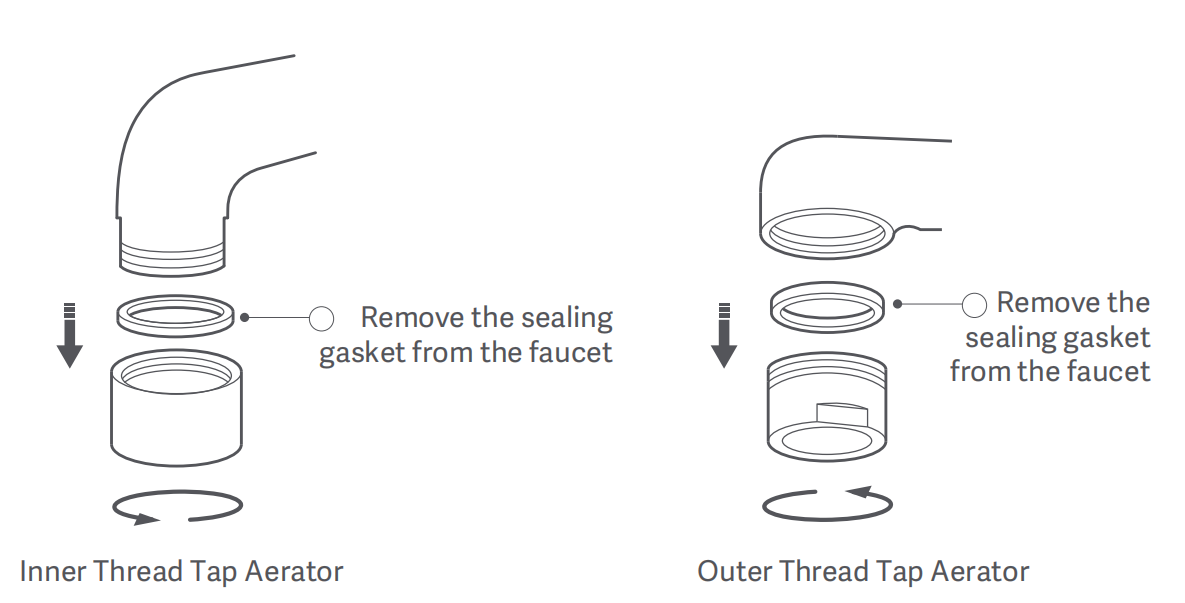
1. Remove the tap aerator and the sealing gasket from the faucet;
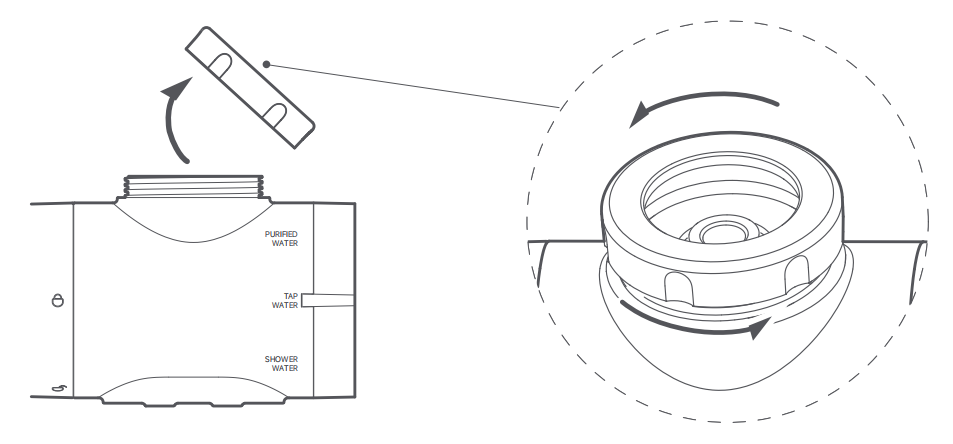
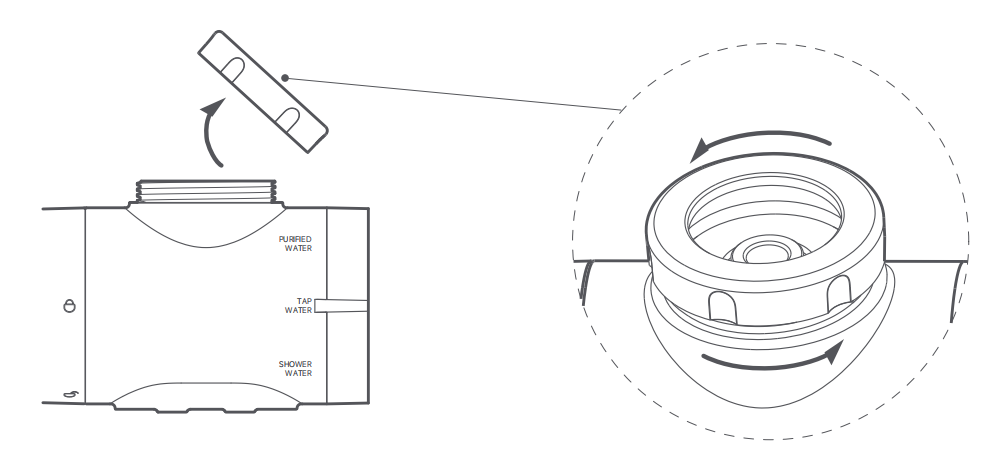
2. Rotate the connecting nut in the direction as illustrated to remove it from the water purifier;
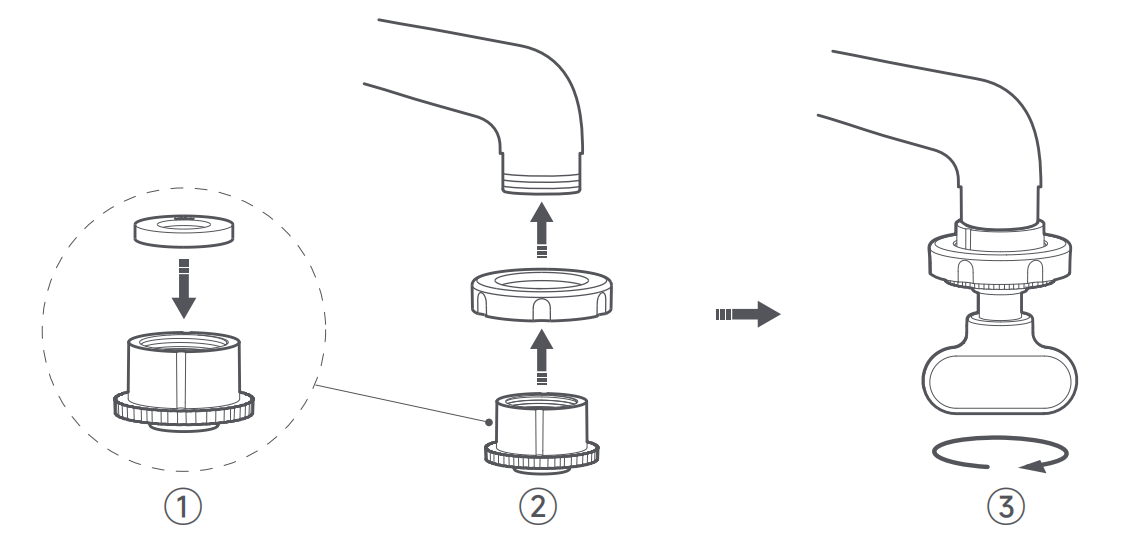
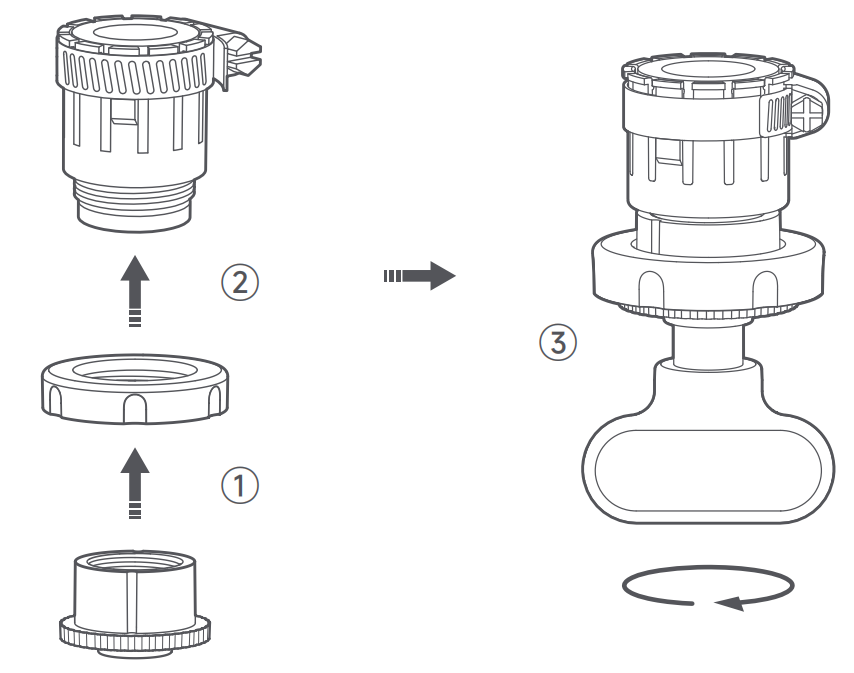
3. Install a sealing gasket into the adapter, pass the adapter through the connecting nut, and tighten the adapter onto the faucet using the installation wrench;
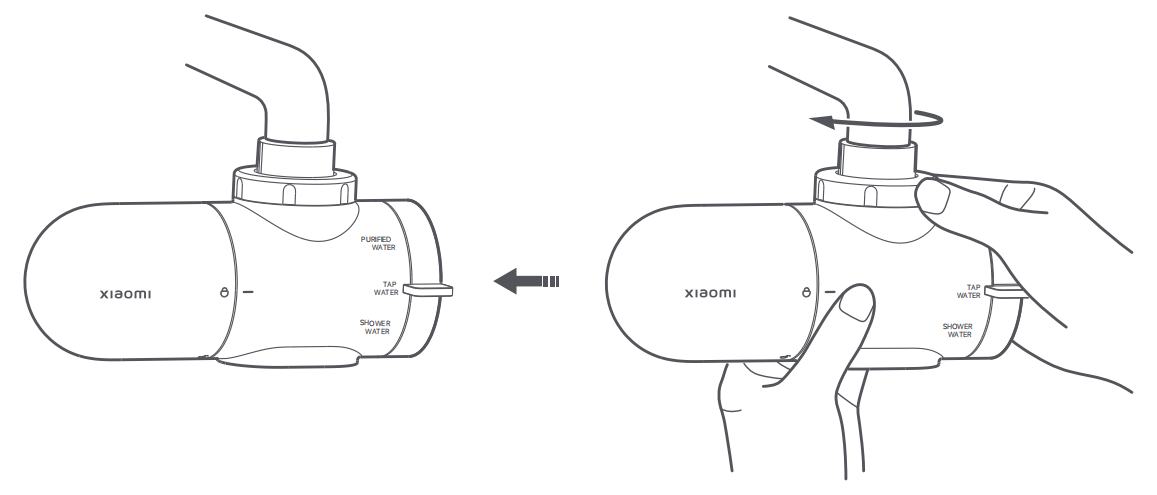
4. Rotate the connecting nut to tighten the water purifier onto the faucet and complete the installation.
To install the Xiaomi Faucet Water Purifier using a universal connector, please refer to the following steps:
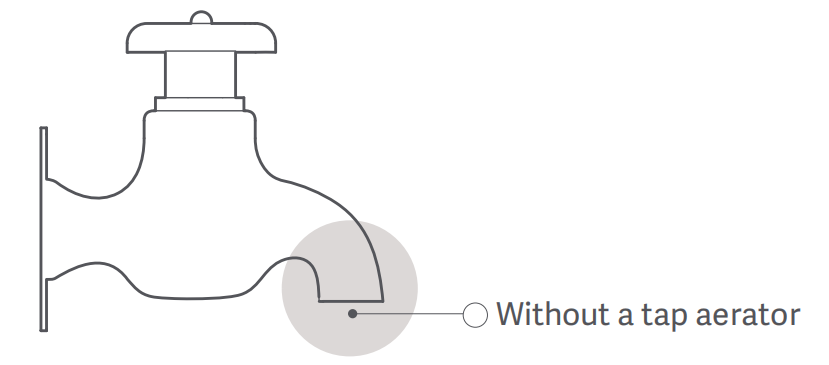
1. Using a universal connector for a faucet without a tap aerator;
2. Rotate the connecting nut in the direction as illustrated to remove it from the water purifier;
3. Select the M22 inner thread adapter (M22-N). Install a sealing gasket into the adapter, pass the adapter through the connecting nut, and tighten the adapter onto the universal connector;
Note:
The universal connector is only suitable for faucets with a diameter of 15–23mm without a tap aerator.
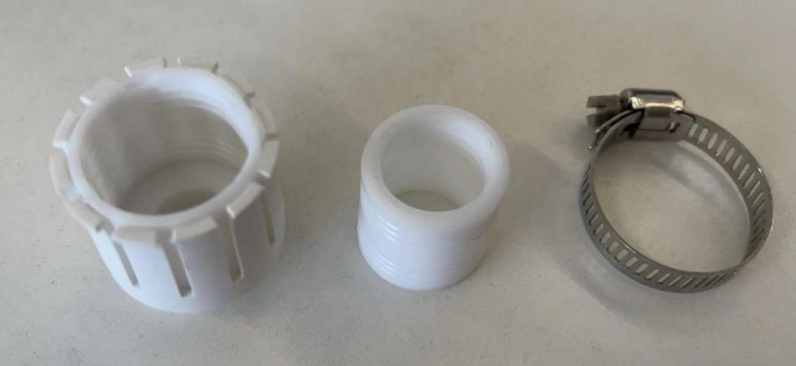
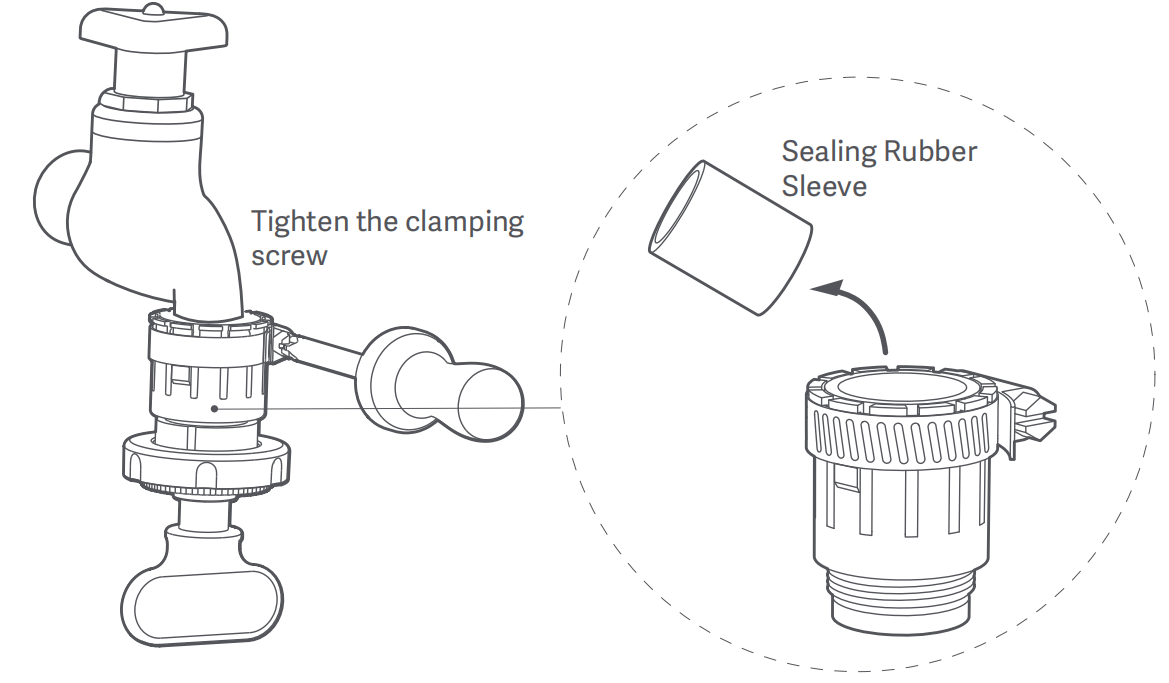
3. Install the universal connector onto the faucet, and tighten the clamping screw. During installation, remove the sealing rubber sleeve to adjust the inner diameter of the universal connector based on the faucet's diameter;
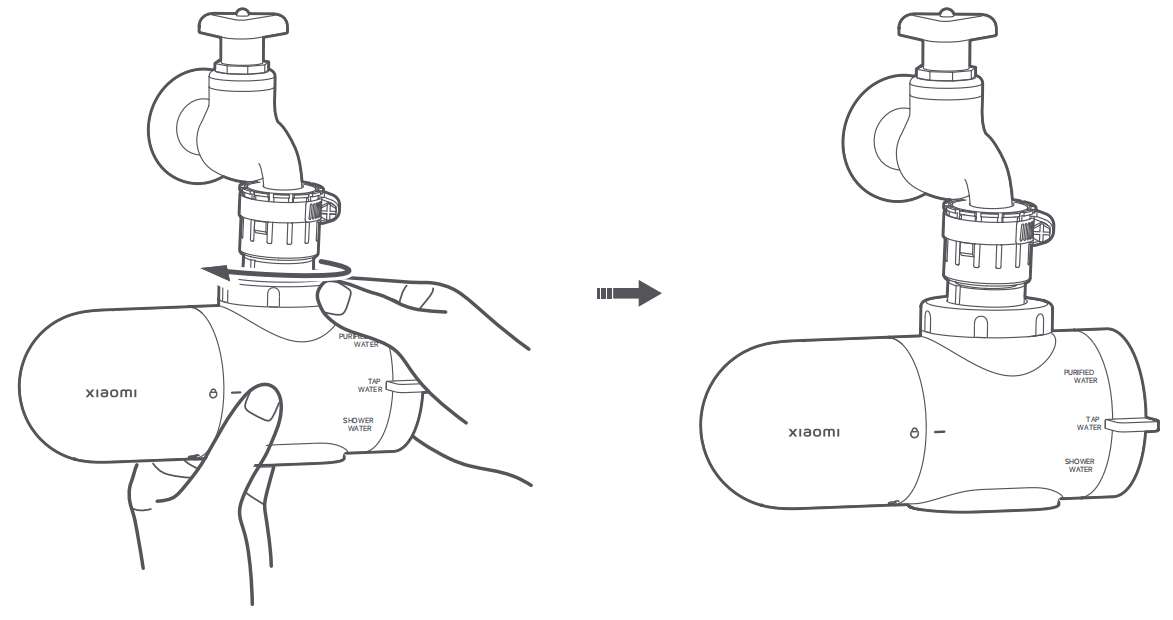
4. Rotate the connecting nut in the direction as illustrated to secure the water purifier to the faucet.
1. Remove the tap aerator and the sealing gasket from the faucet;
2. Rotate the connecting nut in the direction as illustrated to remove it from the water purifier;
3. Install a sealing gasket into the adapter, pass the adapter through the connecting nut, and tighten the adapter onto the faucet using the installation wrench;
4. Rotate the connecting nut to tighten the water purifier onto the faucet and complete the installation.
To install the Xiaomi Faucet Water Purifier using a universal connector, please refer to the following steps:
1. Using a universal connector for a faucet without a tap aerator;
2. Rotate the connecting nut in the direction as illustrated to remove it from the water purifier;
3. Select the M22 inner thread adapter (M22-N). Install a sealing gasket into the adapter, pass the adapter through the connecting nut, and tighten the adapter onto the universal connector;
Note:
The universal connector is only suitable for faucets with a diameter of 15–23mm without a tap aerator.
3. Install the universal connector onto the faucet, and tighten the clamping screw. During installation, remove the sealing rubber sleeve to adjust the inner diameter of the universal connector based on the faucet's diameter;
4. Rotate the connecting nut in the direction as illustrated to secure the water purifier to the faucet.
Does it help?
Yes
No