

How to set the oscillation of the Xiaomi Smart Tower Fan 2?
To set the oscillation, please refer to the following methods:
Method 1:
Press the Oscillation Button to enable or disable oscillation. You can set the oscillation angle range in the Mi Home/Xiaomi Home APP. After the fan is turned off and turned back on again, the oscillation setting will be the last used one. Unplug and power on again or reset the Wi-Fi connection, then turn on the oscillation. It will automatically calibrate its oscillating angle. The calibration time varies depending on different angles, please wait with patience.
Note:
When the Wi-Fi connection is reset, the oscillation angle range will change to the default angle of 90°.
Method 2:
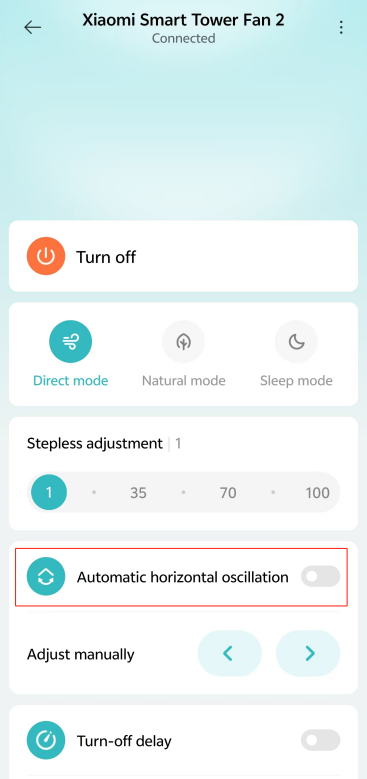
Go to the [Mi Home/Xiaomi Home] APP >> tap the device card >> turn on/off [Automatic horizontal oscillation].
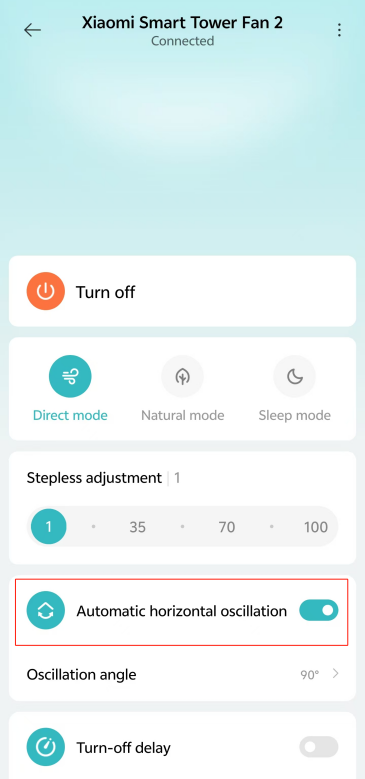
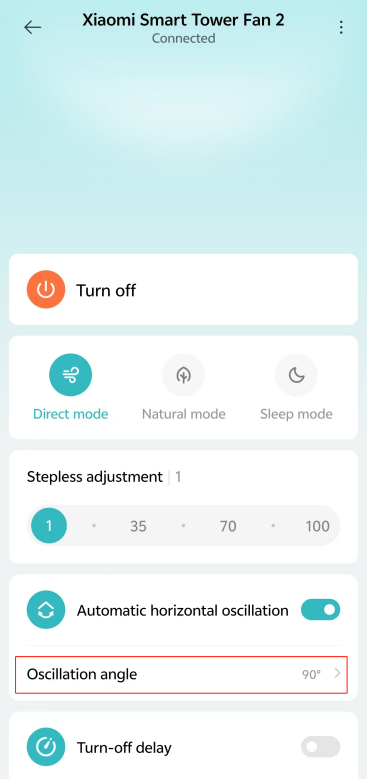
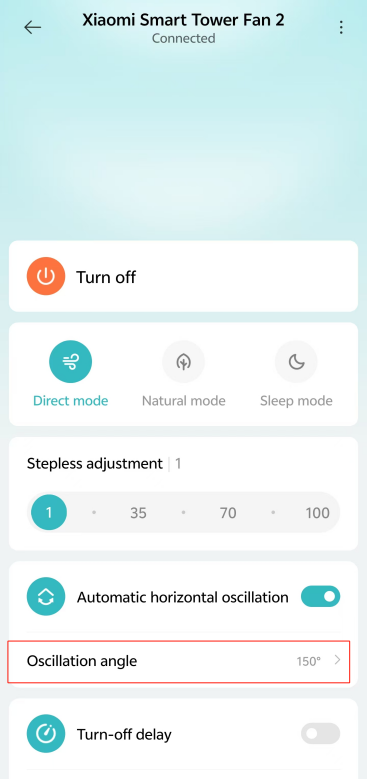
To adjust the oscillation angle, turn on [Automatic horizontal oscillation] >> tap [Oscillation angle] >> select the angle and tap [Confirm].

Method 1:
Press the Oscillation Button to enable or disable oscillation. You can set the oscillation angle range in the Mi Home/Xiaomi Home APP. After the fan is turned off and turned back on again, the oscillation setting will be the last used one. Unplug and power on again or reset the Wi-Fi connection, then turn on the oscillation. It will automatically calibrate its oscillating angle. The calibration time varies depending on different angles, please wait with patience.
Note:
When the Wi-Fi connection is reset, the oscillation angle range will change to the default angle of 90°.
Method 2:
Go to the [Mi Home/Xiaomi Home] APP >> tap the device card >> turn on/off [Automatic horizontal oscillation].
To adjust the oscillation angle, turn on [Automatic horizontal oscillation] >> tap [Oscillation angle] >> select the angle and tap [Confirm].
Does it help?
Yes
No