

How to set the scheduled standby time for the Xiaomi Smart Tower Fan 2?
To set the scheduled standby time, please refer to the following methods:
Method 1:
Press the Scheduled Standby Button to cycle through the scheduled standby time: 1 hour, 2 hours, 3 hours, 4 hours, and disabled, and the corresponding indicator(s) will light up (see table below). Five seconds after using the scheduled standby function, the indicator(s) resume to indicate the status before scheduling the standby time.
Note:
☀ means the indicator is on. ● means the indicator is off.
Method 2:
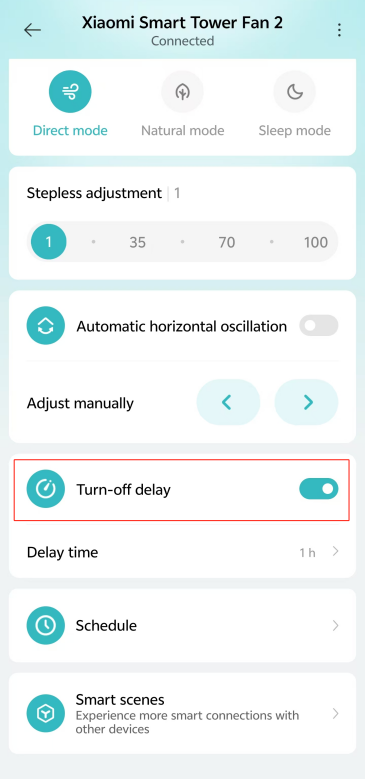
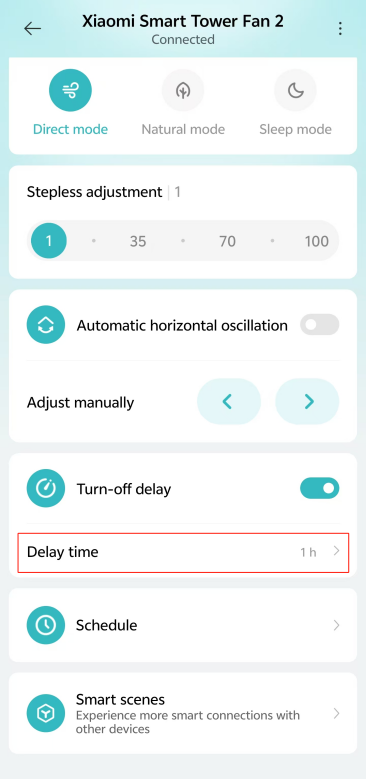
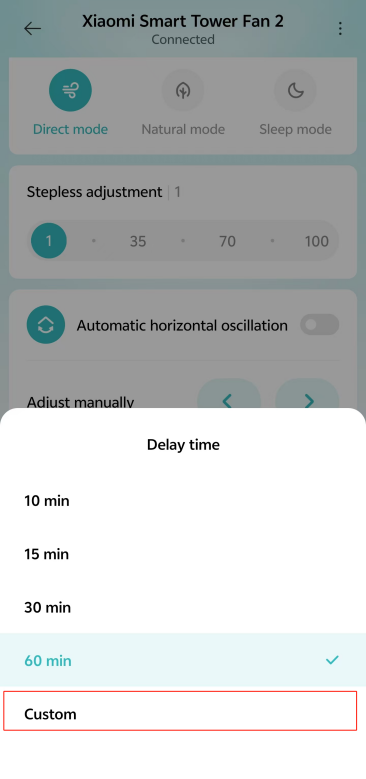
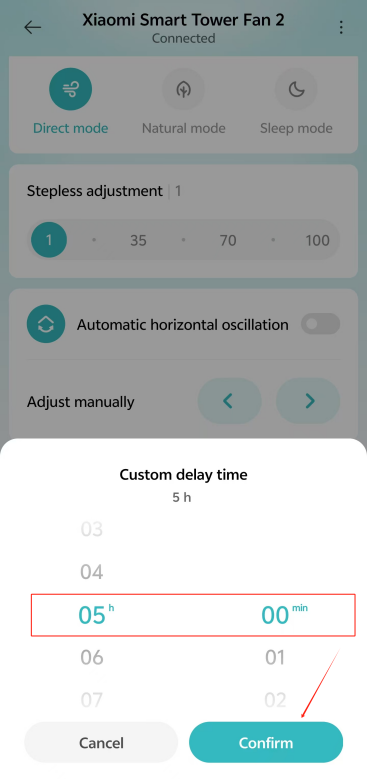
You can also set scheduled standby time by connecting to the Mi Home/Xiaomi Home APP. Go to the [Mi Home/Xiaomi Home] APP >> tap the device card >> turn on [Turn-off delay] >> tap [Delay time] >> select the time or select [Custom] >> set the time and tap [Confirm] to custom delay time.
Method 1:
Press the Scheduled Standby Button to cycle through the scheduled standby time: 1 hour, 2 hours, 3 hours, 4 hours, and disabled, and the corresponding indicator(s) will light up (see table below). Five seconds after using the scheduled standby function, the indicator(s) resume to indicate the status before scheduling the standby time.
| Scheduled Turn-off | Disabled | 1 hour | 2 hours | 3 hours | 4 hours |
| Indicator | ●●●● | ☀●●● | ☀☀●● | ☀☀☀● | ☀☀☀☀ |
☀ means the indicator is on. ● means the indicator is off.
Method 2:
You can also set scheduled standby time by connecting to the Mi Home/Xiaomi Home APP. Go to the [Mi Home/Xiaomi Home] APP >> tap the device card >> turn on [Turn-off delay] >> tap [Delay time] >> select the time or select [Custom] >> set the time and tap [Confirm] to custom delay time.
Does it help?
Yes
No