

How to switch modes of the Xiaomi Smart Tower Fan 2?
To switch the modes of the fan, please refer to the following methods:
Method 1:
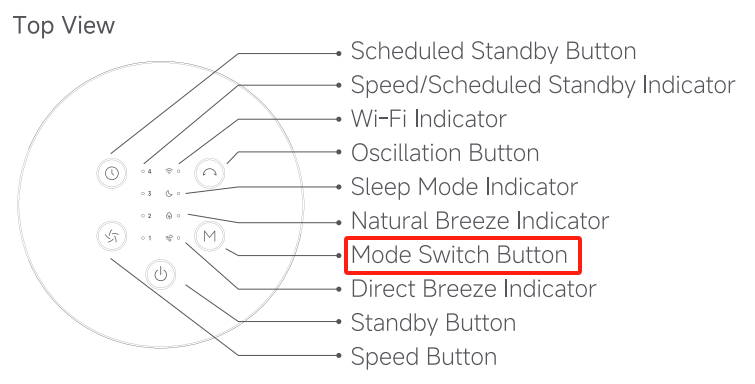
Press the Mode Switch Button on the tower fan to cycle through the direct breeze, natural breeze, and sleep mode, and the corresponding mode indicator will light up. After the fan is turned off and turned back on again, the mode will be the last used one.
Method 2:
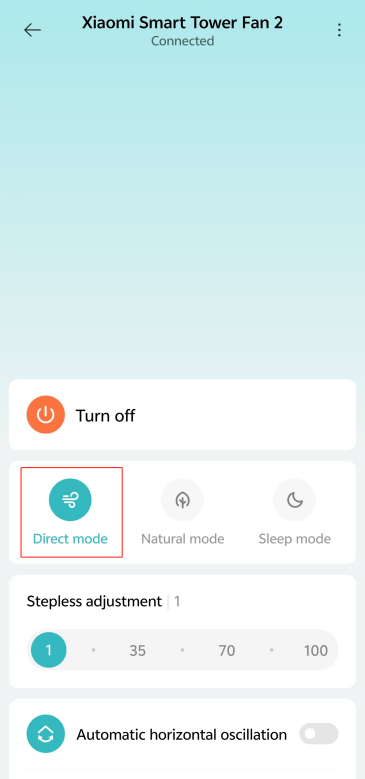
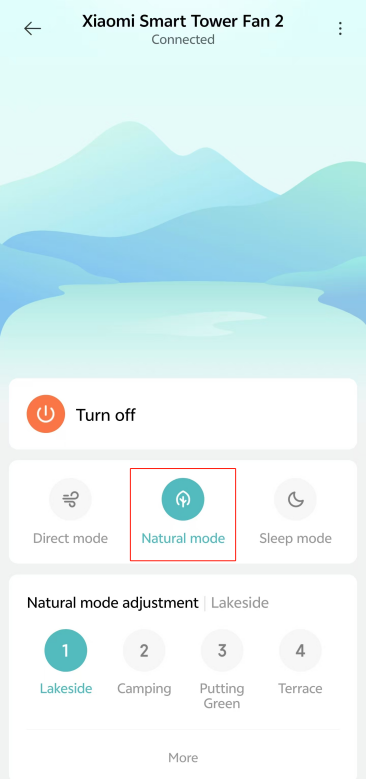
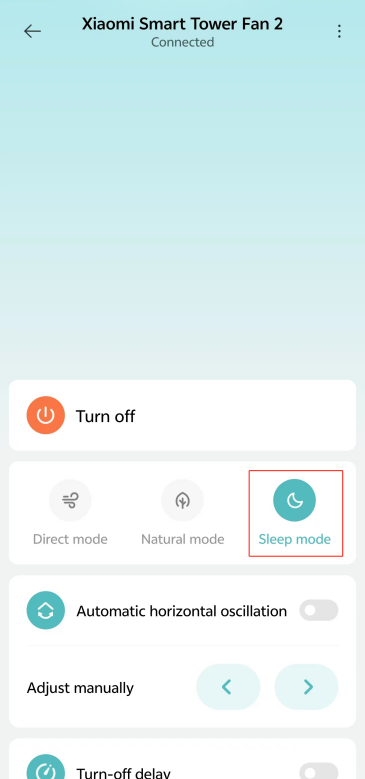
You can also tap [Direct mode], [Natural mode], or [Sleep mode] in the Mi Home/Xiaomi Home APP to switch modes.
Method 1:
Press the Mode Switch Button on the tower fan to cycle through the direct breeze, natural breeze, and sleep mode, and the corresponding mode indicator will light up. After the fan is turned off and turned back on again, the mode will be the last used one.
Method 2:
You can also tap [Direct mode], [Natural mode], or [Sleep mode] in the Mi Home/Xiaomi Home APP to switch modes.
Does it help?
Yes
No