

How to turn on/off the Xiaomi Smart Tower Fan 2?
To turn on/off the fan, please refer to the following methods:
Method 1:
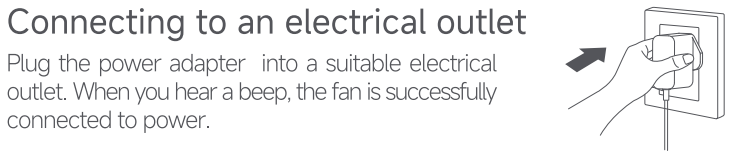
1. Plug the power adapter into a suitable electrical outlet that meets international standards. When you hear a beep, the fan is successfully connected to power;
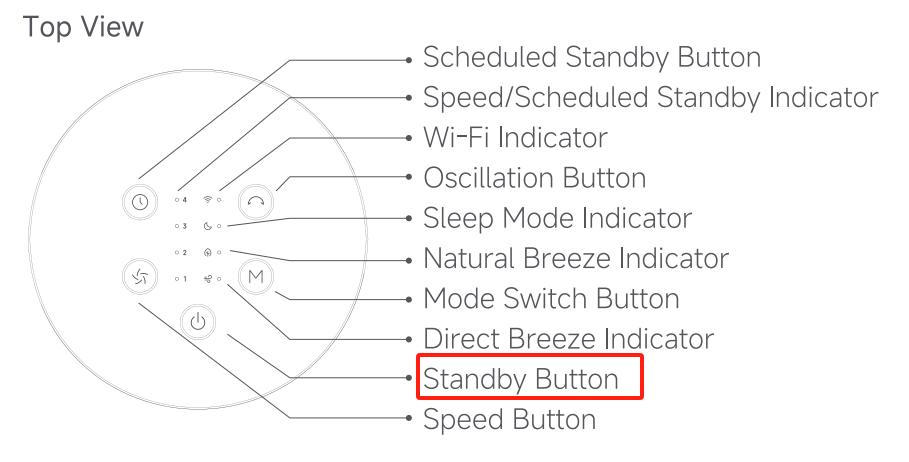
2. Press the Standby Button to start the fan. When turned on for the first time, the fan is at the direct breeze mode with the speed level of slow, by default;
3. To turn off the fan, tap the Standby Button to stop the fan while it is running.
Method 2:
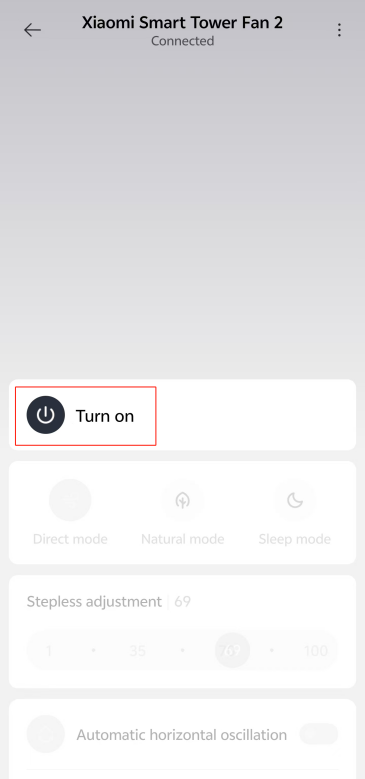
1. Tap the [Turn on] icon in the Mi Home/Xiaomi Home APP, and the tower fan starts to work;
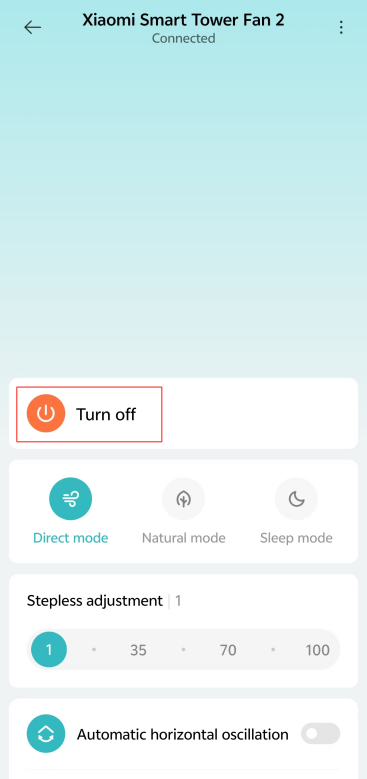
2. Tap the [Turn off] icon in the Mi Home/Xiaomi Home APP during the power-on state, and the tower fan stops working.
Method 1:
1. Plug the power adapter into a suitable electrical outlet that meets international standards. When you hear a beep, the fan is successfully connected to power;
2. Press the Standby Button to start the fan. When turned on for the first time, the fan is at the direct breeze mode with the speed level of slow, by default;
3. To turn off the fan, tap the Standby Button to stop the fan while it is running.
Method 2:
1. Tap the [Turn on] icon in the Mi Home/Xiaomi Home APP, and the tower fan starts to work;
2. Tap the [Turn off] icon in the Mi Home/Xiaomi Home APP during the power-on state, and the tower fan stops working.
Does it help?
Yes
No