

How to update APPs on the Xiaomi TV A Pro 75 2025?
Updating applications on the Xiaomi TV A Pro 75 2025 can significantly improve the security, stability and performance of the device. With regular updates, you can enjoy the latest features and improvements and fix known bugs and issues while maintaining compatibility with the latest operating systems.
To update APPs on your TV, here are two methods for your reference:
Method 1:
1. Ensure that your TV is connected to the network. Turn on the TV, go to the Home screen and go to [Settings];
2. Tap [All settings];
3. Select [Apps];
4. Select [Google Play Store];
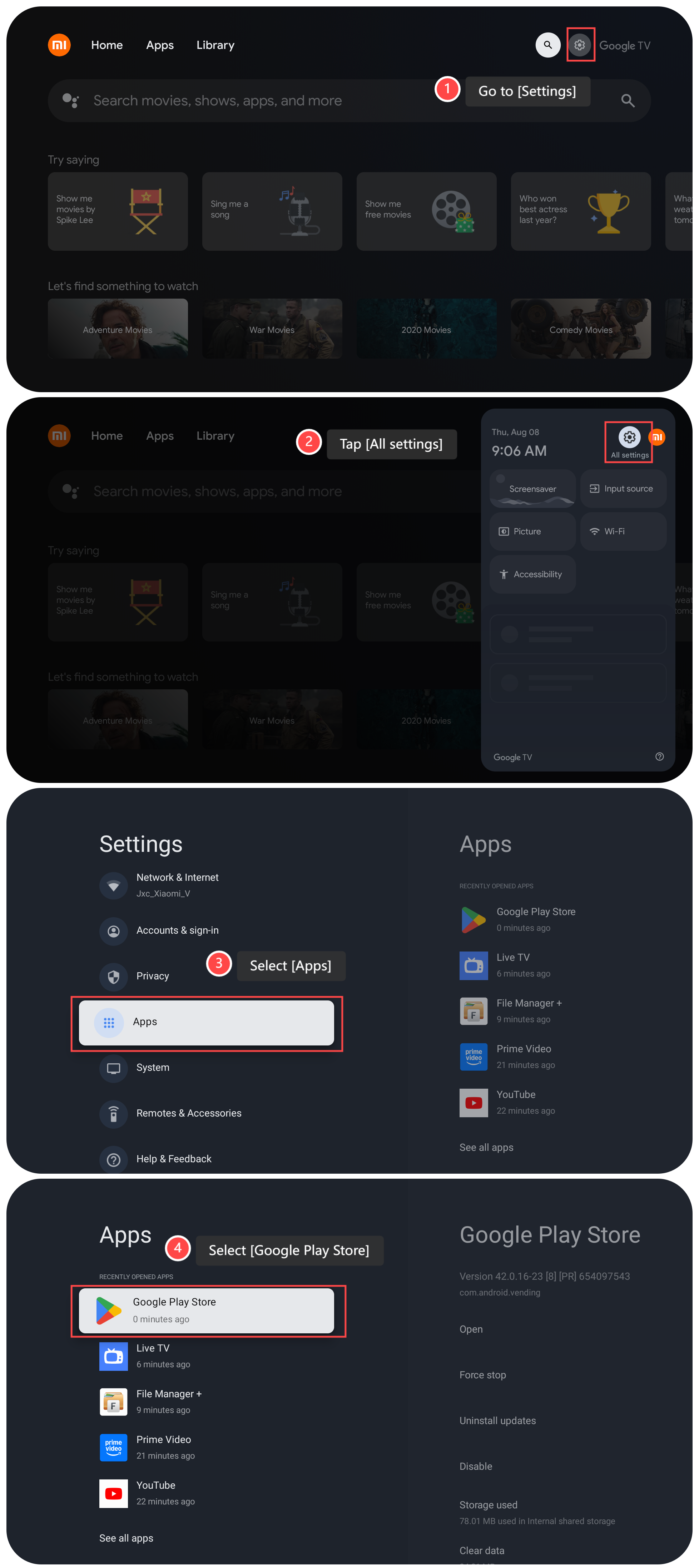
5. Tap [Open];
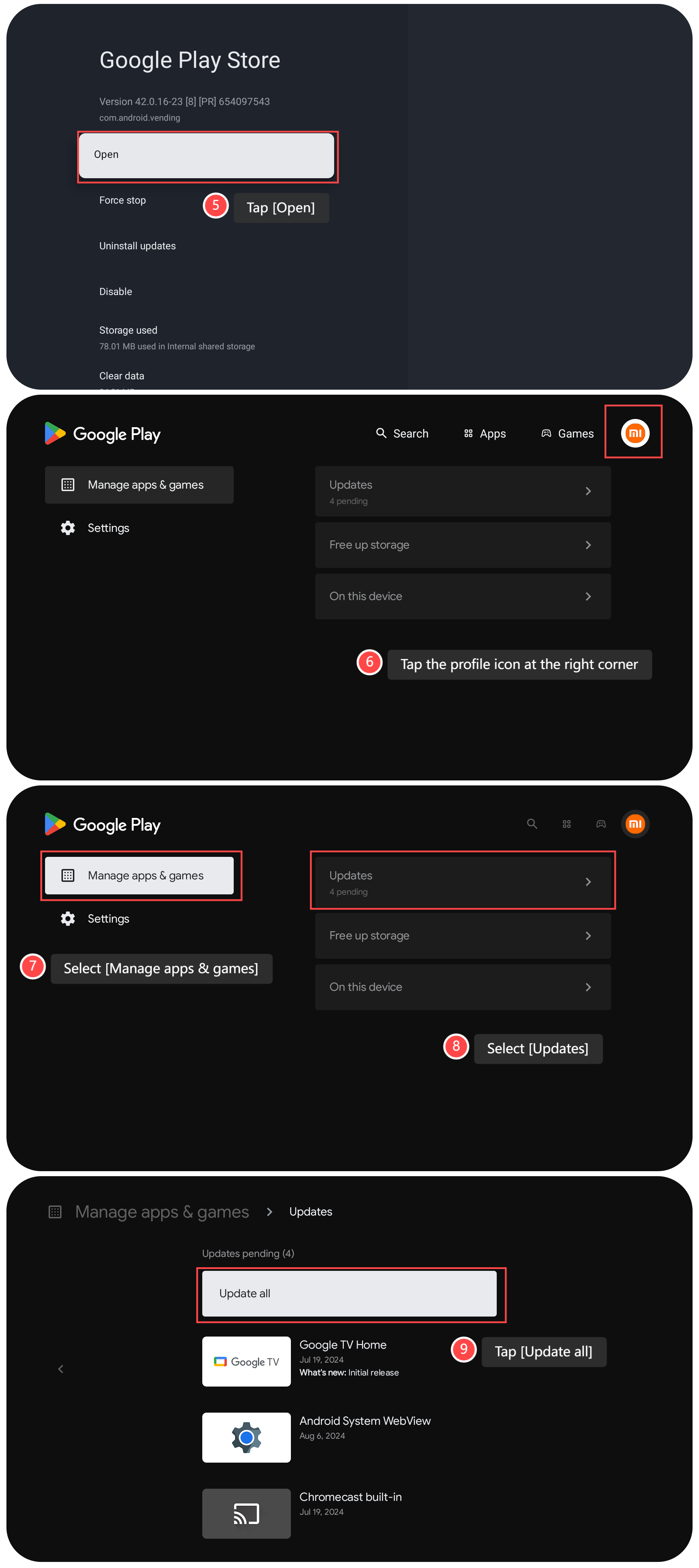
6. Tap the profile icon at the right corner;
7. Select [Manage apps & games];
8. Select [Updates];
9. If there are pending updated APPs, tap [Update all], and wait for the TV to update.
Method 2:
1. Go to [Settings];
2. Tap [All settings];
3. Select [Apps];
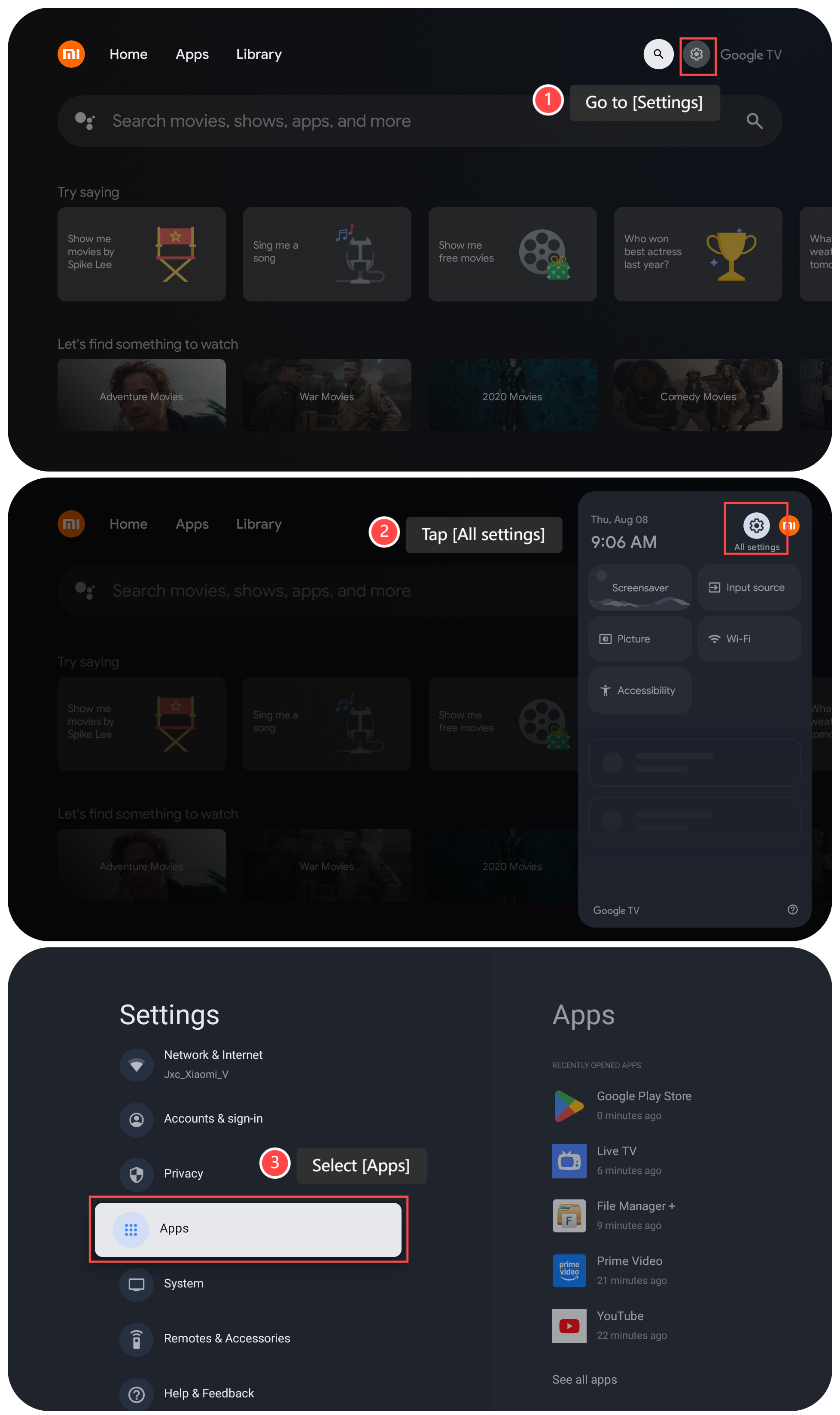
4. Select [Google Play Store];
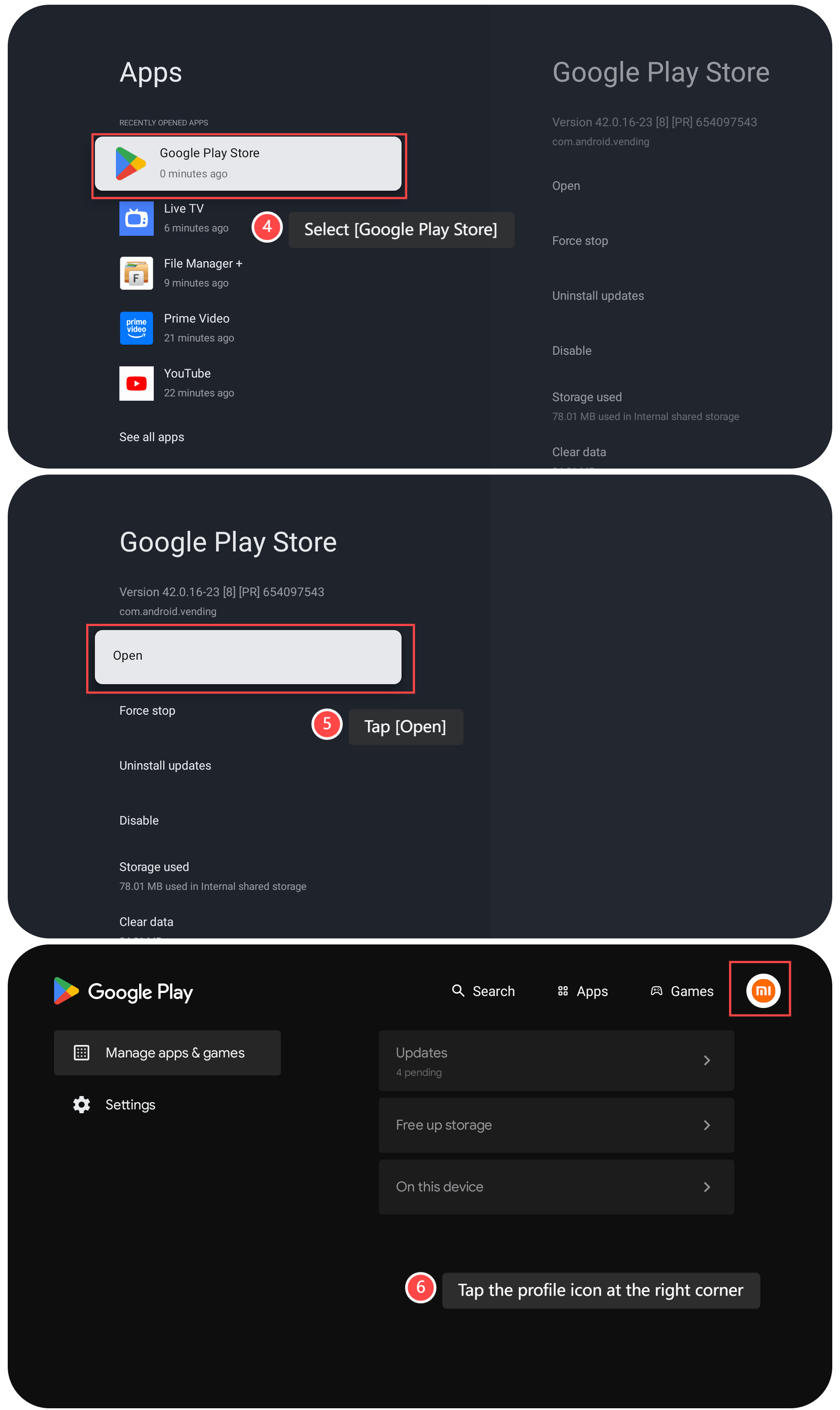
5. Tap [Open];
6. Tap the profile icon at the right corner;
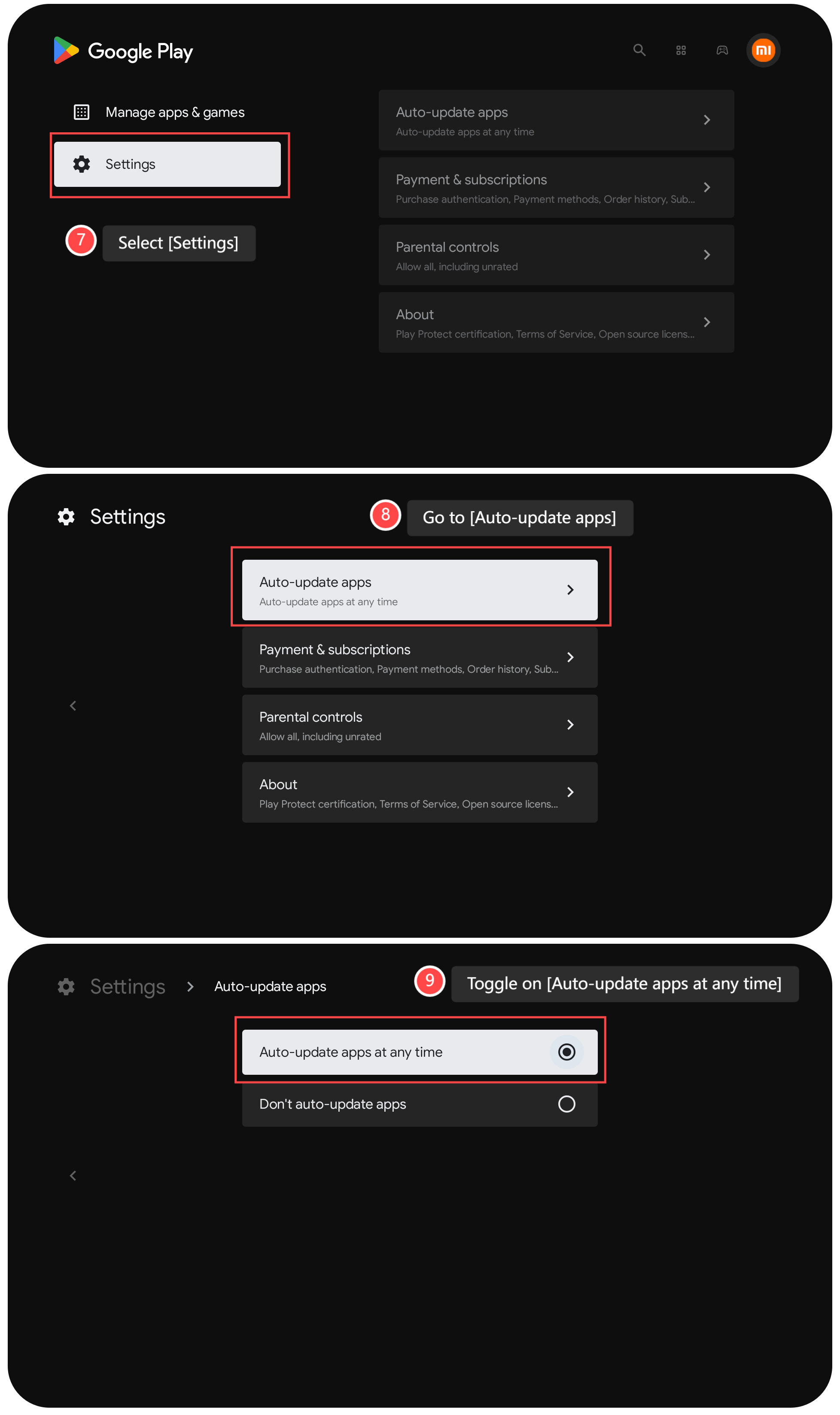
7. Select [Settings] on this interface;
8. Go to [Auto-update apps];
9. You can toggle on [Auto-update apps at any time].
To update APPs on your TV, here are two methods for your reference:
Method 1:
1. Ensure that your TV is connected to the network. Turn on the TV, go to the Home screen and go to [Settings];
2. Tap [All settings];
3. Select [Apps];
4. Select [Google Play Store];
5. Tap [Open];
6. Tap the profile icon at the right corner;
7. Select [Manage apps & games];
8. Select [Updates];
9. If there are pending updated APPs, tap [Update all], and wait for the TV to update.
Method 2:
1. Go to [Settings];
2. Tap [All settings];
3. Select [Apps];
4. Select [Google Play Store];
5. Tap [Open];
6. Tap the profile icon at the right corner;
7. Select [Settings] on this interface;
8. Go to [Auto-update apps];
9. You can toggle on [Auto-update apps at any time].
Does it help?
Yes
No