

How to enable automatic date & time on the Xiaomi TV A Pro 43 2025?
Automatic date and time on a Xiaomi TV A Pro 43 2025 is a setting that ensures your TV's date and time are synchronized with network servers. When enabled, this feature automatically adjusts the TV's clock based on your network's time information, so you don't have to manually set or update it.
For your reference, please enable automatic date & time on your TV as follows:
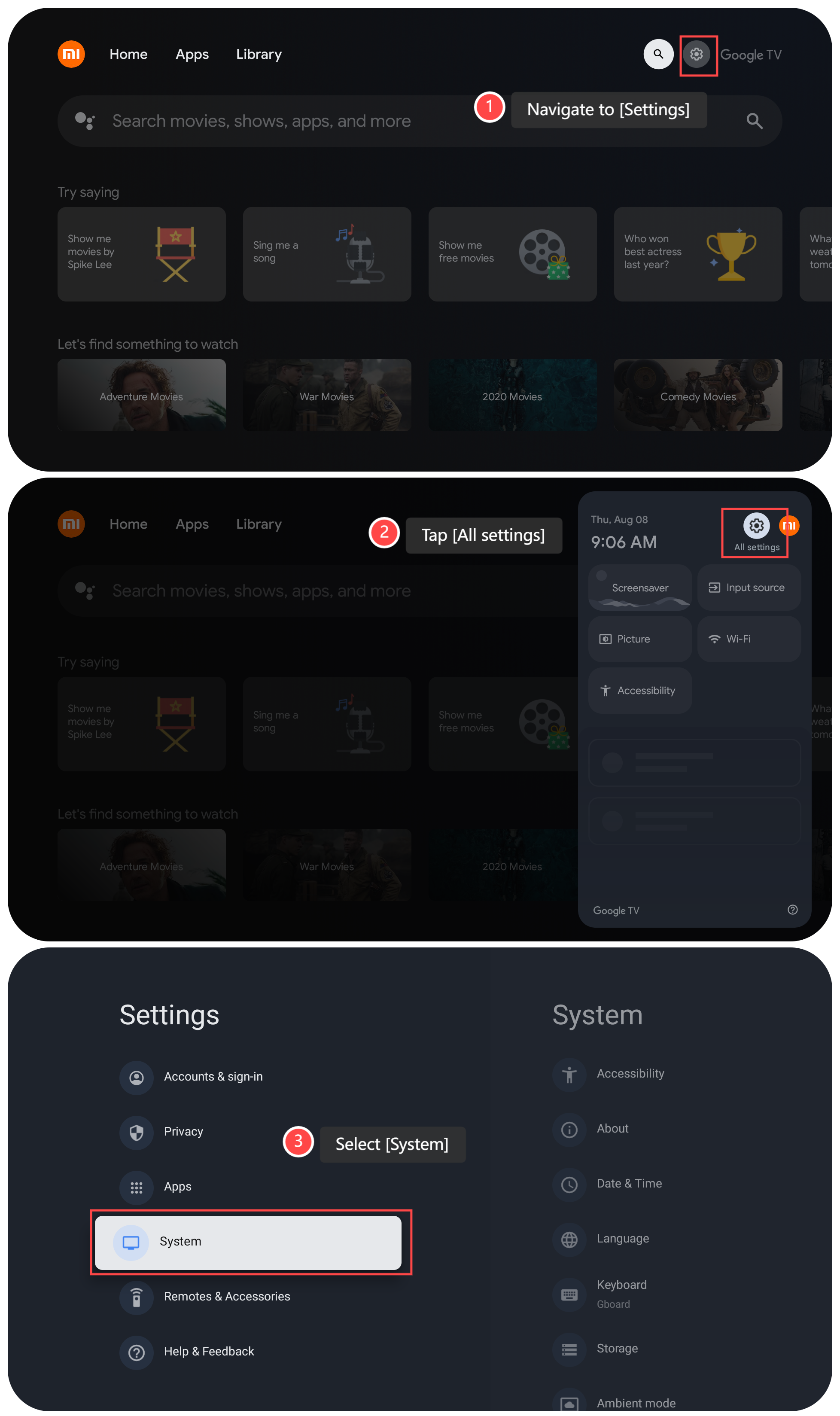
1. Navigate to [Settings];
2. Tap [All settings];
3. Scroll down and select [System];
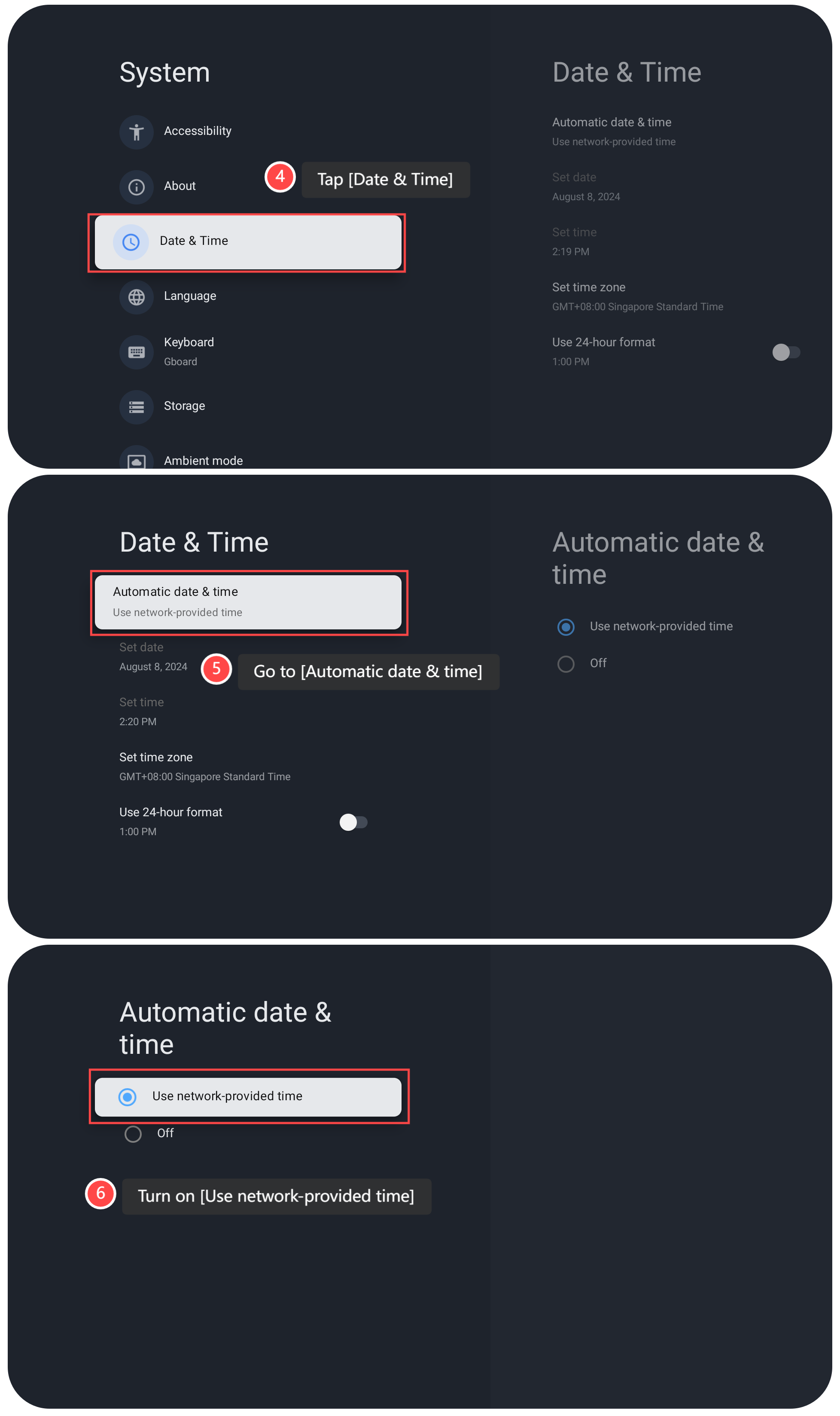
4. Tap [Date & Time];
5. Go to [Automatic date & time];
6. Turn on [Use network-provided time].
Note:
Ensure that your Wi-Fi or internet connection is active and stable, and that you have correctly set your TV's time zone and location. After enabling Automatic date & time, review the time and date displayed on your TV to ensure they are accurate. It will take a moment for the TV to sync with the time server.
For your reference, please enable automatic date & time on your TV as follows:
1. Navigate to [Settings];
2. Tap [All settings];
3. Scroll down and select [System];
4. Tap [Date & Time];
5. Go to [Automatic date & time];
6. Turn on [Use network-provided time].
Note:
Ensure that your Wi-Fi or internet connection is active and stable, and that you have correctly set your TV's time zone and location. After enabling Automatic date & time, review the time and date displayed on your TV to ensure they are accurate. It will take a moment for the TV to sync with the time server.
Does it help?
Yes
No