

How to clear APP cache and data on the Xiaomi TV A 50 2025?
Clearing the APP cache on a Xiaomi TV A 50 2025 removes temporary files, enhancing performance and freeing storage without affecting personal settings.
To clear APP cache and data on your TV, please refer to the following steps:
1. Go to [Settings];
2. Tap [All settings];
3. Select [Apps];
4. Find the specific APP for which you want to clear the cache and data;
5. Tap the APP;
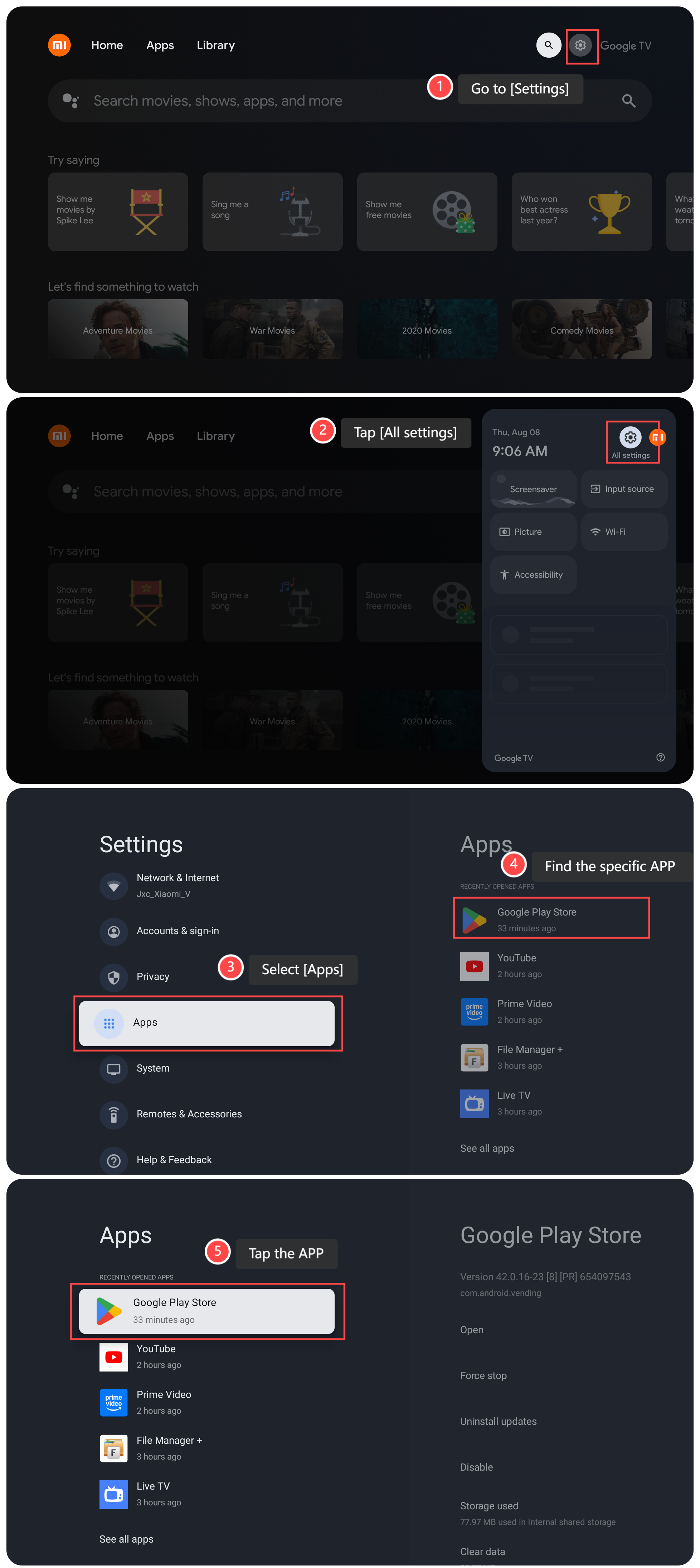
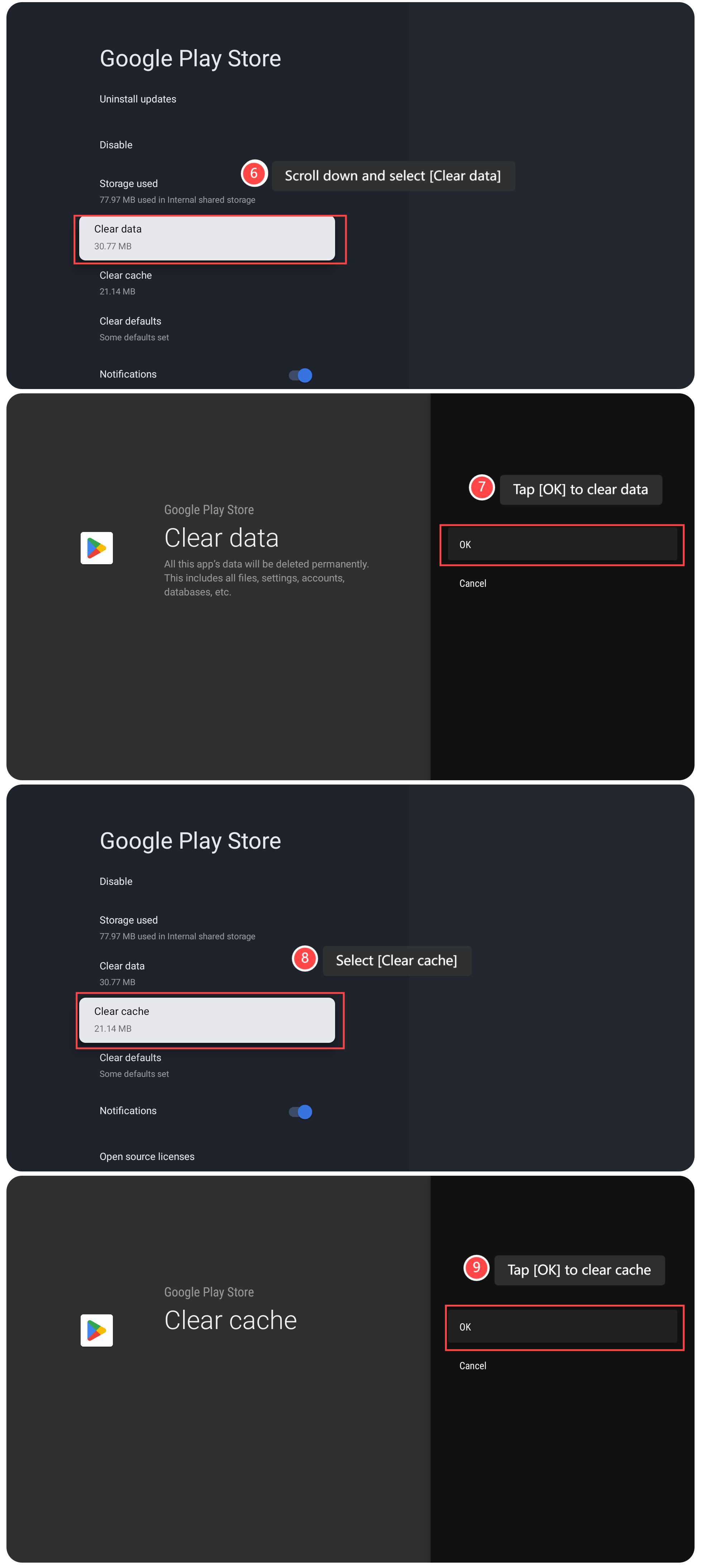
6. Scroll down and select [Clear data];
7. Tap [OK] to clear data;
8. Select [Clear cache];
9. Tap [OK] to clear cache.
Note:
Clearing APP data, however, resets the APP entirely, erasing settings, login info, and stored data, akin to a fresh install. These actions can troubleshoot issues and free up space but reset personalization, requiring caution. Clearing APP data can be useful if you're concerned about privacy or want to reset an APP completely, removing any stored personal information.
To clear APP cache and data on your TV, please refer to the following steps:
1. Go to [Settings];
2. Tap [All settings];
3. Select [Apps];
4. Find the specific APP for which you want to clear the cache and data;
5. Tap the APP;
6. Scroll down and select [Clear data];
7. Tap [OK] to clear data;
8. Select [Clear cache];
9. Tap [OK] to clear cache.
Note:
Clearing APP data, however, resets the APP entirely, erasing settings, login info, and stored data, akin to a fresh install. These actions can troubleshoot issues and free up space but reset personalization, requiring caution. Clearing APP data can be useful if you're concerned about privacy or want to reset an APP completely, removing any stored personal information.
Does it help?
Yes
No