

How to set the region on the Xiaomi TV A Pro 43 2025?
Setting the region on your TV is pivotal in tailoring your entertainment experience by influencing content accessibility, language preferences, and localized features. This setting impacts the availability of streaming services and APPs, language displays, regional formats, and even specific functionalities tied to geographic areas.
To set the region on the TV, please refer to the following steps:
1. From the TV home screen, navigate to the settings icon;
2. In the settings menu, tap [All settings];
3. Select [Privacy];
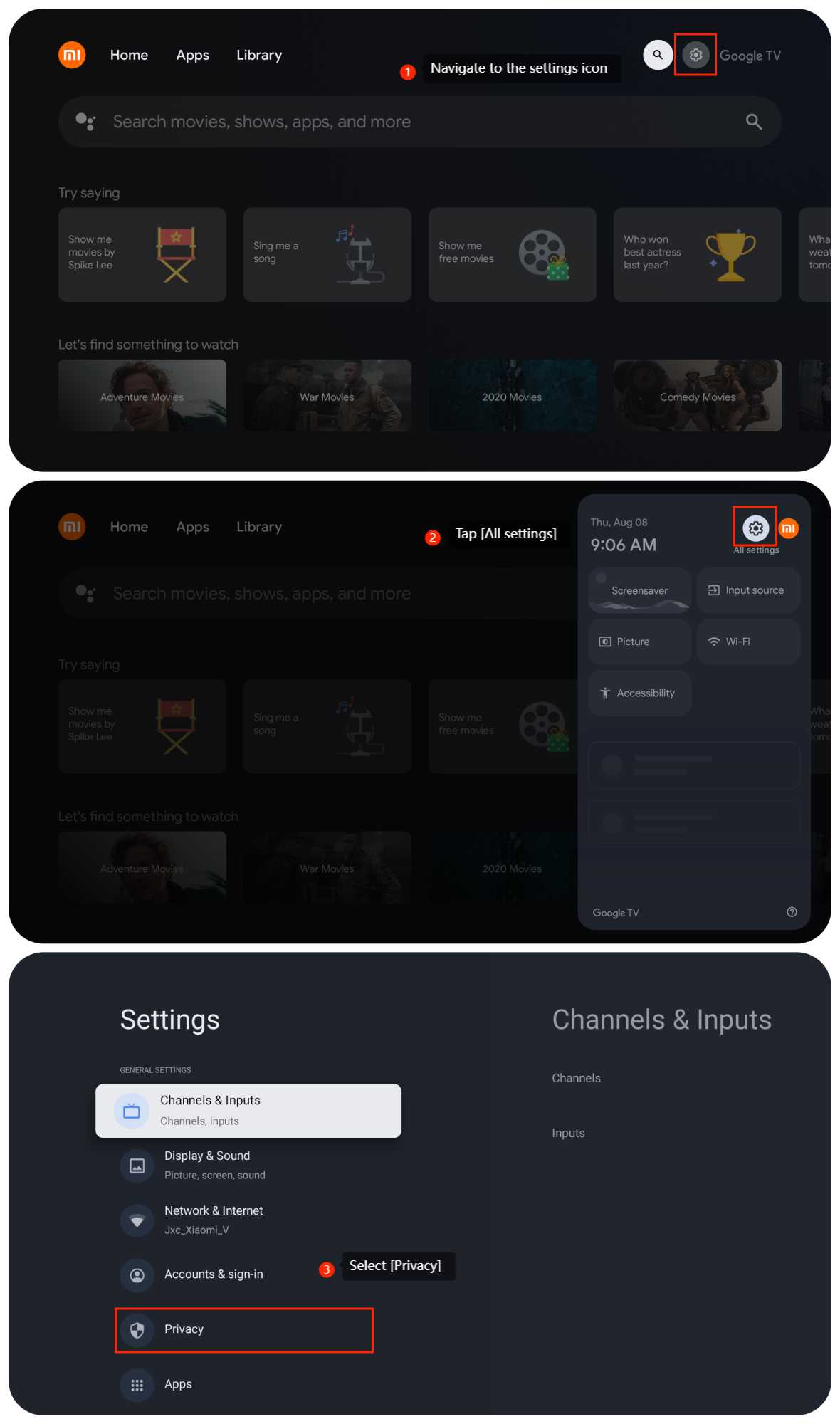
To set the region on the TV, please refer to the following steps:
1. From the TV home screen, navigate to the settings icon;
2. In the settings menu, tap [All settings];
3. Select [Privacy];
4. Tap [Location];
5. Tap [Location status];
6. Choose the mode you prefer.
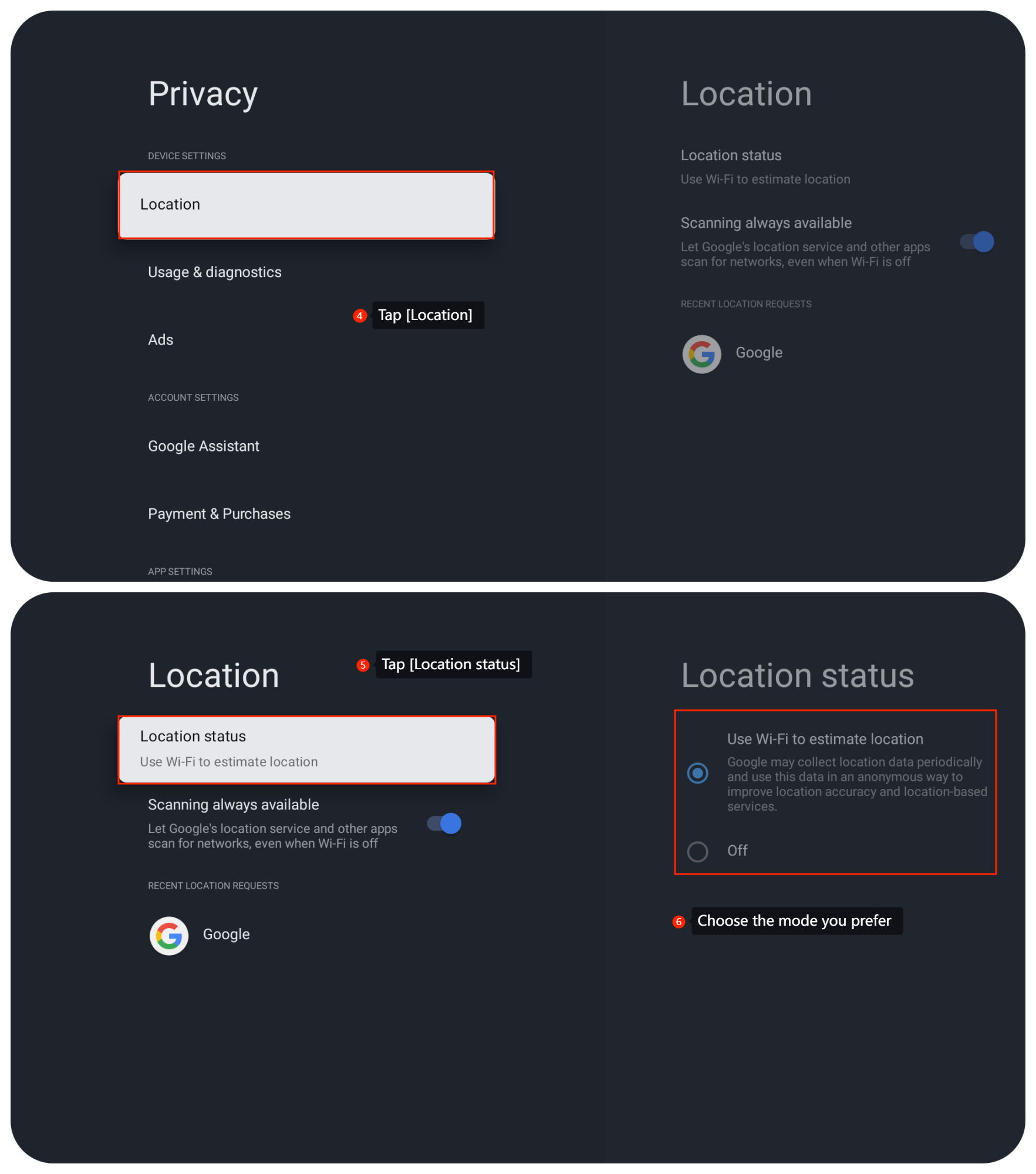
5. Tap [Location status];
6. Choose the mode you prefer.
Note:
However, adjusting this setting will come with potential limitations or alterations in available content due to regional licensing restrictions, making it crucial to weigh the implications before making changes.
However, adjusting this setting will come with potential limitations or alterations in available content due to regional licensing restrictions, making it crucial to weigh the implications before making changes.
Does it help?
Yes
No