

How to manage APP permissions on the Xiaomi TV A 43 2025?
The Xiaomi TV A 43 2025 supports managing APP permissions, which can help protect your personal information by restricting access to sensitive data such as location. By restricting unnecessary permissions, you can prevent APPs from running background processes that consume resources, leading to better performance and faster response times.
To manage APP permissions, please refer to the following steps:
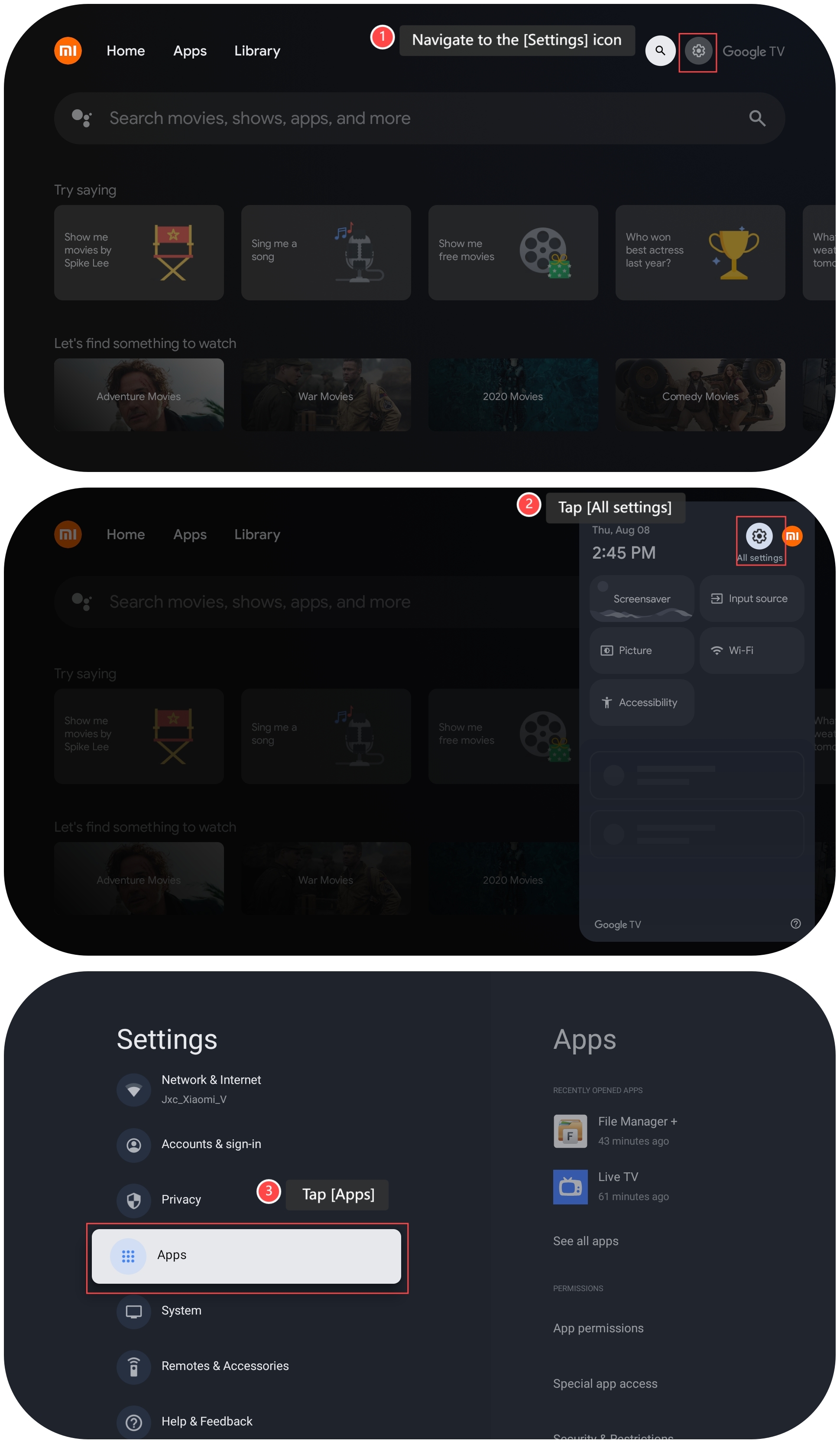
1. Navigate to the [Settings] icon;
2. Tap [All settings];
3. Tap [Apps];
To manage APP permissions, please refer to the following steps:
1. Navigate to the [Settings] icon;
2. Tap [All settings];
3. Tap [Apps];
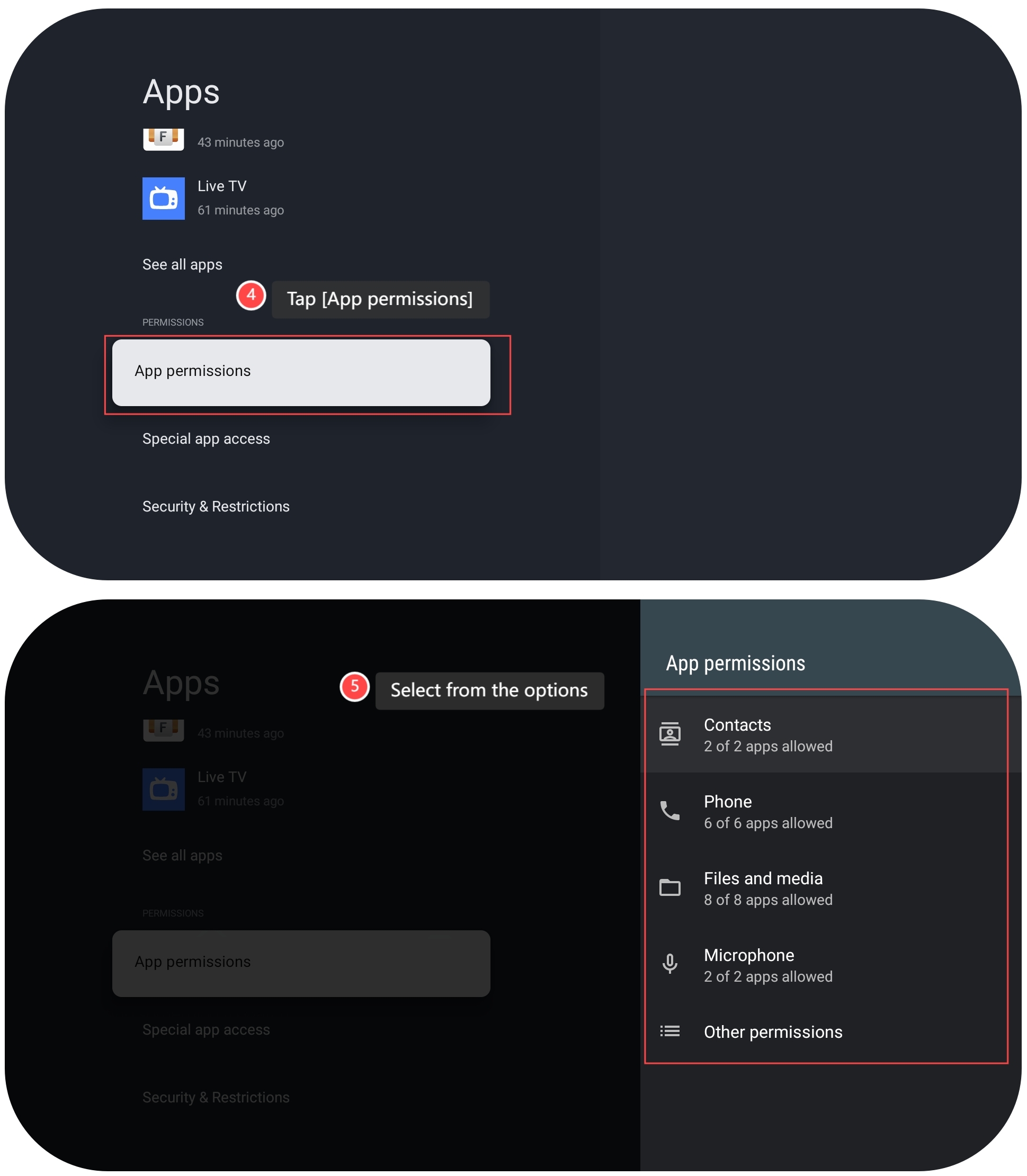
4. Tap [App permissions];
5. Select from the options to manage APP permissions.
5. Select from the options to manage APP permissions.
Does it help?
Yes
No