

What settings need to be set up for a new Xiaomi TV A 50 2025?
To set up for the TV, please refer to the following steps:
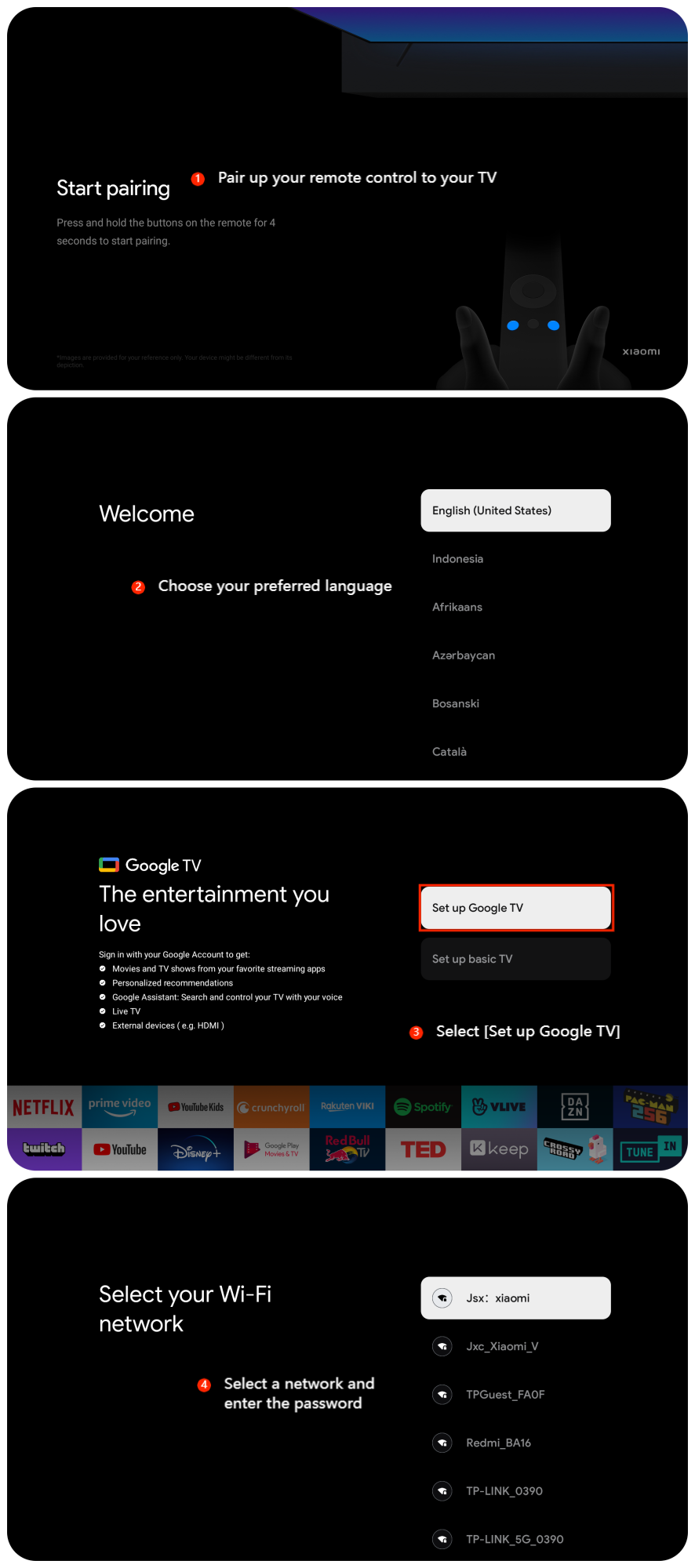
1. Pair up your remote control to your TV;
2. Choose your preferred language;
3. Select [Set up Google TV];
4. You'll need to connect your TV to your Wi-Fi network. Choose your network from the list, enter the password if prompted, and connect;
1. Pair up your remote control to your TV;
2. Choose your preferred language;
3. Select [Set up Google TV];
4. You'll need to connect your TV to your Wi-Fi network. Choose your network from the list, enter the password if prompted, and connect;
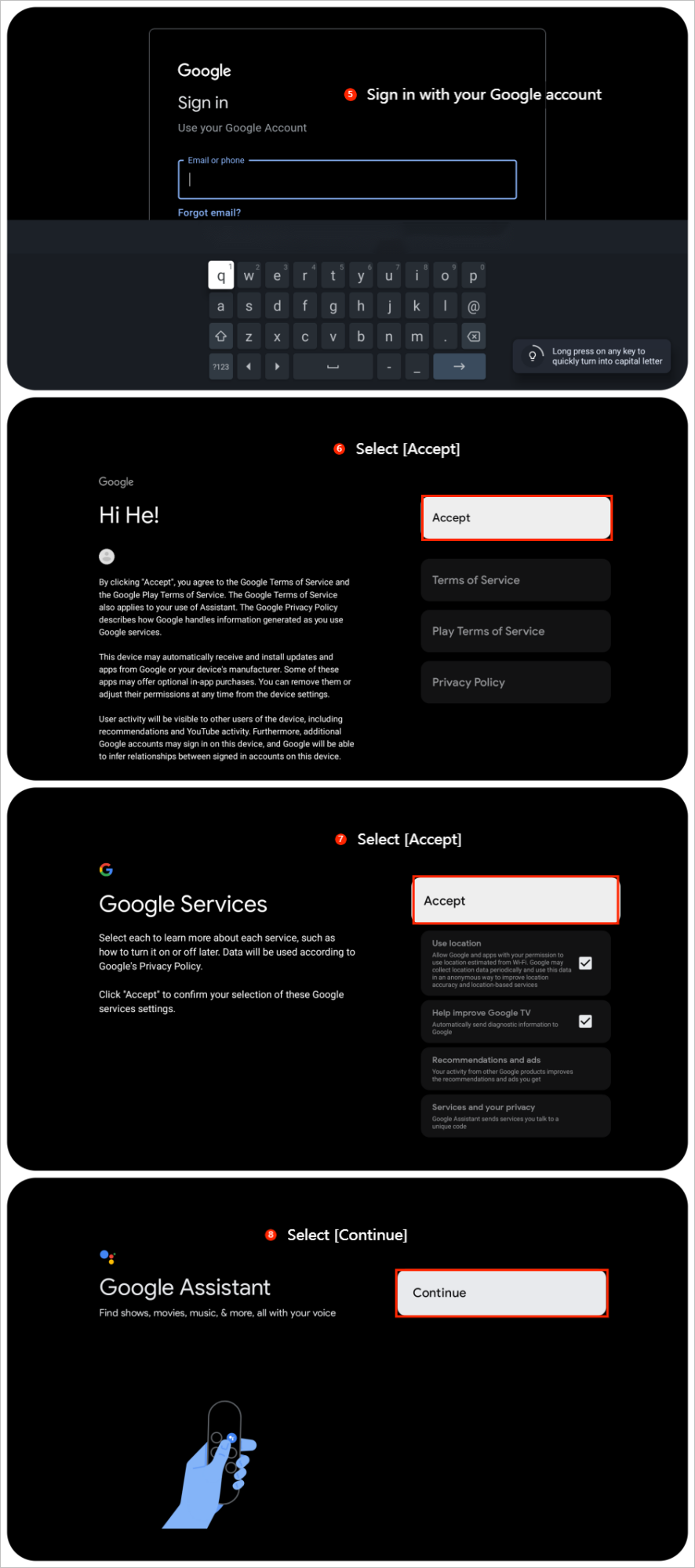
5. To access Google services and personalize your experience, sign in with your Google account;
6. Select [Accept];
7. Select [Accept];
8. Select [Continue];
6. Select [Accept];
7. Select [Accept];
8. Select [Continue];
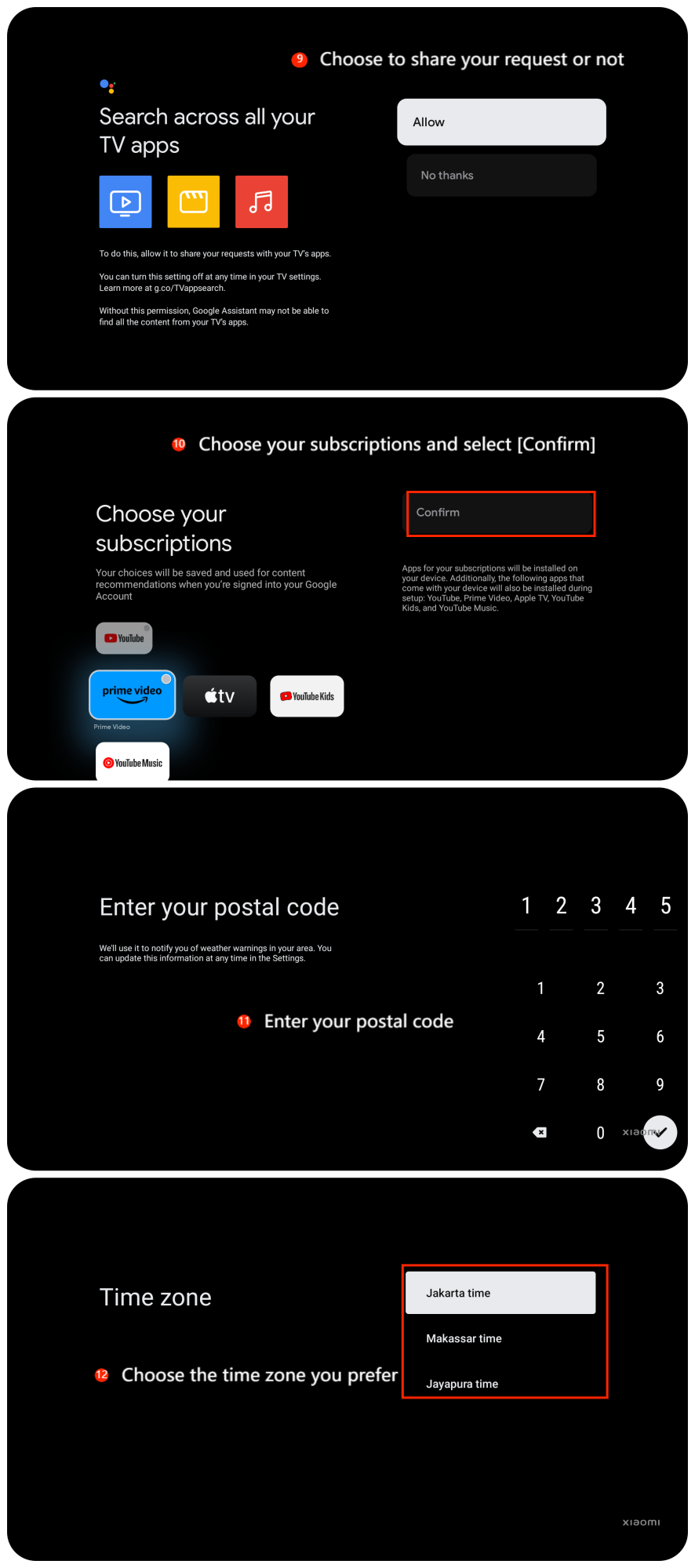
9. Choose to share your request with your TV’s APPs or not;
10. Choose your subscriptions and select [Confirm];
11. Enter your postal code;
12. Choose the time zone you prefer;
10. Choose your subscriptions and select [Confirm];
11. Enter your postal code;
12. Choose the time zone you prefer;
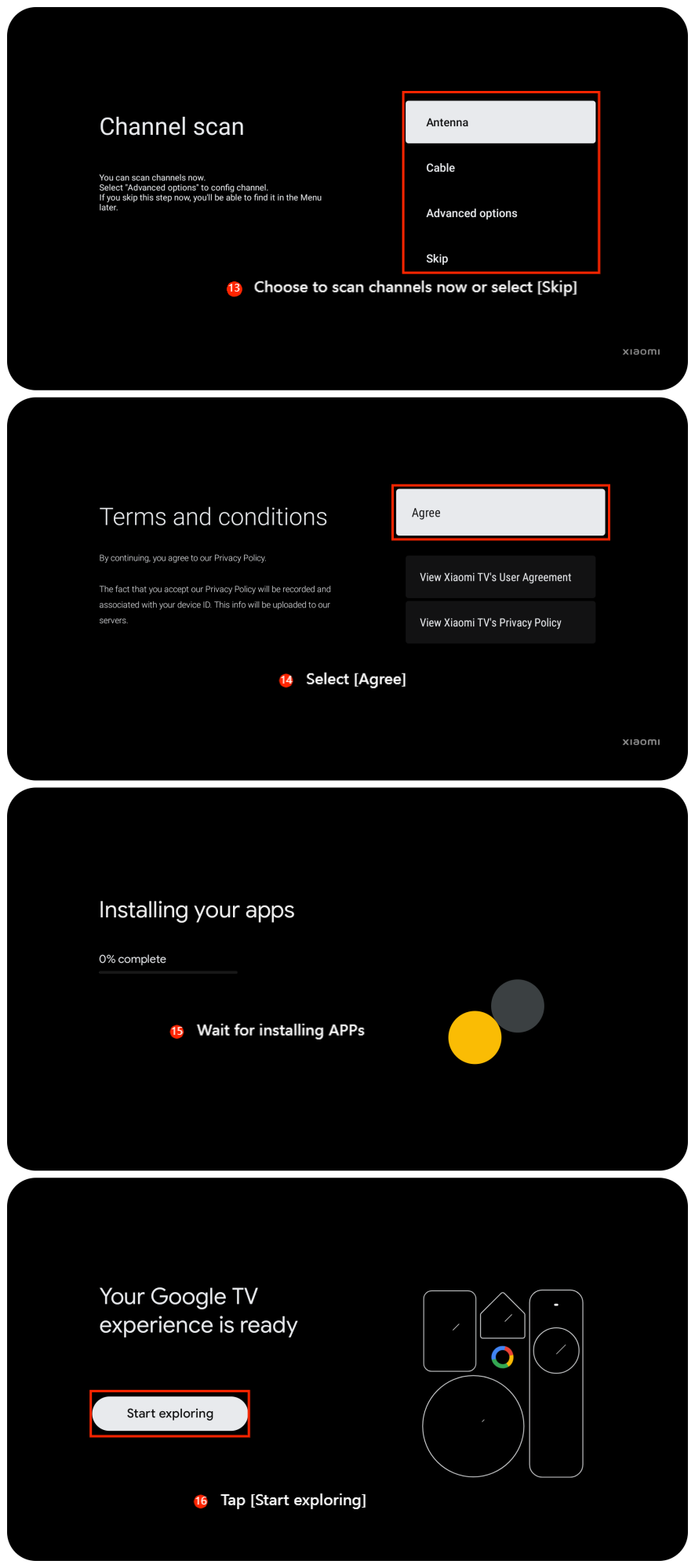
13. Choose to scan channels now or select [Skip];
14. Select [Agree];
15. Wait for installing APPs;
16. Tap [Start exploring], your setup is completed.
14. Select [Agree];
15. Wait for installing APPs;
16. Tap [Start exploring], your setup is completed.
Does it help?
Yes
No