

How to adjust the sound output type on the Xiaomi TV A Pro 75 2025?
The Audio output on the Xiaomi TV A Pro 75 2025 refers to the settings and options available for directing sound from your TV device to various audio devices. This feature allows you to select and configure the preferred method for audio playback, ensuring you get the best possible sound experience for your setup.
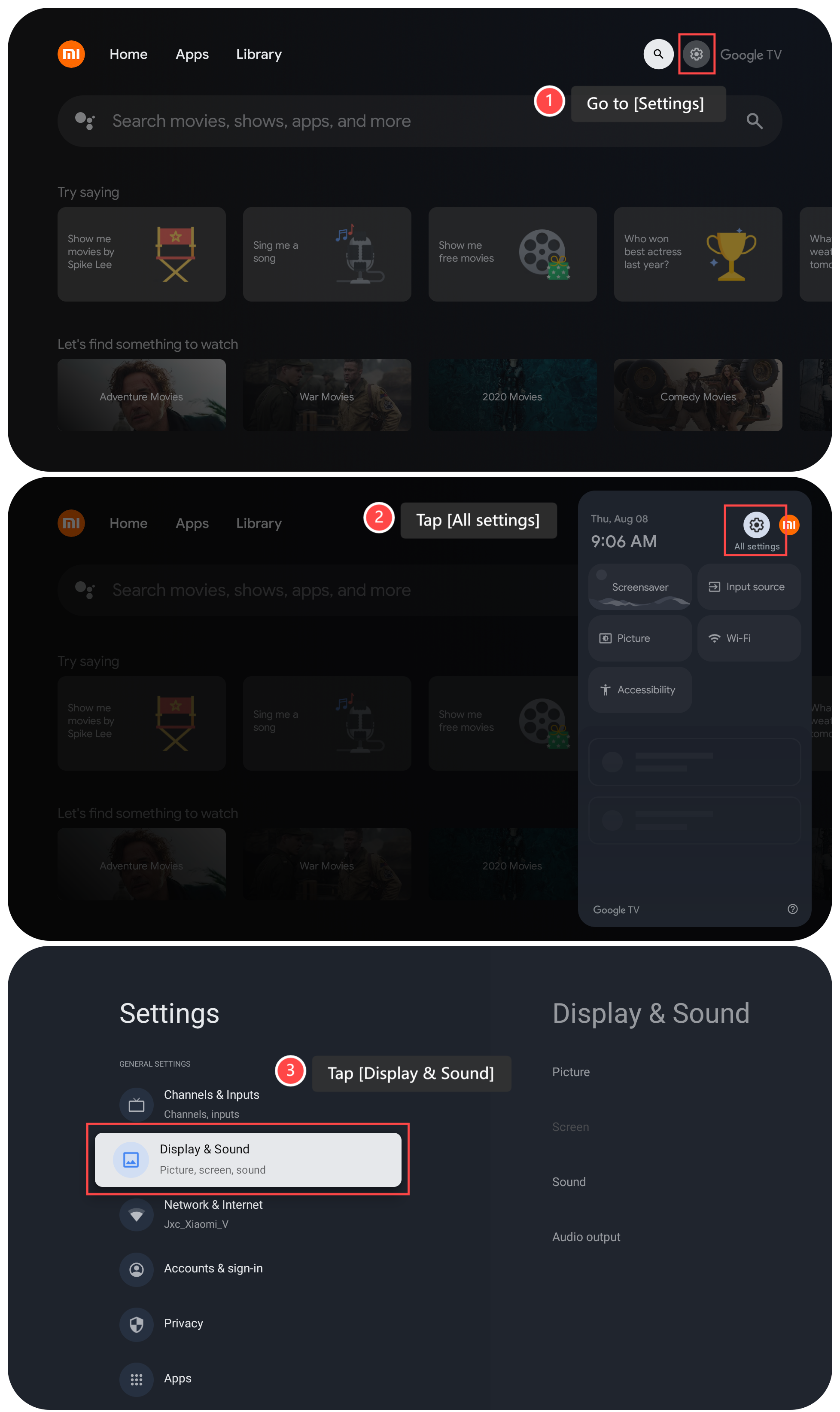
To adjust the sound output type on your TV, please refer to the following steps:
1. Go to [Settings] on your TV;
2. Tap [All settings];
3. Tap [Display & Sound];
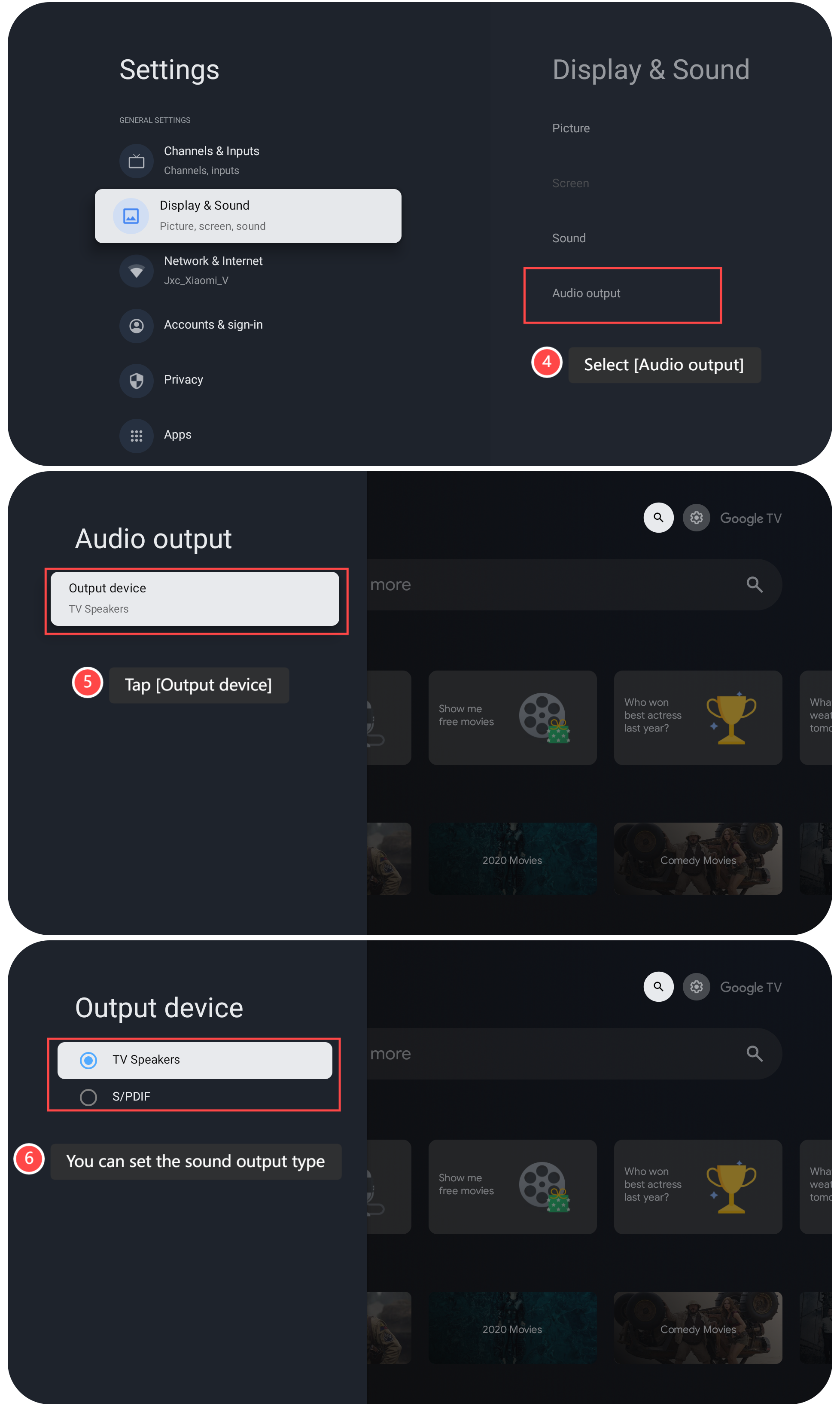
4. Select [Audio output];
5. Tap [Output device];
6. You can set the sound output type by choosing the options: [TV Speakers] and [S/PDIF] in this interface.
Note:
Play some content to ensure that the sound is coming through the selected output device and that the audio quality meets your expectations.
To adjust the sound output type on your TV, please refer to the following steps:
1. Go to [Settings] on your TV;
2. Tap [All settings];
3. Tap [Display & Sound];
4. Select [Audio output];
5. Tap [Output device];
6. You can set the sound output type by choosing the options: [TV Speakers] and [S/PDIF] in this interface.
Note:
Play some content to ensure that the sound is coming through the selected output device and that the audio quality meets your expectations.
Does it help?
Yes
No