

How to adjust the volume on the Xiaomi TV A Pro 65 2025?
Adjusting the volume on the Xiaomi TV A Pro 65 2025 is to raise or lower the sound level to suit your preference and environment’s noise level. By adjusting the volume of the Xiaomi TV A Pro 65 2025, you will have a tailored and more convenient audio experience.
To adjust the volume, please refer to the following methods:
Method 1:
1. Find the volume button on the remote control and press [+] or [-] to increase or decrease the volume of the TV as your preference;
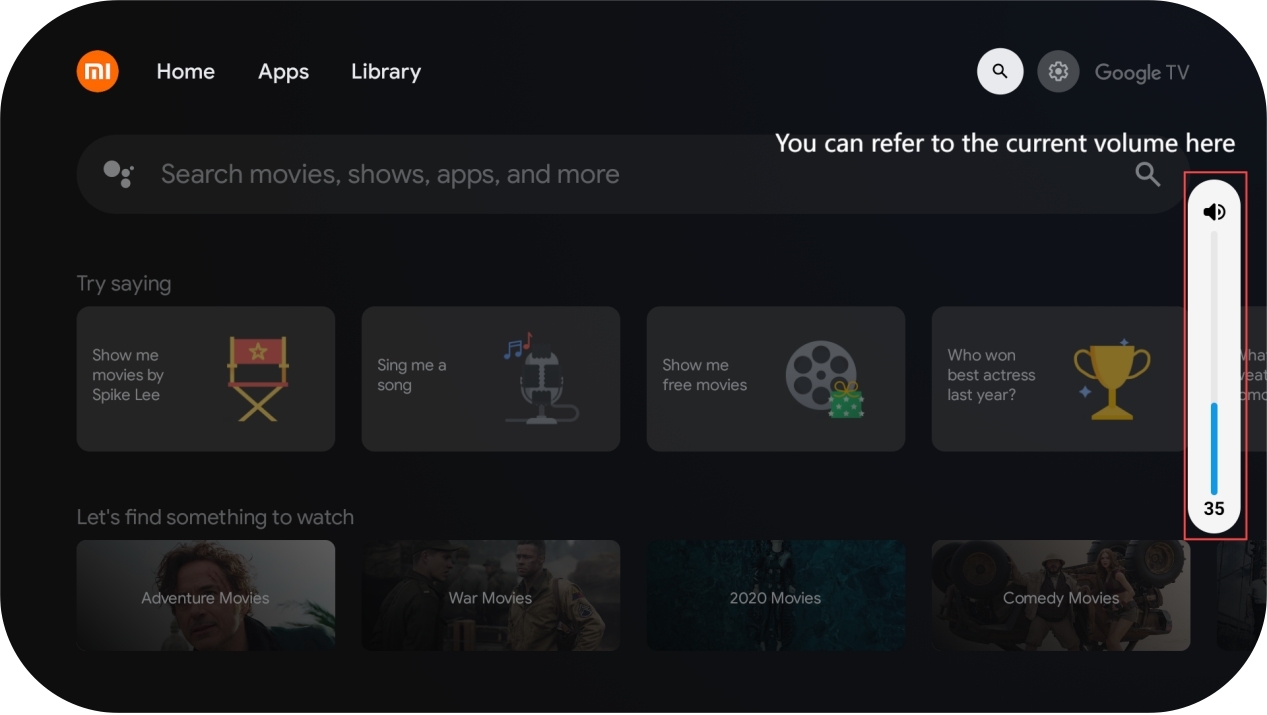
2. You can see the current volume on the right side of the display;
3. You can also find the [MUTE] button and press it, and the TV will be muted.
To adjust the volume, please refer to the following methods:
Method 1:
1. Find the volume button on the remote control and press [+] or [-] to increase or decrease the volume of the TV as your preference;
2. You can see the current volume on the right side of the display;
3. You can also find the [MUTE] button and press it, and the TV will be muted.
Method 2:
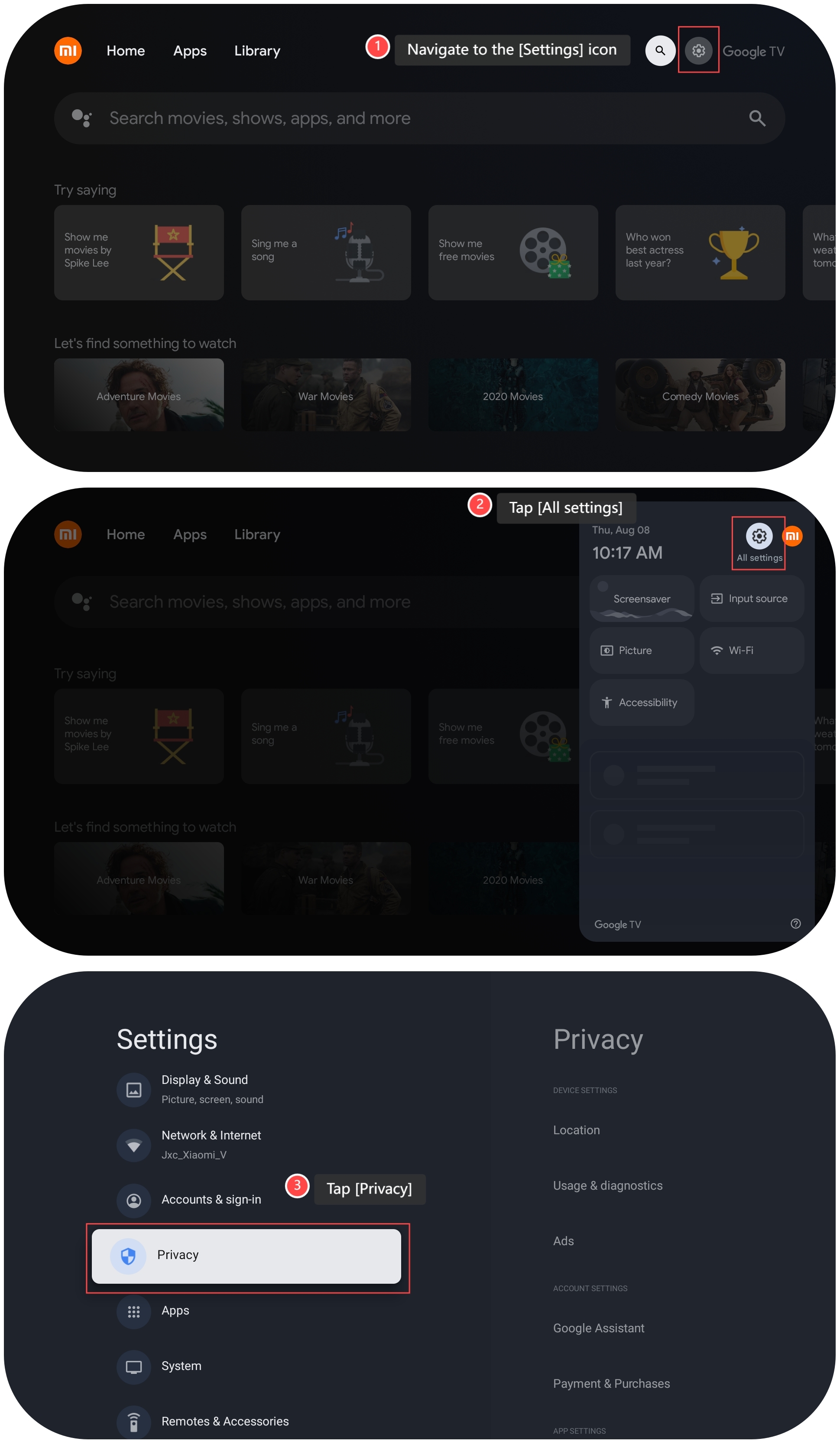
1. Navigate to the [Settings] icon;
2. Tap [All settings];
3. Tap [Privacy];
1. Navigate to the [Settings] icon;
2. Tap [All settings];
3. Tap [Privacy];
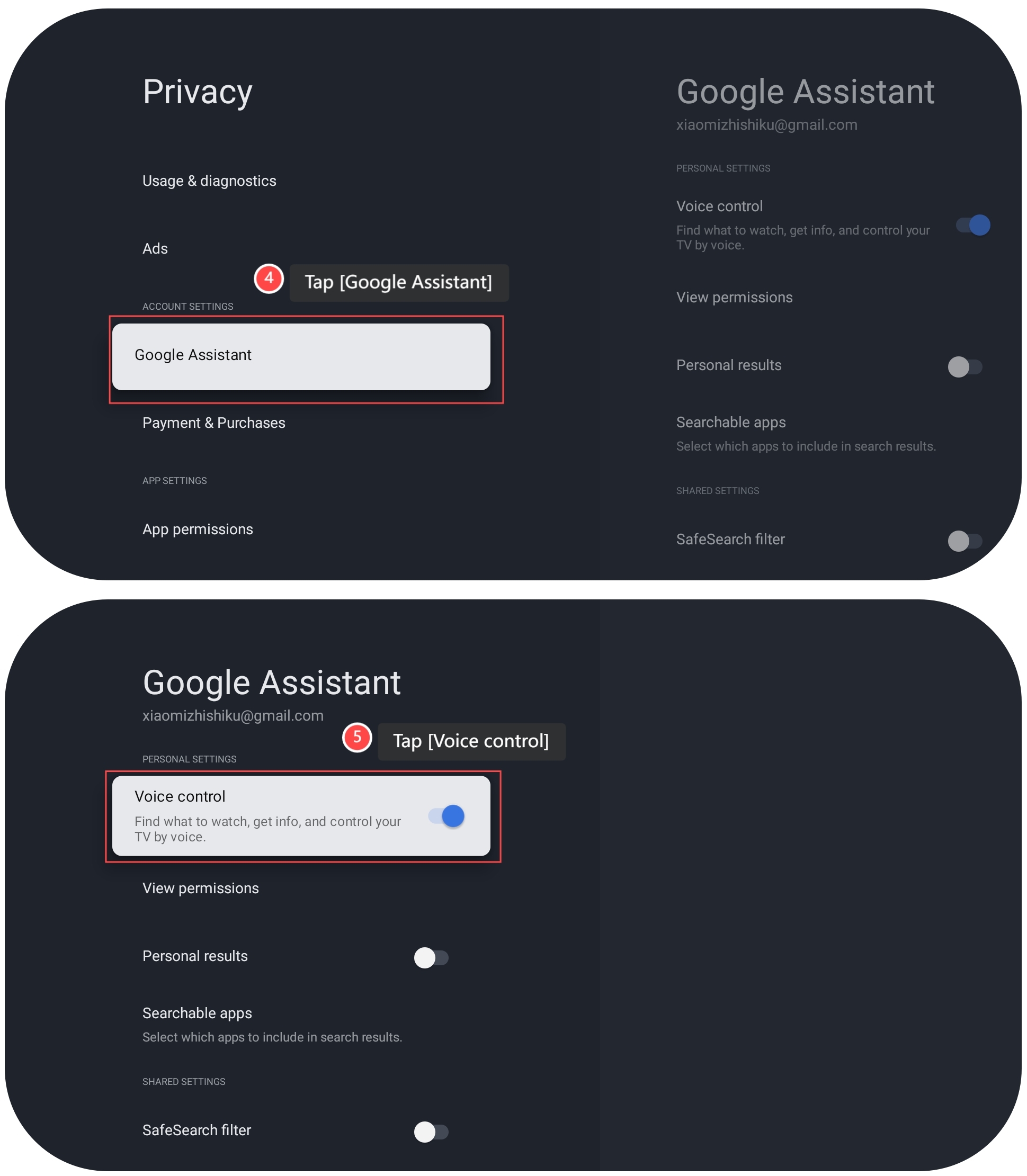
4. Tap [Google Assistant];
5. Tap [Voice control], and you can control the volume through your voice commands.
5. Tap [Voice control], and you can control the volume through your voice commands.
Note:
If you want to calibrate the volume, please refer to the following steps:
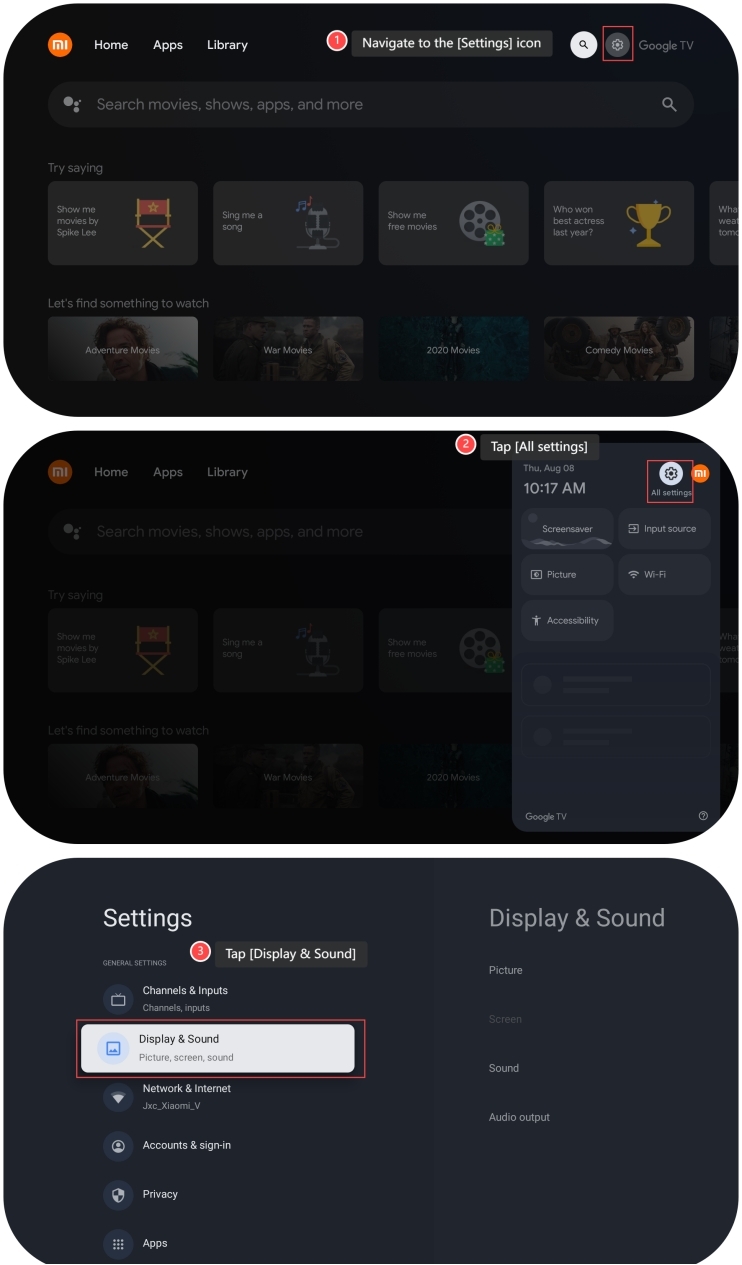
1. Navigate to the [Settings] icon;
2. Tap [All settings];
3. Tap [Display & Sound];
If you want to calibrate the volume, please refer to the following steps:
1. Navigate to the [Settings] icon;
2. Tap [All settings];
3. Tap [Display & Sound];
4. Tap [Sound];
5. Tap [Volume Leveler].
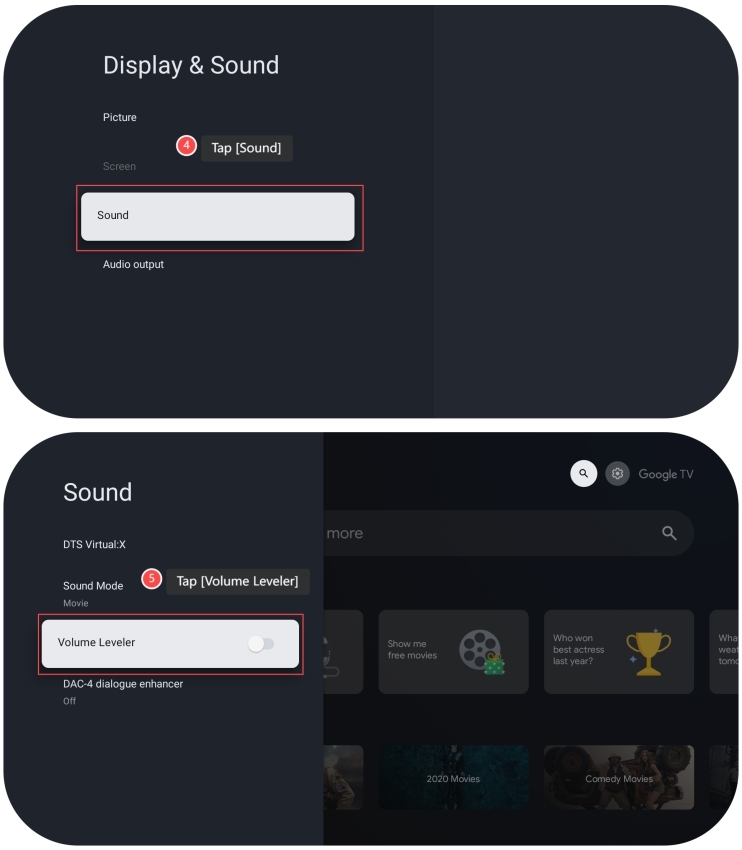
5. Tap [Volume Leveler].
Method 3:
1. Press and hold the power button on the TV;
2. Press the power button to select the Volume up or Volume down;
3. Press and hold the power button to adjust the volume.
1. Press and hold the power button on the TV;
2. Press the power button to select the Volume up or Volume down;
3. Press and hold the power button to adjust the volume.
Does it help?
Yes
No