

How to enable Energy saver mode on the Xiaomi TV A 55 2025?
The Energy saver mode on the Xiaomi TV A 55 2025 is a built-in feature that optimizes the device's power consumption by adjusting the time of turning off the display to reduce energy usage when the TV is not in active use, ultimately helping to lower energy costs and extend the device’s lifespan.
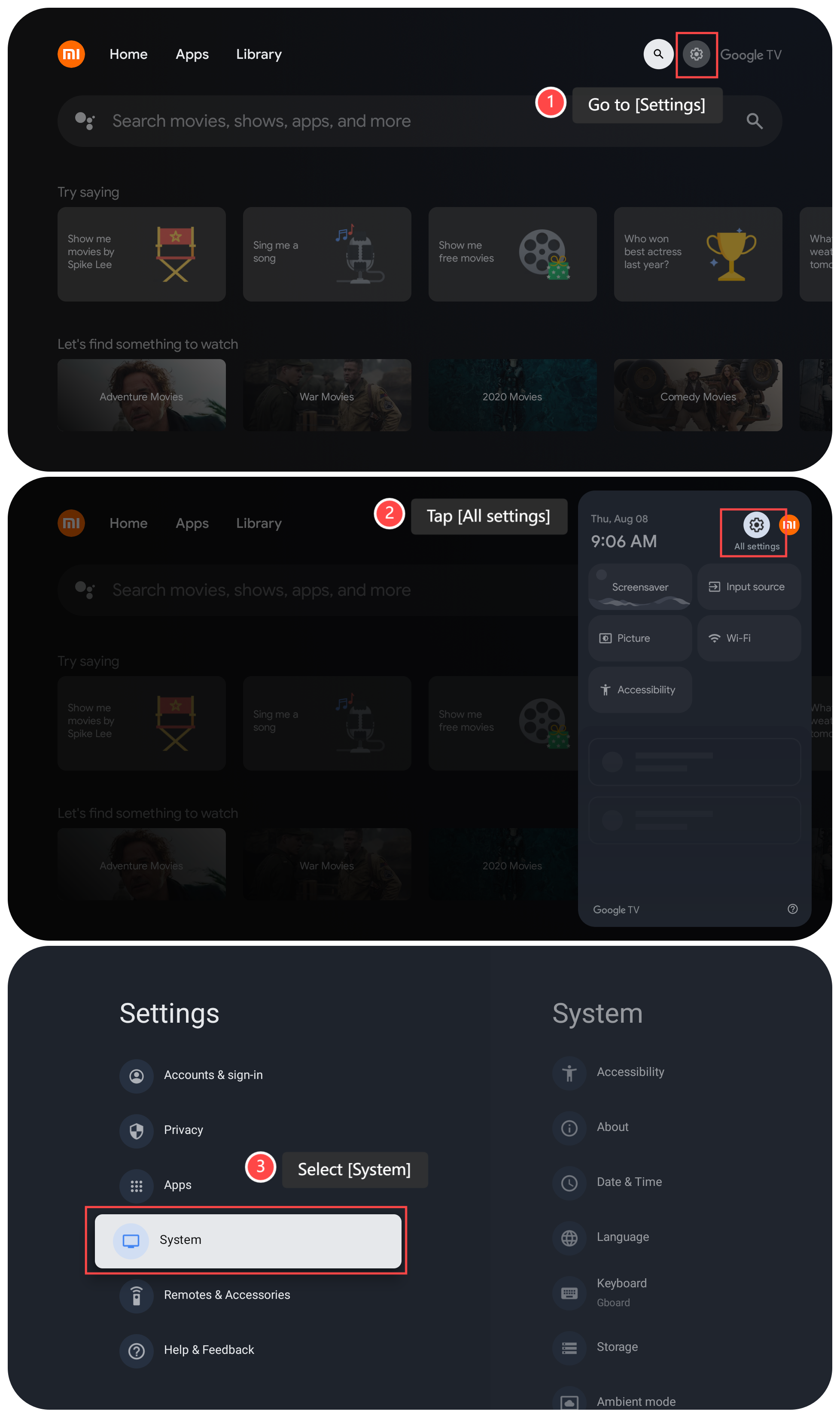
To enable the Energy saver mode on your Google TV, please refer to the following steps:
1. Go to [Settings] on your TV;
2. Tap [All settings];
3. Select [System];
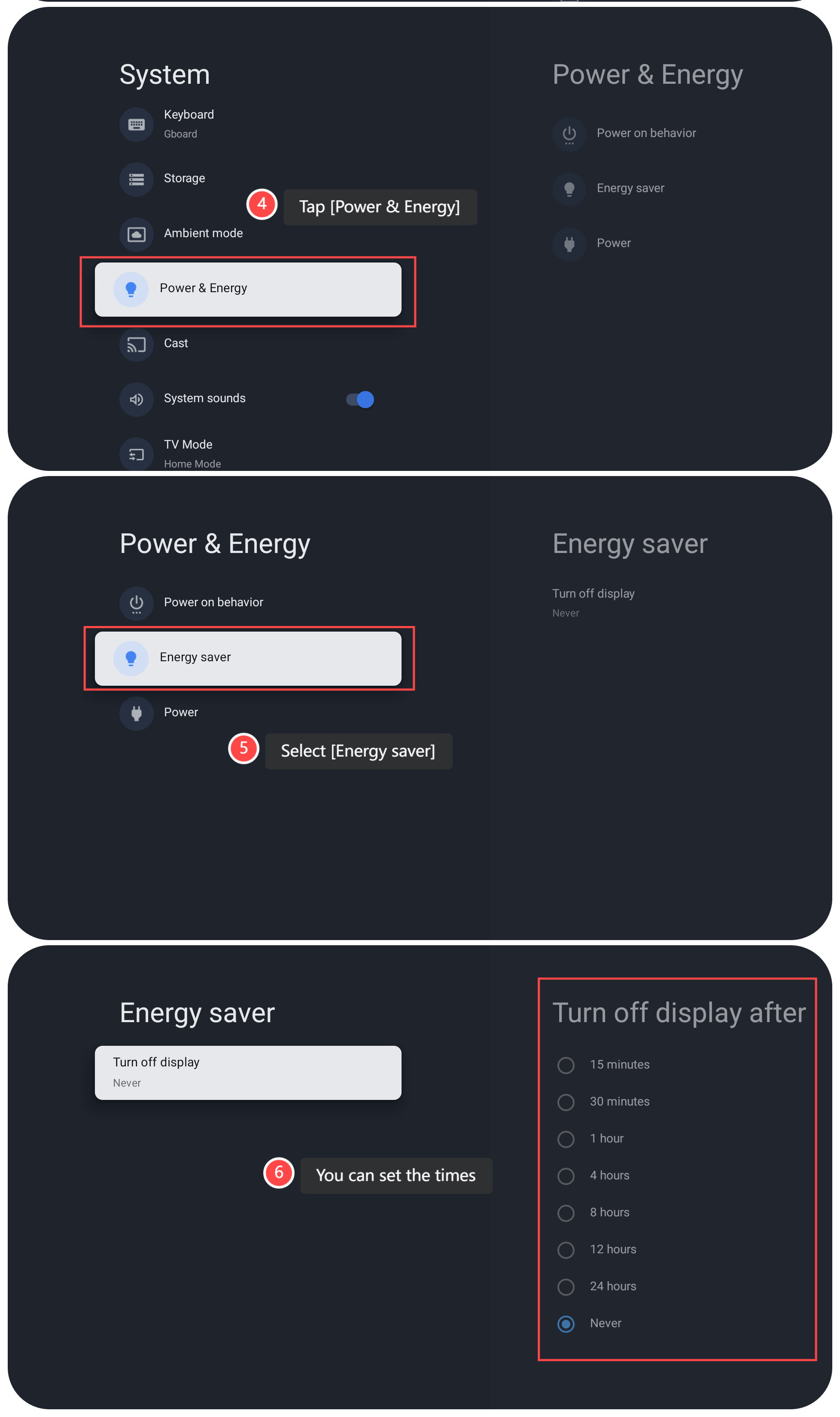
4. Tap [Power & Energy];
5. Select [Energy saver];
6. In this interface, you can set the times that turn off the display.
Note:
1. If you often leave the TV on for extended periods or forget to turn it off, Energy saver mode can help reduce unnecessary power consumption;
2. Activating the energy saver mode will slow down certain functions, such as APP launches and menu navigation, because the TV limits background processing to conserve power.
To enable the Energy saver mode on your Google TV, please refer to the following steps:
1. Go to [Settings] on your TV;
2. Tap [All settings];
3. Select [System];
4. Tap [Power & Energy];
5. Select [Energy saver];
6. In this interface, you can set the times that turn off the display.
Note:
1. If you often leave the TV on for extended periods or forget to turn it off, Energy saver mode can help reduce unnecessary power consumption;
2. Activating the energy saver mode will slow down certain functions, such as APP launches and menu navigation, because the TV limits background processing to conserve power.
Does it help?
Yes
No