

How to enable Sleep mode on the Xiaomi TV A Pro 43 2025?
The Sleep mode on the Xiaomi TV A Pro 43 2025 allows your TV to enter a low-power state while still maintaining basic functions. If you want to go out for a while and continue to watch TV after going back, you can just enable Sleep mode to reduce power consumption instead of turning off the TV. In this way, you can turn on the TV quickly after going back.
To enable Sleep mode, please refer to the following methods:
Method 1:
To enable Sleep mode manually, please refer to the following steps:
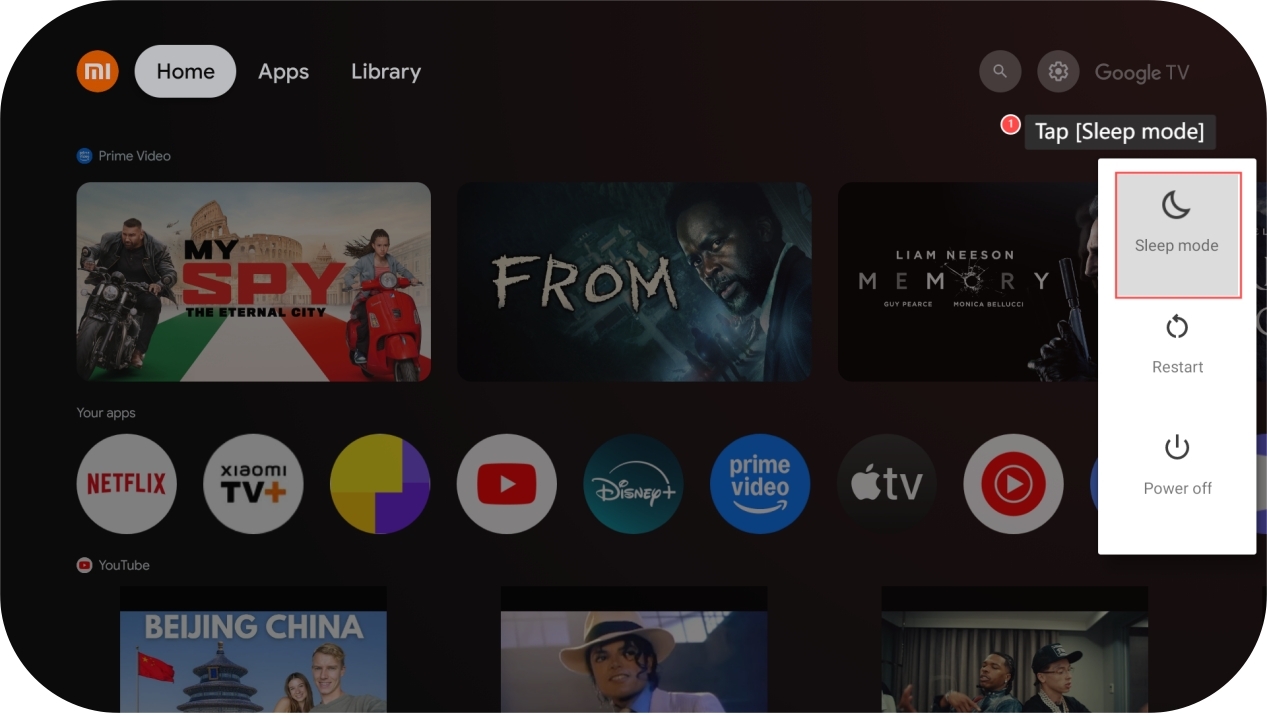
1. Press and hold the [Power] button on your remote control for 3 seconds;
2. Tap [Sleep mode] on the right side of the screen with the [OK] button.
To enable Sleep mode, please refer to the following methods:
Method 1:
To enable Sleep mode manually, please refer to the following steps:
1. Press and hold the [Power] button on your remote control for 3 seconds;
2. Tap [Sleep mode] on the right side of the screen with the [OK] button.
Method 2:
To enable Sleep mode automatically, you can refer to the following steps:
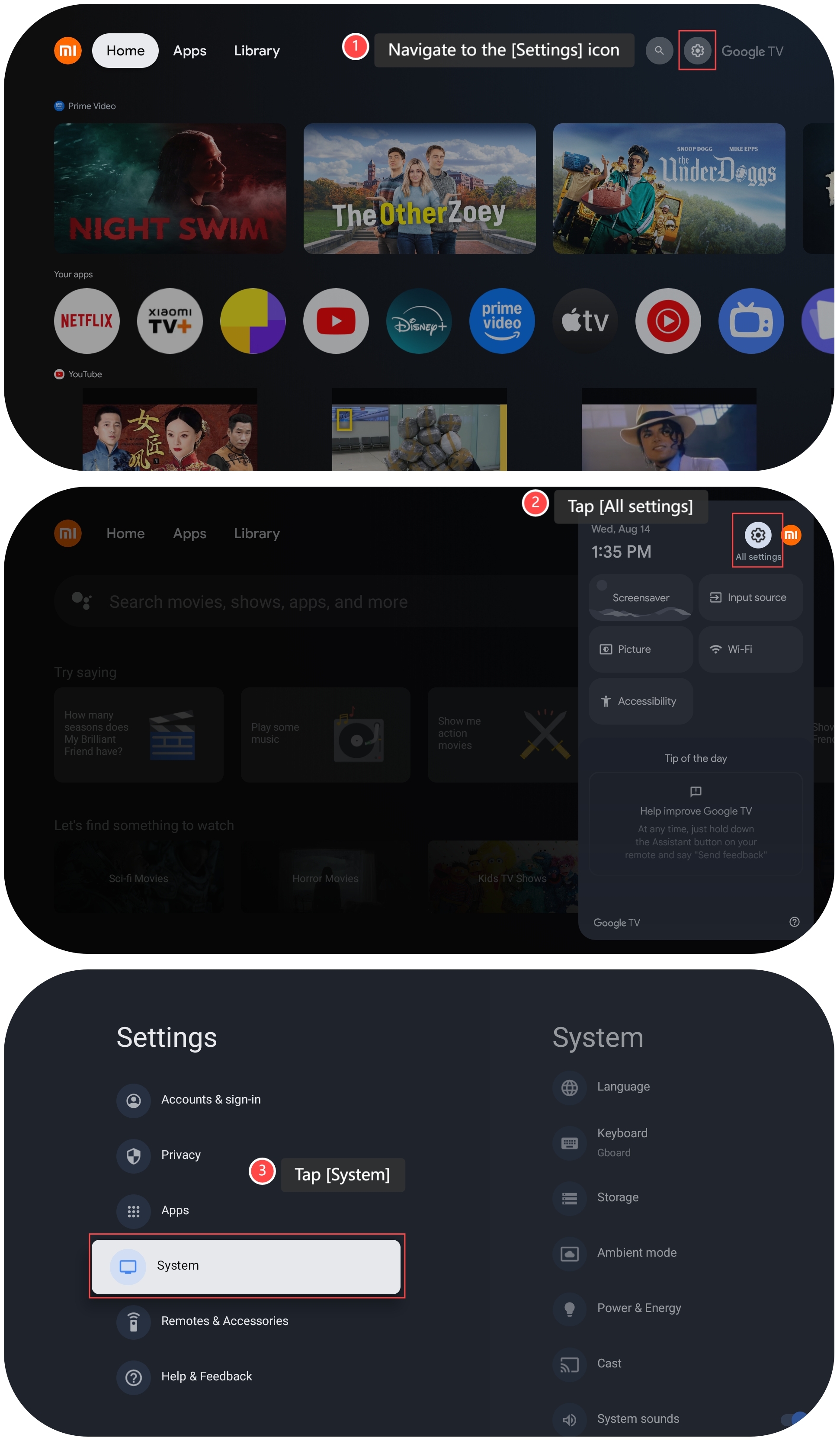
1. Navigate to the [Settings] icon;
2. Tap [All settings];
3. Tap [System];
To enable Sleep mode automatically, you can refer to the following steps:
1. Navigate to the [Settings] icon;
2. Tap [All settings];
3. Tap [System];
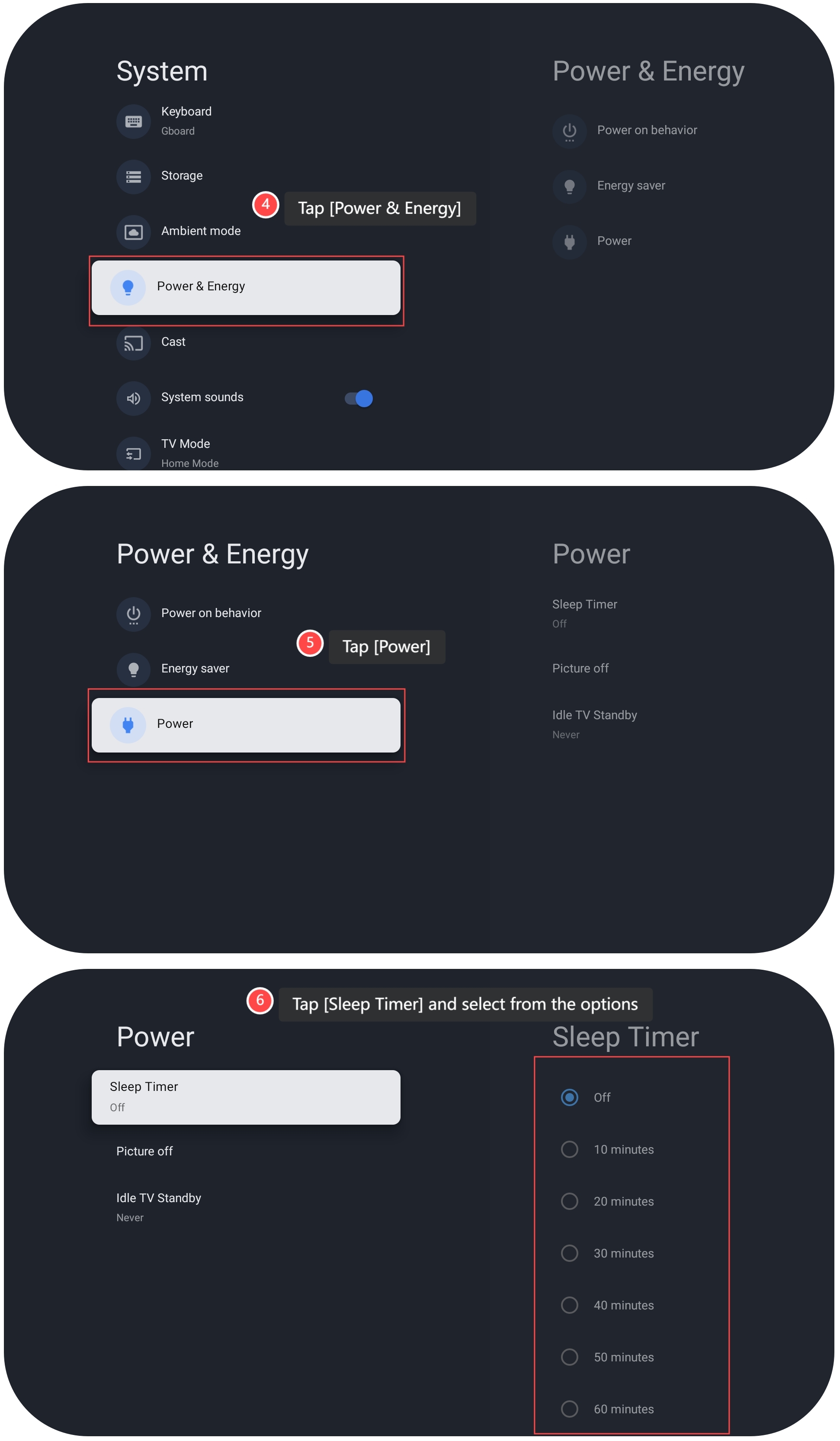
4. Tap [Power & Energy];
5. Tap [Power];
6. Tap [Sleep Timer], select from the options and the TV will enter Sleep mode after the time is ended.
5. Tap [Power];
6. Tap [Sleep Timer], select from the options and the TV will enter Sleep mode after the time is ended.
Does it help?
Yes
No