

How to set the date, time and time zone on the Xiaomi TV A Pro 43 2025?
The date, time, and time zone settings on the Xiaomi TV A Pro 43 2025 are fundamental to ensuring that the time is displayed accurately in the interface, influencing the functionality of applications, synchronization with internet servers for accurate timekeeping and the display of time-related information throughout the system.
To set the date, time, and time zone on your Xiaomi TV A Pro 43 2025, please refer to the following methods:
Method 1:
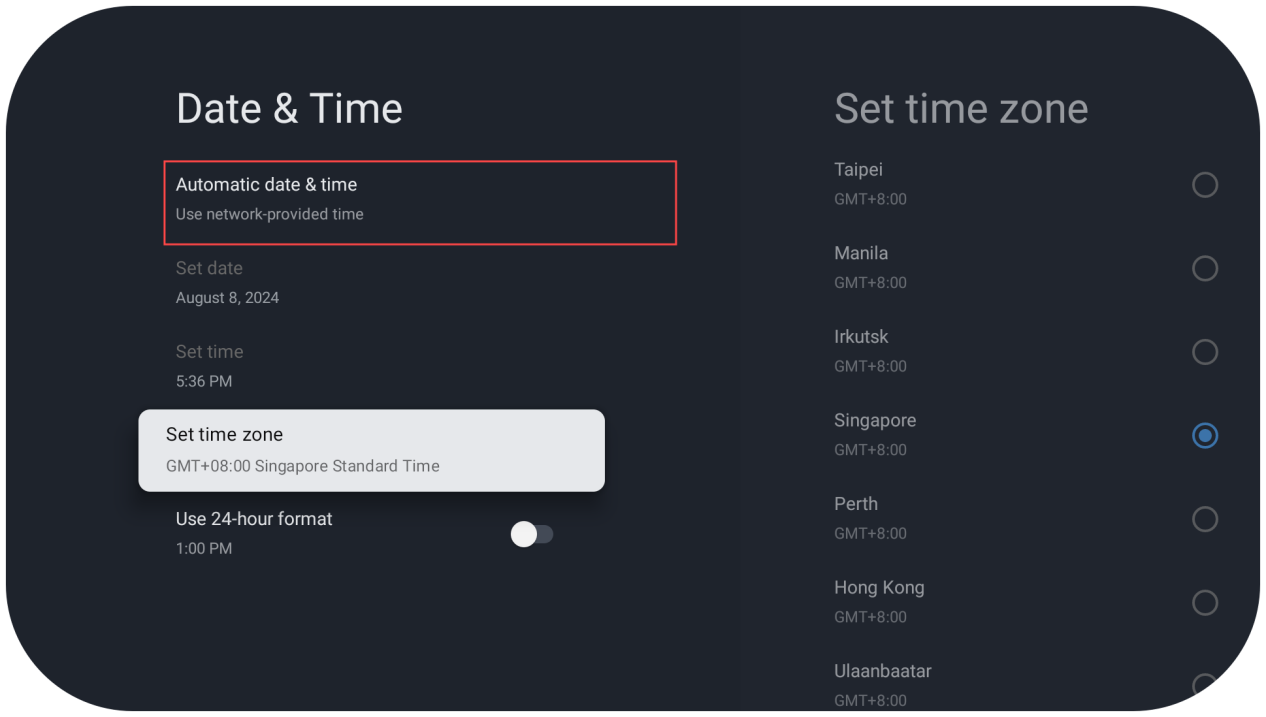
You can turn on [Automatic date & time], and the date and time will be set automatically.
To set the date, time, and time zone on your Xiaomi TV A Pro 43 2025, please refer to the following methods:
Method 1:
You can turn on [Automatic date & time], and the date and time will be set automatically.
Method 2:
You can also turn off [Automatic date & time], and manually set the date, time and time zone.
1. Navigate to the [Settings] icon;
2. Tap [All settings];
3. Tap [System];
You can also turn off [Automatic date & time], and manually set the date, time and time zone.
1. Navigate to the [Settings] icon;
2. Tap [All settings];
3. Tap [System];
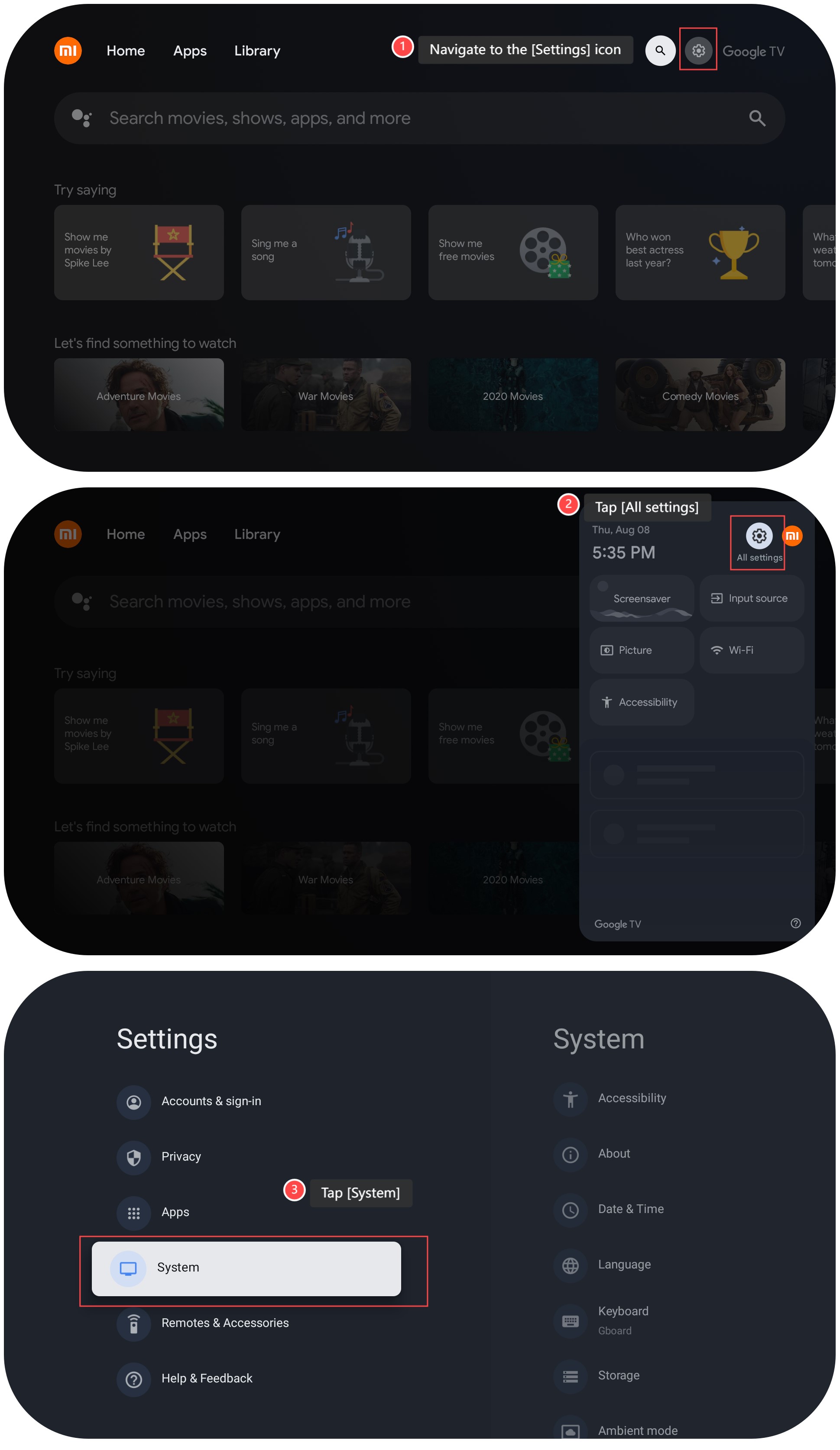
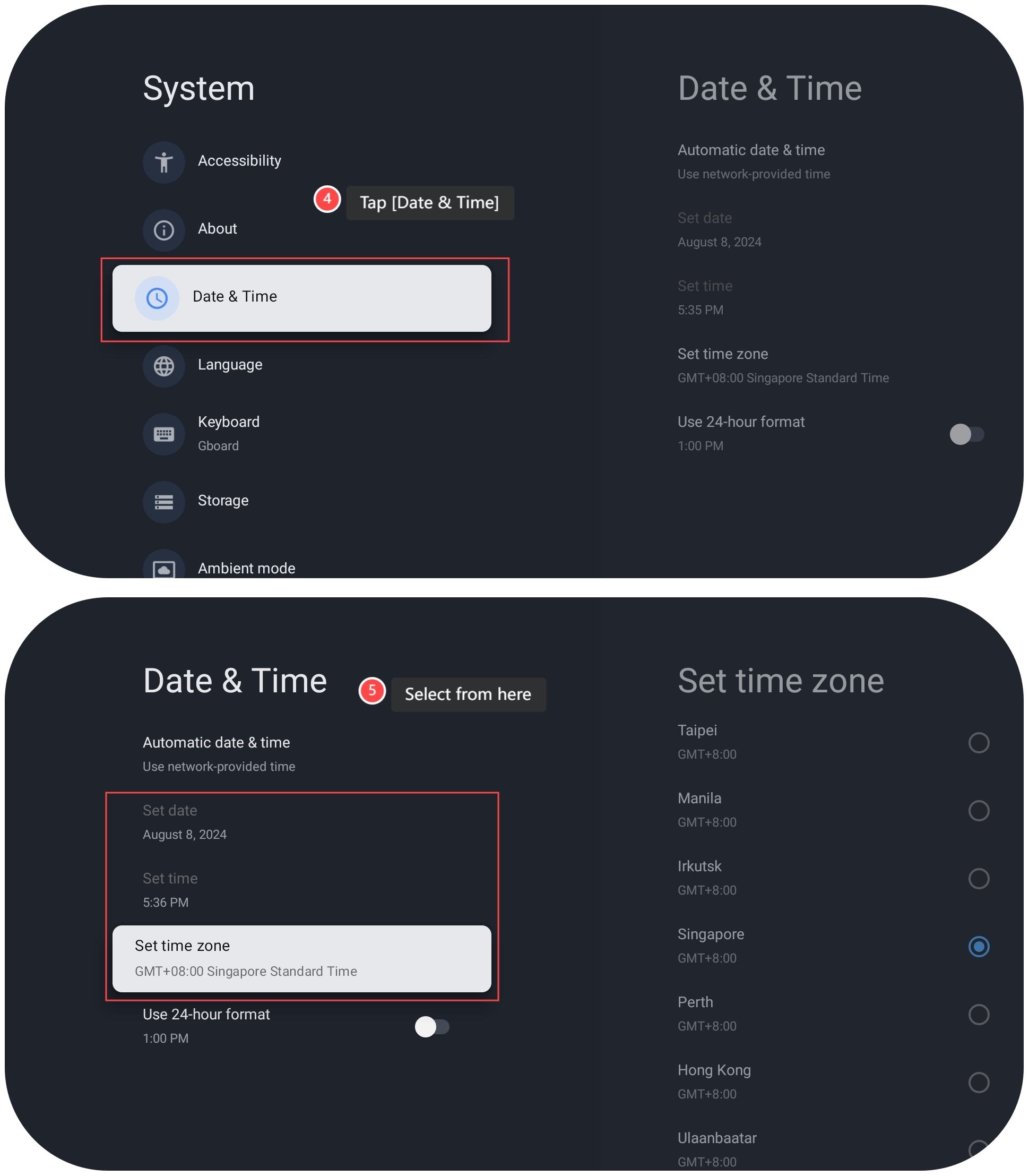
4. Tap [Date & Time];
5. Tap [Set date], [Set time] or [Set time zone] to set the date, time and time zone according to your needs.
5. Tap [Set date], [Set time] or [Set time zone] to set the date, time and time zone according to your needs.
Does it help?
Yes
No