

Redmi Buds 4 Active FAQ
Product information
1.Q:Weight
A: Single earbud:3.65g
Charging case:34.7g
Total weight:42g
2.Q:Dimensions
A: Single earbud:31.1×20.9×22.5mm
Charging case:63.2×53.4×24mm
3.Q:Bluetooth version
A: Bluetooth 5.3
Both Android and IOS systems can be connected, there is no need to download an app to connect to Bluetooth, if prompted for a password, please enter "0000".
4.Q:Audio, Bluetooth protocol
A: Audio decoding protocol: SBC (AAC mode not supported)
Bluetooth transmission protocol: Bluetooth®.low Energy / HFP / A2DP / AVRCP
5.Q:Bluetooth search name
A: Bluetooth name: Redmi Buds 4 Active
6.Q:Product certification
A: BQB、SRRC、CE、CB、IECEE、NTRA、EAC、FAC、SDPPI、SUBTEL、MTC、BIS、ETA、FCC ID、IC、KC、TELEC、PSE、NCC、BSMI、NTC、MTC、SIRIM、IMDA、NBTC
7.Q:Environmental Protection Requirements
A: The products comply with RoHS environmental requirements.
8.Q:Sensitivity, frequency and impedance of the earbuds
A: Sensitivity:112+/-3dB AT 1KHZ 0.179V
Frequency:20Hz--20kHz
Impedance:32Ω±15%
Charge & Power Consumption
1.Q:Charging
A: The earbuds support wired charging.
Charging instructions
Connect the charging case to the Type-c charging cable/power cable and charge the case using the genuine charging head with an output of 5 V. The earbuds take approximately 45min-60min to fully charge (depending on the state of the charging case).
Charging indicator:
During charging, the white light is on for a long time, when fully charged, the charging case light goes out.
Instructions for charging box charge level and charging indication
Battery compartment charge indication:
Operation steps:
The charge box opens to automatically detect the charge level
2.Q:Indicator light:
A: 1.20% <charge box power, long light for 7s and then extinguished, rechargeable and communicable;
If the charging case is fully charged, the white light of the charging case goes out.
3.Q:Charging instructions
A: When the phone status bar shows low battery (support the display of the earbuds's battery level), please place the earbuds in the charging case and close the charging case. The copper posts on the bottom of the earbuds make contact with the two copper posts on the bottom of the charging case to charge the earbuds. After approximately 45-60 minutes, the charging case will fully charge the earbuds.
When fully charged, the case will charge both earbuds 4 times.
4.Q:Charging environment
A: The earbuds and charging case are suitable for charging at 15°C-35°C, other temperatures will extend the charging time.
Note: The earbuds battery has a capacity of 34mAh and the charging case has a capacity of 440mAh.
5.Q:Battery life
A: A single charge lasts approximately 5 hours (note: 50% volume and SBC code), plus the charging case stores the power for several additional charges, giving a range of approximately 20 hours (note: 50% volume and SBC code).
The earbuds calling time is up to 3 hours / The earbuds and charging case can up to 12 hours.
Note: battery life may vary between phones.
6.Q:Why is the earbuds battery level displayed on my phone inaccurate?
A: When using the earbuds for long periods of time or during charging, the battery will fluctuate and the phone will receive different information about the earbuds' charge level, and the charge level is reported at 10%.
7.Q:Why the earbuds last for a short time?
A: The problem: the earbuds have a short usage time
Cause: the earbuds are low on power
Higher volume levels can drain the battery more quickly
The earbuds may be in an environment where there is a lot of electromagnetic interference or where there is a wall between the earbuds and the phone.
Solution:
It is recommended to use the earbuds when fully charged.
2. Turn down the volume and check if the usage time is normal.
3. Keep away from electromagnetic interference such as microwave ovens and ensure there are no obstacles between the earbuds and the phone.
8.Q:How to see the power level of the earbuds on your phone?
A: 1.When the earbuds are connected to your phone, the earbuds will be displayed in the notification bar icon of your phone with a lower battery level.
2. If your phone supports pop-up windows, you can check the power level of your earbuds in the pop-up window.
3. You can download and install the Xiaomi Earbuds App to check the power level of your earbuds.
4. The Bluetooth connection interface shows the lowest battery level of the earbuds/charging case (e.g. 60% for the left ear, 50% for the right ear and 40% for the charging case, the Bluetooth connection interface shows the lowest battery level of all three, i.e. 40% for the charging case).
9.Q:Is it possible to replace the batteries in the earbuds?
A: No, earbuds batteries are internal lithium-ion polymer batteries and cannot be replaced.
10.Q:Why the earbuds don't charge?
A: The problem:
earbuds fail to charge when placed in the charging case after running out of power
Cause:
1. The earbuds have not been used for a long time
2. The charging case is not charged (the white light flashes when the case is open)
3. THE earbuds and the charging case are not in good contact
4. There is dirt in the contact area of the earbuds or the charging case
Solution:
1. We recommend that you charge the charging case for at least 10 minutes to ensure that the earbuds are activated;
If the contact is OK, the charging case light will come on when the earbuds are in the case.
3. Use a cotton swab to clean the bottom of the earbuds and the brass contact post of the charging case.
11.Q:Can I charge the earbuds with a power bank?
A: Most power banks can charge the charging case, but a Type-C charging cable is required.
12.Q:What to look for when charging
A: 1.It is recommended to use a 5V charger
2. Please do not charge in high temperature, high humidity or low temperature environments.
3. After the battery pack is fully charged and not used, the power will be exhausted and shut down after 100 days. To better protect the life of the battery it is recommended to charge it once every 1 month (earbuds battery pack is full) to avoid battery damage.
13.Q:Can I charge my earbuds directly from my computer?
A: Yes, you can charge your earbuds by plugging them into your computer using a Type-C charging cable.
Appearance & Construction & Accessories
1.Q:Package contents
A: Ear caps*3(model: XL, L, M), user manual
Function&Use tips
1.Q:Touch control
A: The touch control operations allow you to smoothly and easily switch between different modes using light touches.
Bluetooth connection instructions
2.Q:How to connect to Bluetooth:
A: Place the earbuds in the charging case, open the top of the case, the white light at the bottom of the case is on, the earbuds are waiting to be connected and the light on the side of the earbuds is on.
Search for the Bluetooth name "Redmi Buds 4 Active" on your phone and click to establish a connection
Bluetooth has been paired with the device and "successfully connected" is displayed, then the Bluetooth connection has been established successfully
Note:The earbuds may be no sound or disconnected due to electromagnetic waves that can interfere with the Bluetooth connection.
3.Q:How to disconnect:
A: 1. Place both earbuds in the box and close the box cover 5S to disconnect automatically.
2. Disconnect by clicking on the Bluetooth name on the device side when it is connected and selecting unpair.
3. Turn off the Bluetooth on the device and disconnect.
4.Q:Automatically reconnecting (phones that have already been paired):
A: 1. If the phone connected to the earbuds in the late time, it will automatically connect when the cover is opened.
2.If the phone didn't connect to the earbuds in the late time, you will need to connect manually by clicking on the earbuds's Bluetooth name on your phone.
5.Q:Instructions for the indicator light effect
A: 1. Indicator light effect when paired:
The earbuds are successfully connected when the white light flashes and then goes out; if there is no connection for 1min, the earbuds go to sleep and the light turns off;
6.Q:Do earbuds have noise cancellation?
A: No.
7.Q:How do I use the radio interaction animation pop-up?
A: When the charging box is opened, the phone automatically pops up the interface of detected earbuds, click to connect (only when Xiaomi phone Bluetooth is open), after connection, the power level of the left and right ear and the box can be displayed.
8.Q:Does Redmi Buds 4 Active support low latency?
A: Yes. When not on a call, open the top cover of the charging case, remove the left and right earbuds and put them on, and press and hold the left and right touch controls for 1.5 seconds to turn low latency on/off or select More-low latency from the Xiaomi Earbuds App.
Note: When low latency is on, closing the charging case with both earbuds in the case will turn off low latency.
9.Q:Does the Redmi Buds 4 Active support local voice functionality?
A: No.
10.Q:What voice buzzwords are supported by Local Voice?
A: No.
11.Q:What are the basic features of the Xiaomi Earbuds App?
A: 1.You can select more settings and choose to turn on/off low latency.
2. In the Xiaomi Earbuds App, check the serial number of your device.
12.Q:What features can MIUI pop-ups support?
A: The MIUI pop-up shows the battery level, charging status and quick connect of the earbuds and charging case.
Note: Please place the Redmi Buds 4 Active close to your phone, place the earbuds inside the case and check that the Bluetooth connection advanced options on your phone and the Quick Connect pop-up are on.
For first time use, the phone must be connected to WiFi (not a mobile hotspot). This is because the first time you use your earbuds after they have been identified, you will need to turn them on via WiFi (without using a hotspot to avoid consuming more mobile data traffic) and download the earbuds' motion picture data.
Note: When using the same earbuds after the first download via WiFi, the window will pop up normally without being connected to the internet.
13.Q:Dynamic pop-ups showing non-dynamic images when first connecting to the phone?
A: Solution: Keep the charging case and the phone close to each other within 30cm, open and close the cover 3-5 times (do not open and close the cover quickly), the pop-up window may be the default image at first, the animation effect will appear after a while under WiFi network (the length is related to the network speed).
14.Q:Which phones support pop-ups?
A: Only supported by Xiaomi phones. You need to update to MIUI system that supports Redmi Buds 4 Active pop-ups (all stable versions of MIUI system 13 and above currently support pop-ups, other MIUI versions need to contact customer service for confirmation).
15.Q:What is the effective transmission distance of Bluetooth and what happens when it is exceeded?
A: 1.The Bluetooth transmission distance is 10 metres or more without obstruction or interference.
2. After the transmission distance has been exceeded 10s, the connection between the earbuds and the phone will be automatically disconnected. within 5 minutes of the automatic reconnection; Above 5 minutes the earbuds goes into sleep and can be automatically reconnected when worn once.
3) If the earbuds does not connect back to your phone automatically, please restart your phone's Bluetooth and press and hold the charging case pairing button for 2S, the charging case light will flash to enter the pairing state and then reconnect to your phone.
16.Q:Does the earbuds automatically disconnect when you put them in the charging case?
A: 1.Once the earbuds are in the charging case, if you leave the lid open, they will not disconnect automatically and will remain connected.
2. Once the earbuds are in the charging case, if you close the cover, the earbuds will automatically disconnect from your phone after 5S.
3. If you wish to disconnect your phone from earbuds, you can do so by turning off Bluetooth on your phone or by placing earbuds in the case with the lid closed.
17.Q:Why didn't my earbuds reconnect automatically after opening the box?
A: Cause:
1. The phone's Bluetooth is not turned on
2. The earbuds automatically reconnects to the last connected device by default, your earbuds was not connected to this phone last time.
3. The phone is far away from the earbuds, exceeding the effective transmission distance (10m), or there is an obstacle between the earbuds and the phone.
4. Due to the special nature of Bluetooth earbuds, electromagnetic waves in your area may interfere with the Bluetooth connection.
5. The copper column on the bottom of the earbuds is dirty.
Solution:
1.Turn on your phone's Bluetooth
2. If it is not the last phone connected, please pair the connection again.
3. Put your phone and earbuds together and reconnect.
4. Make sure your earbuds are not in an environment with strong interference, away from objects with strong electromagnetic interference such as microwave ovens.
5. Clean the copper pillar at the bottom of the earbuds and re-pair them.
6. If none of the above resolves the problem, remove the left and right earbuds from the charging case and wear them while triple-clicking the touch control field on the left and right earbuds to force pairing.
7. If none of the above resolves, try to restore the factory settings by taping the left and right ear touch control five times in a row at the same time within 30S (not when playing music or calling), and when you hear a beep, the factory settings are restored.
18.Q:How do I answer/hang up a call using earbuds?
A: Wear earbuds,and tap either earbuds's touch control:Answer a call
tap either earbuds's touch control three times:Reject a call
19.Q:Can other people hear my conversation when I answer my calling?
A: No. earbuds can only be connected to one device at a time by default, so there is no crosstalk with other devices, so please feel free to use it.
20.Q:Why does the receiver hear little sound and noise when talking?
A: If there is an obstacle or distance between your phone and your earbuds, it is possible that the other party may hear a low level of sound or noise. Please ensure that there is no obstruction between your phone and your earbuds, for example by taking your phone out of your trouser pocket and putting it in your jacket pocket.
If the signal at the place where you are calling is weak, network instability may affect the quality of your call. Please call in an area with a good signal.
If you are next to an object with high electromagnetic interference, the other party may hear low sound and noise. We recommend that you keep away from objects with high electromagnetic interference such as microwave ovens during use.
21.Q:Why are earbuds connected but no sound or stuck?
A: The problem:
The earbuds are connected to the phone, but there is no sound.
Cause:
Electromagnetic waves interfere with the Bluetooth connection, resulting in no sound.
Please check your phone's volume setting to make sure that the phone volume is not turned on and is on silent.
The phone is far away from the earbuds, beyond the effective transmission distance (10m), or there is an obstacle blocking the connection between the earbuds and the phone. For example, the phone is in your pocket.
Solution:
1. Make sure your earbuds are not in an environment with strong interference, away from objects with high electromagnetic interference such as microwave ovens.
2. Turn on the volume of your phone.
3. Use your phone and earbuds together, or reconnect them.
4. Disconnect, put the earbuds back into the charging case and close the lid for 5S, then open the lid to reconnect with the phone or disconnect the phone from another Bluetooth device.
5. If the above does not solve the problem, please try to restore the factory settings, within 30S at the same time five successive touches left and right ear touch control (not playing music or talking state), hear the beep, then restore the factory settings.
22.Q:Why is the sound still out when earbuds are connected?
A: The problem:
The earbuds and the phone are already connected, but the sound of music, video, calls etc. is still played out.
Cause:
Bluetooth is connected, but the "Media Audio" option is not checked.
Solution:
Once the earbuds are connected to your phone, click on "Settings" -> "Bluetooth", find "Redmi Buds 4 Active" and click on the icon on the right to Turn on "Media Audio".
On the Bluetooth settings page of your phone, disconnect from Bluetooth and reconnect to Bluetooth. You will be able to restore
Turn off Bluetooth on your phone, turn it on again and the earbuds and phone will automatically connect back successfully. The connection will be restored.
If the above does not solve the problem, please try to restore the factory settings, within 30S, five successive touches on the left and right ear touch control (not in the state of playing music or talking), hear a beep, that is, restore the factory settings.
23.Q:Do you use earbuds or your phone's microphone when recording video or audio?
A: Different phones and software have different settings when recording video and audio, depending on the specific scenario you are using.
For talking, listening to music and video, the earbuds microphone is used; for recording video and audio software, the phone microphone is used.
24.Q:Summary of arbuds features
A: The earbuds do not consume traffic.
The earbuds do not support file transfer.
The earbuds do not have a storage function and cannot download or play music separately.
The earbuds can listen to e-books.
The earbuds do not support heart rate monitoring.
The earbuds uses Bluetooth to connect to your mobile phone and the radiation is minimal. earbuds has passed strict safety and environmental certifications.
The earbuds can receive the prompt beeps of navigation software.
25.Q:Why is there sometimes a delay in voice calls, video calls and games?
A: Audio is first transmitted from the phone to the main earbuds, which in turn transmits the audio to the slave earbuds. There will be some delay in the audio transmission process, but it will not affect the music or calls.
There will be a delay in signal transmission packet loss when the network environment is poor.
Some games have high latency and phone processing requirements and a slight delay will be felt.
26.Why does only one earbuds have sound when paired with Bluetooth?
A: Cause:Single earbuds have poor contact, resulting in only one side earbuds being paired up
Single earbuds low battery shutdown
Earbuds with dirty earbuds blocking the speaker
Earbuds are not sweating or getting water in them, causing them to short circuit and die
Bluetooth disconnection on left and right earbuds.
Solution:
1. Please put the earbuds back into the charging case, confirm that the indicator light on the charging case will be on when you put them in the case, re-pair the Bluetooth and you can resume
2. After confirming that the earbuds are in good contact, place them in the box and charge them for 10 minutes, then pair them with Bluetooth again to restore them.
3. Check and clean the earbuds for dirt
4. You need to send them to an after-sales outlet for dismantling and testing
27.Q:Why is the music still playing when the earbuds are in the charging case?
A: Cause: dirty copper posts on earbuds, poor contact.
Use of earbuds other than those supplied with the product, resulting in the earbuds not fitting into the box.
Solution:
Wipe the earbuds brass posts and re-pair them.
Select the appropriate earbuds from the earbuds that come with the product.
28.Q:Are earbuds waterproof?
A: Support. With its IPX4 rated (the charging case does not support water resistance) waterproof design, it protects against water intrusion from splashes in all directions. Whether it's a sweaty workout (e.g. the gym) or a walk and ride in a light rain, earbuds will work and stay put. We recommend that you wipe off your earbuds after sweating.
The splash, water and dust resistance is not permanent and the protection may deteriorate due to daily wear and tear. Do not charge your earbuds when wet and do not wear your earbuds swimming; damage caused by immersion in liquids is not covered by the warranty.
29.Q:What to do if Bluetooth suddenly drops out while earbuds are in use
A: The problem: The earbuds are suddenly disconnected from the phone.
Cause: The earbuds are running low on power.
The phone is far away from the earbuds, exceeding the effective transmission distance (10m), or there is an obstacle between the earbuds and the phone.
Electromagnetic waves may interfere with the Bluetooth connection.
Solution:
Please charge the earbuds immediately.
Place your earbuds with your phone and reconnect them.
Make sure your earbuds are not in an environment with strong interference, away from microwaves, surveillance and other objects with strong electromagnetic interference.
If all of the above does not work, try restoring the factory settings by hitting the left and right ear touch control five times in a row within 30 seconds (not when playing music or talking) and hearing a beep, then the factory settings are restored.
30.Q:Can earbuds cause adverse reactions if worn for too long?
A: 1. earbuds have an in-ear design and can be fatiguing to wear for long periods of time and may be a little painful, eczema may occur in hot environments, it is recommended to take off the earbuds after 1h of continuous use for a short rest.
2. It is recommended that you choose suitable earbuds, which can increase the comfort of your ears and reduce the pain.
31.Q:Do earbuds attach to the charging case and do they fall out?
A: When the earbuds are placed in the charging case, they are magnetically attached to the case and will not fall out during normal use. The top and bottom covers of the charging case are also magnetically attached to each other and will not come off in normal use.
32.Q:Is it possible to go out without a charging case and just take earbuds?
A: If your phone is already connected to your earbuds and the earbuds have enough power for you to go out, you can go without a charging case. However, it is recommended that you take a charging case with you when you go out to prevent you from running out of battery, having nowhere to store it or losing it.
33.Q:How to restore factory settings on earbuds?
A: Please try to restore the factory settings by hitting the left and right ear touch control five times in a row within 30S (not when playing music or talking), and when you hear a beep, the factory settings are restored.
34.Q:How to maintain earbuds?
A: Do not expose earbuds to liquids or moisture;
Never use abrasive solvents to clean earbuds;
Do avoid exposing earbuds to low temperatures (below 0°C), high temperatures (above 45°C) or wide temperature differences for long periods of time; prolonged exposure to these environments can easily damage the battery's activity and result in damage to the battery;
Do not expose earbuds to open flames to avoid the risk of explosion;
never expose earbuds to sharp objects, which can cause scratches or damage;
Do not insert any objects into the earbuds as this will damage the internal components;
Do not attempt to disassemble the earbuds;
If the earbuds are not to be used for a long period of time, ensure that they are kept in a dry place and that they are recharged regularly if left for more than a month to ensure that the batteries and earbuds are working properly.
35.Q:Does earbuds support connection to a TV?
A: Support for Smart TVs with Bluetooth.
36.Q:Do earbuds support AAC decoding?
A: No.
37.Q:The time spent on the left and right ear is not the same, the right ear is used for a shorter period of time / the overuse of the left and right ear will result in a difference in power consumption.
A: 1. By default, the earbuds taken out of the charging case first are the main ear and the earbuds taken out later are the secondary ear. The main ear is responsible for the same function while also being responsible for transmitting data to the secondary ear and connecting to the phone, so the power consumption will be relatively high compared to the main ear and the usage time will be relatively short.
38.Q:Why is there a lag in some environments when listening to music on earbuds?
A: 1 The RF performance of earbuds;
2 The RF performance of the mobile phone;
3 The environment in which the earbuds are used and whether there are any obstructions between the earbuds and the phone that impede them;
If you find that earbuds are intermittent during use, make sure that the earbuds' antenna is not blocked during running and that the running environment is not affected by the wireless environment (e.g. WIFI, mobile phone base stations, transformers, high-power electrical equipment, etc.).
39.Q:How to adjust the volume of earbuds and control the up and down curves of earbuds?
A: The earbuds touch control can be tapped 3 times in succession to switch to the next track. If you need to adjust the volume, you can do so by adjusting the volume button on the phone.
40.Q:Why the sound quality is fine when listening to music but deteriorates when playing games?
A: When listening to music, the A2DP protocol is activated;
when playing games, the game app starts the HFP call protocol, the audio bandwidth is narrow when the HPF protocol is used, and the sound quality is slightly poorer;
FAQ
1.Q:Why do earbuds suddenly fail to charge or charge erratically?
A: Cause:1. The earbuds have been left switched off for a long time;
2. Poor contact between the earbuds and the charging case or dirt on the contact points;
3. The charging adapter used is not compatible;
Solution:
1.It is recommended that you charge the earbuds for at least 10 minutes to activate them;
2. Repeatedly insert the earbuds into and out of the case 3 times;
3. Use a cotton swab to clean the copper posts on the bottom of the earbuds and the copper posts on the bottom of the charging case (for contact with foreign objects)
2.Q:Why does the Touch control area not respond when I tap on it?
A:The earbuds for Touch tapping area and method. The touch control area needs to be tapped. Failure to tap on the specified area or insufficient time between successive taps/insufficient tapping may result in the tapped touch area not functioning.
3.Q:Why does my Redmi Buds 4 Active sound less loud after using it for a while?
A:Hello, regarding your feedback that the sound of your earbuds is reduced, check if there are any foreign objects blocking the holes in the speaker holes. We suggest that you remove the ear caps and use a brush to clean the speaker hole to check if there is a foreign body blocking the hole.
4.Q:Can earbuds be worn with allergies? What should I do if I have an adverse reaction (e.g. inflammation)?
A:The skin-contacting parts of earbuds and ear caps have been rigorously tested and do not affect the human body. When using them, please avoid wearing them for long periods of time (e.g. when sleeping) and keep your ears clean to avoid discomfort, inflammation or suspected allergies caused by sweat or dirt residue.
Possible causes of allergy symptoms:
① Wearing for long periods of time (e.g. when sleeping), not being breathable, earbuds with sweat residue;
② Dirt on earbuds, not cleaned for a long time, residue buildup leading to suspected allergy symptoms.
③ In case of severe ear discomfort, or inflammation and allergy, it is recommended to stop wearing them and consult a physician promptly; in case of only mild itching, the following instructions may be recommended:
Ø After wearing earbuds for sports, please check whether there is sweat on the earbuds, if there is, please wipe it off before putting them in the case;
Ø For everyday use, regularly check the earbuds, ear caps and charging case for dirt, if there is any, please clean them in time;
Ø Take off the earbuds after long continuous wear and let your ears rest for about half an hour to relieve ear fatigue;
Ø After showering, if there are water droplets left inside the ears, please clean them up before using the earbuds.
5.Q:Why is the pop-up screen not a dynamic icon when earbuds are connected to the phone?
A:Hello, the first time your Xiaomi phone connects to earbuds, the phone will automatically download the dynamic pop-up animation as the pop-up interface is uploaded to the Xiaomi cloud server. If this is the first time you use your phone, it may affect the loading speed of the dynamic pop-ups in the different surrounding network environment. If this pop-up is the default pop-up interface during your use, you can put the earbuds back into the charging case and re-open the cover, the dynamic pop-ups will be displayed normally.
You may encounter the same problem when you change the phone you are connecting to, so try putting the earbuds back into the charging case and reconnecting them.
6.Q: Why is the music not paused when I take down an earbuds?
A: Hello, Redmi Buds 4 Active does not support out of ear detection pause function, you can pause the music by double tapping the touch control.
7.Q:Why do my earbuds not charge/not connect to Bluetooth for the first time?
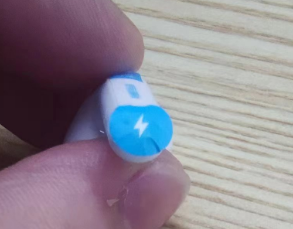
A:1.Remove the protective film from the bottom of the earbuds charging brass post for first use .Avoid the protective film interfering with the earbuds' communication.
Check that there are no foreign objects blocking the charging brass posts on the bottom of the earbuds to avoid foreign objects that could interfere with communication.
1.Q:Weight
A: Single earbud:3.65g
Charging case:34.7g
Total weight:42g
2.Q:Dimensions
A: Single earbud:31.1×20.9×22.5mm
Charging case:63.2×53.4×24mm
3.Q:Bluetooth version
A: Bluetooth 5.3
Both Android and IOS systems can be connected, there is no need to download an app to connect to Bluetooth, if prompted for a password, please enter "0000".
4.Q:Audio, Bluetooth protocol
A: Audio decoding protocol: SBC (AAC mode not supported)
Bluetooth transmission protocol: Bluetooth®.low Energy / HFP / A2DP / AVRCP
5.Q:Bluetooth search name
A: Bluetooth name: Redmi Buds 4 Active
6.Q:Product certification
A: BQB、SRRC、CE、CB、IECEE、NTRA、EAC、FAC、SDPPI、SUBTEL、MTC、BIS、ETA、FCC ID、IC、KC、TELEC、PSE、NCC、BSMI、NTC、MTC、SIRIM、IMDA、NBTC
7.Q:Environmental Protection Requirements
A: The products comply with RoHS environmental requirements.
8.Q:Sensitivity, frequency and impedance of the earbuds
A: Sensitivity:112+/-3dB AT 1KHZ 0.179V
Frequency:20Hz--20kHz
Impedance:32Ω±15%
Charge & Power Consumption
1.Q:Charging
A: The earbuds support wired charging.
Charging instructions
Connect the charging case to the Type-c charging cable/power cable and charge the case using the genuine charging head with an output of 5 V. The earbuds take approximately 45min-60min to fully charge (depending on the state of the charging case).
Charging indicator:
During charging, the white light is on for a long time, when fully charged, the charging case light goes out.
Instructions for charging box charge level and charging indication
Battery compartment charge indication:
Operation steps:
The charge box opens to automatically detect the charge level
2.Q:Indicator light:
A: 1.20% <charge box power, long light for 7s and then extinguished, rechargeable and communicable;
- 5%<Charging box power ≤20%, white light flashes 5 times, rechargeable and communicable
- Below 5% normal light flashing during communication.
If the charging case is fully charged, the white light of the charging case goes out.
3.Q:Charging instructions
A: When the phone status bar shows low battery (support the display of the earbuds's battery level), please place the earbuds in the charging case and close the charging case. The copper posts on the bottom of the earbuds make contact with the two copper posts on the bottom of the charging case to charge the earbuds. After approximately 45-60 minutes, the charging case will fully charge the earbuds.
When fully charged, the case will charge both earbuds 4 times.
4.Q:Charging environment
A: The earbuds and charging case are suitable for charging at 15°C-35°C, other temperatures will extend the charging time.
Note: The earbuds battery has a capacity of 34mAh and the charging case has a capacity of 440mAh.
5.Q:Battery life
A: A single charge lasts approximately 5 hours (note: 50% volume and SBC code), plus the charging case stores the power for several additional charges, giving a range of approximately 20 hours (note: 50% volume and SBC code).
The earbuds calling time is up to 3 hours / The earbuds and charging case can up to 12 hours.
Note: battery life may vary between phones.
6.Q:Why is the earbuds battery level displayed on my phone inaccurate?
A: When using the earbuds for long periods of time or during charging, the battery will fluctuate and the phone will receive different information about the earbuds' charge level, and the charge level is reported at 10%.
7.Q:Why the earbuds last for a short time?
A: The problem: the earbuds have a short usage time
Cause: the earbuds are low on power
Higher volume levels can drain the battery more quickly
The earbuds may be in an environment where there is a lot of electromagnetic interference or where there is a wall between the earbuds and the phone.
Solution:
It is recommended to use the earbuds when fully charged.
2. Turn down the volume and check if the usage time is normal.
3. Keep away from electromagnetic interference such as microwave ovens and ensure there are no obstacles between the earbuds and the phone.
8.Q:How to see the power level of the earbuds on your phone?
A: 1.When the earbuds are connected to your phone, the earbuds will be displayed in the notification bar icon of your phone with a lower battery level.
2. If your phone supports pop-up windows, you can check the power level of your earbuds in the pop-up window.
3. You can download and install the Xiaomi Earbuds App to check the power level of your earbuds.
4. The Bluetooth connection interface shows the lowest battery level of the earbuds/charging case (e.g. 60% for the left ear, 50% for the right ear and 40% for the charging case, the Bluetooth connection interface shows the lowest battery level of all three, i.e. 40% for the charging case).
9.Q:Is it possible to replace the batteries in the earbuds?
A: No, earbuds batteries are internal lithium-ion polymer batteries and cannot be replaced.
10.Q:Why the earbuds don't charge?
A: The problem:
earbuds fail to charge when placed in the charging case after running out of power
Cause:
1. The earbuds have not been used for a long time
2. The charging case is not charged (the white light flashes when the case is open)
3. THE earbuds and the charging case are not in good contact
4. There is dirt in the contact area of the earbuds or the charging case
Solution:
1. We recommend that you charge the charging case for at least 10 minutes to ensure that the earbuds are activated;
If the contact is OK, the charging case light will come on when the earbuds are in the case.
3. Use a cotton swab to clean the bottom of the earbuds and the brass contact post of the charging case.
11.Q:Can I charge the earbuds with a power bank?
A: Most power banks can charge the charging case, but a Type-C charging cable is required.
12.Q:What to look for when charging
A: 1.It is recommended to use a 5V charger
2. Please do not charge in high temperature, high humidity or low temperature environments.
3. After the battery pack is fully charged and not used, the power will be exhausted and shut down after 100 days. To better protect the life of the battery it is recommended to charge it once every 1 month (earbuds battery pack is full) to avoid battery damage.
13.Q:Can I charge my earbuds directly from my computer?
A: Yes, you can charge your earbuds by plugging them into your computer using a Type-C charging cable.
Appearance & Construction & Accessories
1.Q:Package contents
A: Ear caps*3(model: XL, L, M), user manual
Function&Use tips
1.Q:Touch control
A: The touch control operations allow you to smoothly and easily switch between different modes using light touches.
| No. | The touch control operations | Lasting time | Description |
| 01 | Tap twice | 0.2-0.5s | Music play/pause Answer a call |
| 02 | Tap continuously three times | After taping once, tap again within 0.5s | Skip to next track Reject/end a call |
| 03 | Tap left and right ear touch control third times | After taping once, tap again within 0.5s | Forced pairing |
| 04 | Tap left and right ear touch control fifth times | Tap left and right ear touch control fifth times within 30S (not when playing music or talking) to hear a prompt tone | Restore factory settings |
| 05 | Press and hold earbud at the same time | Lasting 1.5 seconds | Enable/disable low-latency mode |
| 06 | A earbuds (Single earbuds) are damaged or missing, place new A earbuds with original B earbuds for pairing | A and B earbuds out of the box, quickly tap A and B earbuds eighth times at the same time within 30s, press and hold the left and right ear touch for 5s within 30s after the prompt appears, wait for the prompt to sound, then close the charging case with both earbuds in the box and open the case again. | Non-original left and right earbuds, how to pair and use? |
2.Q:How to connect to Bluetooth:
A: Place the earbuds in the charging case, open the top of the case, the white light at the bottom of the case is on, the earbuds are waiting to be connected and the light on the side of the earbuds is on.
Search for the Bluetooth name "Redmi Buds 4 Active" on your phone and click to establish a connection
Bluetooth has been paired with the device and "successfully connected" is displayed, then the Bluetooth connection has been established successfully
Note:The earbuds may be no sound or disconnected due to electromagnetic waves that can interfere with the Bluetooth connection.
3.Q:How to disconnect:
A: 1. Place both earbuds in the box and close the box cover 5S to disconnect automatically.
2. Disconnect by clicking on the Bluetooth name on the device side when it is connected and selecting unpair.
3. Turn off the Bluetooth on the device and disconnect.
4.Q:Automatically reconnecting (phones that have already been paired):
A: 1. If the phone connected to the earbuds in the late time, it will automatically connect when the cover is opened.
2.If the phone didn't connect to the earbuds in the late time, you will need to connect manually by clicking on the earbuds's Bluetooth name on your phone.
5.Q:Instructions for the indicator light effect
A: 1. Indicator light effect when paired:
The earbuds are successfully connected when the white light flashes and then goes out; if there is no connection for 1min, the earbuds go to sleep and the light turns off;
6.Q:Do earbuds have noise cancellation?
A: No.
7.Q:How do I use the radio interaction animation pop-up?
A: When the charging box is opened, the phone automatically pops up the interface of detected earbuds, click to connect (only when Xiaomi phone Bluetooth is open), after connection, the power level of the left and right ear and the box can be displayed.
8.Q:Does Redmi Buds 4 Active support low latency?
A: Yes. When not on a call, open the top cover of the charging case, remove the left and right earbuds and put them on, and press and hold the left and right touch controls for 1.5 seconds to turn low latency on/off or select More-low latency from the Xiaomi Earbuds App.
Note: When low latency is on, closing the charging case with both earbuds in the case will turn off low latency.
9.Q:Does the Redmi Buds 4 Active support local voice functionality?
A: No.
10.Q:What voice buzzwords are supported by Local Voice?
A: No.
11.Q:What are the basic features of the Xiaomi Earbuds App?
A: 1.You can select more settings and choose to turn on/off low latency.
2. In the Xiaomi Earbuds App, check the serial number of your device.
12.Q:What features can MIUI pop-ups support?
A: The MIUI pop-up shows the battery level, charging status and quick connect of the earbuds and charging case.
Note: Please place the Redmi Buds 4 Active close to your phone, place the earbuds inside the case and check that the Bluetooth connection advanced options on your phone and the Quick Connect pop-up are on.
For first time use, the phone must be connected to WiFi (not a mobile hotspot). This is because the first time you use your earbuds after they have been identified, you will need to turn them on via WiFi (without using a hotspot to avoid consuming more mobile data traffic) and download the earbuds' motion picture data.
Note: When using the same earbuds after the first download via WiFi, the window will pop up normally without being connected to the internet.
13.Q:Dynamic pop-ups showing non-dynamic images when first connecting to the phone?
A: Solution: Keep the charging case and the phone close to each other within 30cm, open and close the cover 3-5 times (do not open and close the cover quickly), the pop-up window may be the default image at first, the animation effect will appear after a while under WiFi network (the length is related to the network speed).
14.Q:Which phones support pop-ups?
A: Only supported by Xiaomi phones. You need to update to MIUI system that supports Redmi Buds 4 Active pop-ups (all stable versions of MIUI system 13 and above currently support pop-ups, other MIUI versions need to contact customer service for confirmation).
15.Q:What is the effective transmission distance of Bluetooth and what happens when it is exceeded?
A: 1.The Bluetooth transmission distance is 10 metres or more without obstruction or interference.
2. After the transmission distance has been exceeded 10s, the connection between the earbuds and the phone will be automatically disconnected. within 5 minutes of the automatic reconnection; Above 5 minutes the earbuds goes into sleep and can be automatically reconnected when worn once.
3) If the earbuds does not connect back to your phone automatically, please restart your phone's Bluetooth and press and hold the charging case pairing button for 2S, the charging case light will flash to enter the pairing state and then reconnect to your phone.
16.Q:Does the earbuds automatically disconnect when you put them in the charging case?
A: 1.Once the earbuds are in the charging case, if you leave the lid open, they will not disconnect automatically and will remain connected.
2. Once the earbuds are in the charging case, if you close the cover, the earbuds will automatically disconnect from your phone after 5S.
3. If you wish to disconnect your phone from earbuds, you can do so by turning off Bluetooth on your phone or by placing earbuds in the case with the lid closed.
17.Q:Why didn't my earbuds reconnect automatically after opening the box?
A: Cause:
1. The phone's Bluetooth is not turned on
2. The earbuds automatically reconnects to the last connected device by default, your earbuds was not connected to this phone last time.
3. The phone is far away from the earbuds, exceeding the effective transmission distance (10m), or there is an obstacle between the earbuds and the phone.
4. Due to the special nature of Bluetooth earbuds, electromagnetic waves in your area may interfere with the Bluetooth connection.
5. The copper column on the bottom of the earbuds is dirty.
Solution:
1.Turn on your phone's Bluetooth
2. If it is not the last phone connected, please pair the connection again.
3. Put your phone and earbuds together and reconnect.
4. Make sure your earbuds are not in an environment with strong interference, away from objects with strong electromagnetic interference such as microwave ovens.
5. Clean the copper pillar at the bottom of the earbuds and re-pair them.
6. If none of the above resolves the problem, remove the left and right earbuds from the charging case and wear them while triple-clicking the touch control field on the left and right earbuds to force pairing.
7. If none of the above resolves, try to restore the factory settings by taping the left and right ear touch control five times in a row at the same time within 30S (not when playing music or calling), and when you hear a beep, the factory settings are restored.
18.Q:How do I answer/hang up a call using earbuds?
A: Wear earbuds,and tap either earbuds's touch control:Answer a call
tap either earbuds's touch control three times:Reject a call
19.Q:Can other people hear my conversation when I answer my calling?
A: No. earbuds can only be connected to one device at a time by default, so there is no crosstalk with other devices, so please feel free to use it.
20.Q:Why does the receiver hear little sound and noise when talking?
A: If there is an obstacle or distance between your phone and your earbuds, it is possible that the other party may hear a low level of sound or noise. Please ensure that there is no obstruction between your phone and your earbuds, for example by taking your phone out of your trouser pocket and putting it in your jacket pocket.
If the signal at the place where you are calling is weak, network instability may affect the quality of your call. Please call in an area with a good signal.
If you are next to an object with high electromagnetic interference, the other party may hear low sound and noise. We recommend that you keep away from objects with high electromagnetic interference such as microwave ovens during use.
21.Q:Why are earbuds connected but no sound or stuck?
A: The problem:
The earbuds are connected to the phone, but there is no sound.
Cause:
Electromagnetic waves interfere with the Bluetooth connection, resulting in no sound.
Please check your phone's volume setting to make sure that the phone volume is not turned on and is on silent.
The phone is far away from the earbuds, beyond the effective transmission distance (10m), or there is an obstacle blocking the connection between the earbuds and the phone. For example, the phone is in your pocket.
Solution:
1. Make sure your earbuds are not in an environment with strong interference, away from objects with high electromagnetic interference such as microwave ovens.
2. Turn on the volume of your phone.
3. Use your phone and earbuds together, or reconnect them.
4. Disconnect, put the earbuds back into the charging case and close the lid for 5S, then open the lid to reconnect with the phone or disconnect the phone from another Bluetooth device.
5. If the above does not solve the problem, please try to restore the factory settings, within 30S at the same time five successive touches left and right ear touch control (not playing music or talking state), hear the beep, then restore the factory settings.
22.Q:Why is the sound still out when earbuds are connected?
A: The problem:
The earbuds and the phone are already connected, but the sound of music, video, calls etc. is still played out.
Cause:
Bluetooth is connected, but the "Media Audio" option is not checked.
Solution:
Once the earbuds are connected to your phone, click on "Settings" -> "Bluetooth", find "Redmi Buds 4 Active" and click on the icon on the right to Turn on "Media Audio".
On the Bluetooth settings page of your phone, disconnect from Bluetooth and reconnect to Bluetooth. You will be able to restore
Turn off Bluetooth on your phone, turn it on again and the earbuds and phone will automatically connect back successfully. The connection will be restored.
If the above does not solve the problem, please try to restore the factory settings, within 30S, five successive touches on the left and right ear touch control (not in the state of playing music or talking), hear a beep, that is, restore the factory settings.
23.Q:Do you use earbuds or your phone's microphone when recording video or audio?
A: Different phones and software have different settings when recording video and audio, depending on the specific scenario you are using.
For talking, listening to music and video, the earbuds microphone is used; for recording video and audio software, the phone microphone is used.
24.Q:Summary of arbuds features
A: The earbuds do not consume traffic.
The earbuds do not support file transfer.
The earbuds do not have a storage function and cannot download or play music separately.
The earbuds can listen to e-books.
The earbuds do not support heart rate monitoring.
The earbuds uses Bluetooth to connect to your mobile phone and the radiation is minimal. earbuds has passed strict safety and environmental certifications.
The earbuds can receive the prompt beeps of navigation software.
25.Q:Why is there sometimes a delay in voice calls, video calls and games?
A: Audio is first transmitted from the phone to the main earbuds, which in turn transmits the audio to the slave earbuds. There will be some delay in the audio transmission process, but it will not affect the music or calls.
There will be a delay in signal transmission packet loss when the network environment is poor.
Some games have high latency and phone processing requirements and a slight delay will be felt.
26.Why does only one earbuds have sound when paired with Bluetooth?
A: Cause:Single earbuds have poor contact, resulting in only one side earbuds being paired up
Single earbuds low battery shutdown
Earbuds with dirty earbuds blocking the speaker
Earbuds are not sweating or getting water in them, causing them to short circuit and die
Bluetooth disconnection on left and right earbuds.
Solution:
1. Please put the earbuds back into the charging case, confirm that the indicator light on the charging case will be on when you put them in the case, re-pair the Bluetooth and you can resume
2. After confirming that the earbuds are in good contact, place them in the box and charge them for 10 minutes, then pair them with Bluetooth again to restore them.
3. Check and clean the earbuds for dirt
4. You need to send them to an after-sales outlet for dismantling and testing
27.Q:Why is the music still playing when the earbuds are in the charging case?
A: Cause: dirty copper posts on earbuds, poor contact.
Use of earbuds other than those supplied with the product, resulting in the earbuds not fitting into the box.
Solution:
Wipe the earbuds brass posts and re-pair them.
Select the appropriate earbuds from the earbuds that come with the product.
28.Q:Are earbuds waterproof?
A: Support. With its IPX4 rated (the charging case does not support water resistance) waterproof design, it protects against water intrusion from splashes in all directions. Whether it's a sweaty workout (e.g. the gym) or a walk and ride in a light rain, earbuds will work and stay put. We recommend that you wipe off your earbuds after sweating.
The splash, water and dust resistance is not permanent and the protection may deteriorate due to daily wear and tear. Do not charge your earbuds when wet and do not wear your earbuds swimming; damage caused by immersion in liquids is not covered by the warranty.
29.Q:What to do if Bluetooth suddenly drops out while earbuds are in use
A: The problem: The earbuds are suddenly disconnected from the phone.
Cause: The earbuds are running low on power.
The phone is far away from the earbuds, exceeding the effective transmission distance (10m), or there is an obstacle between the earbuds and the phone.
Electromagnetic waves may interfere with the Bluetooth connection.
Solution:
Please charge the earbuds immediately.
Place your earbuds with your phone and reconnect them.
Make sure your earbuds are not in an environment with strong interference, away from microwaves, surveillance and other objects with strong electromagnetic interference.
If all of the above does not work, try restoring the factory settings by hitting the left and right ear touch control five times in a row within 30 seconds (not when playing music or talking) and hearing a beep, then the factory settings are restored.
30.Q:Can earbuds cause adverse reactions if worn for too long?
A: 1. earbuds have an in-ear design and can be fatiguing to wear for long periods of time and may be a little painful, eczema may occur in hot environments, it is recommended to take off the earbuds after 1h of continuous use for a short rest.
2. It is recommended that you choose suitable earbuds, which can increase the comfort of your ears and reduce the pain.
31.Q:Do earbuds attach to the charging case and do they fall out?
A: When the earbuds are placed in the charging case, they are magnetically attached to the case and will not fall out during normal use. The top and bottom covers of the charging case are also magnetically attached to each other and will not come off in normal use.
32.Q:Is it possible to go out without a charging case and just take earbuds?
A: If your phone is already connected to your earbuds and the earbuds have enough power for you to go out, you can go without a charging case. However, it is recommended that you take a charging case with you when you go out to prevent you from running out of battery, having nowhere to store it or losing it.
33.Q:How to restore factory settings on earbuds?
A: Please try to restore the factory settings by hitting the left and right ear touch control five times in a row within 30S (not when playing music or talking), and when you hear a beep, the factory settings are restored.
34.Q:How to maintain earbuds?
A: Do not expose earbuds to liquids or moisture;
Never use abrasive solvents to clean earbuds;
Do avoid exposing earbuds to low temperatures (below 0°C), high temperatures (above 45°C) or wide temperature differences for long periods of time; prolonged exposure to these environments can easily damage the battery's activity and result in damage to the battery;
Do not expose earbuds to open flames to avoid the risk of explosion;
never expose earbuds to sharp objects, which can cause scratches or damage;
Do not insert any objects into the earbuds as this will damage the internal components;
Do not attempt to disassemble the earbuds;
If the earbuds are not to be used for a long period of time, ensure that they are kept in a dry place and that they are recharged regularly if left for more than a month to ensure that the batteries and earbuds are working properly.
35.Q:Does earbuds support connection to a TV?
A: Support for Smart TVs with Bluetooth.
36.Q:Do earbuds support AAC decoding?
A: No.
37.Q:The time spent on the left and right ear is not the same, the right ear is used for a shorter period of time / the overuse of the left and right ear will result in a difference in power consumption.
A: 1. By default, the earbuds taken out of the charging case first are the main ear and the earbuds taken out later are the secondary ear. The main ear is responsible for the same function while also being responsible for transmitting data to the secondary ear and connecting to the phone, so the power consumption will be relatively high compared to the main ear and the usage time will be relatively short.
38.Q:Why is there a lag in some environments when listening to music on earbuds?
A: 1 The RF performance of earbuds;
2 The RF performance of the mobile phone;
3 The environment in which the earbuds are used and whether there are any obstructions between the earbuds and the phone that impede them;
If you find that earbuds are intermittent during use, make sure that the earbuds' antenna is not blocked during running and that the running environment is not affected by the wireless environment (e.g. WIFI, mobile phone base stations, transformers, high-power electrical equipment, etc.).
39.Q:How to adjust the volume of earbuds and control the up and down curves of earbuds?
A: The earbuds touch control can be tapped 3 times in succession to switch to the next track. If you need to adjust the volume, you can do so by adjusting the volume button on the phone.
40.Q:Why the sound quality is fine when listening to music but deteriorates when playing games?
A: When listening to music, the A2DP protocol is activated;
when playing games, the game app starts the HFP call protocol, the audio bandwidth is narrow when the HPF protocol is used, and the sound quality is slightly poorer;
FAQ
1.Q:Why do earbuds suddenly fail to charge or charge erratically?
A: Cause:1. The earbuds have been left switched off for a long time;
2. Poor contact between the earbuds and the charging case or dirt on the contact points;
3. The charging adapter used is not compatible;
Solution:
1.It is recommended that you charge the earbuds for at least 10 minutes to activate them;
2. Repeatedly insert the earbuds into and out of the case 3 times;
3. Use a cotton swab to clean the copper posts on the bottom of the earbuds and the copper posts on the bottom of the charging case (for contact with foreign objects)
2.Q:Why does the Touch control area not respond when I tap on it?
A:The earbuds for Touch tapping area and method. The touch control area needs to be tapped. Failure to tap on the specified area or insufficient time between successive taps/insufficient tapping may result in the tapped touch area not functioning.
3.Q:Why does my Redmi Buds 4 Active sound less loud after using it for a while?
A:Hello, regarding your feedback that the sound of your earbuds is reduced, check if there are any foreign objects blocking the holes in the speaker holes. We suggest that you remove the ear caps and use a brush to clean the speaker hole to check if there is a foreign body blocking the hole.
4.Q:Can earbuds be worn with allergies? What should I do if I have an adverse reaction (e.g. inflammation)?
A:The skin-contacting parts of earbuds and ear caps have been rigorously tested and do not affect the human body. When using them, please avoid wearing them for long periods of time (e.g. when sleeping) and keep your ears clean to avoid discomfort, inflammation or suspected allergies caused by sweat or dirt residue.
Possible causes of allergy symptoms:
① Wearing for long periods of time (e.g. when sleeping), not being breathable, earbuds with sweat residue;
② Dirt on earbuds, not cleaned for a long time, residue buildup leading to suspected allergy symptoms.
③ In case of severe ear discomfort, or inflammation and allergy, it is recommended to stop wearing them and consult a physician promptly; in case of only mild itching, the following instructions may be recommended:
Ø After wearing earbuds for sports, please check whether there is sweat on the earbuds, if there is, please wipe it off before putting them in the case;
Ø For everyday use, regularly check the earbuds, ear caps and charging case for dirt, if there is any, please clean them in time;
Ø Take off the earbuds after long continuous wear and let your ears rest for about half an hour to relieve ear fatigue;
Ø After showering, if there are water droplets left inside the ears, please clean them up before using the earbuds.
5.Q:Why is the pop-up screen not a dynamic icon when earbuds are connected to the phone?
A:Hello, the first time your Xiaomi phone connects to earbuds, the phone will automatically download the dynamic pop-up animation as the pop-up interface is uploaded to the Xiaomi cloud server. If this is the first time you use your phone, it may affect the loading speed of the dynamic pop-ups in the different surrounding network environment. If this pop-up is the default pop-up interface during your use, you can put the earbuds back into the charging case and re-open the cover, the dynamic pop-ups will be displayed normally.
You may encounter the same problem when you change the phone you are connecting to, so try putting the earbuds back into the charging case and reconnecting them.
6.Q: Why is the music not paused when I take down an earbuds?
A: Hello, Redmi Buds 4 Active does not support out of ear detection pause function, you can pause the music by double tapping the touch control.
7.Q:Why do my earbuds not charge/not connect to Bluetooth for the first time?
A:1.Remove the protective film from the bottom of the earbuds charging brass post for first use
.Avoid the protective film interfering with the earbuds' communication.Check that there are no foreign objects blocking the charging brass posts on the bottom of the earbuds to avoid foreign objects that could interfere with communication.
Does it help?
Yes
No