

How to use the Xiaomi Wireless Mouse Lite 2?
To use the Xiaomi Wireless Mouse Lite 2, please refer to the following steps:
1. Slide down the battery compartment cover to remove it as illustrated;
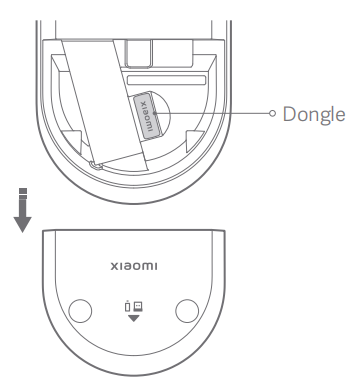
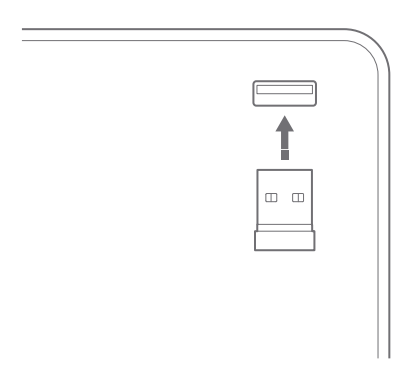
2. Take out the dongle and plug it into the USB port on the computer;
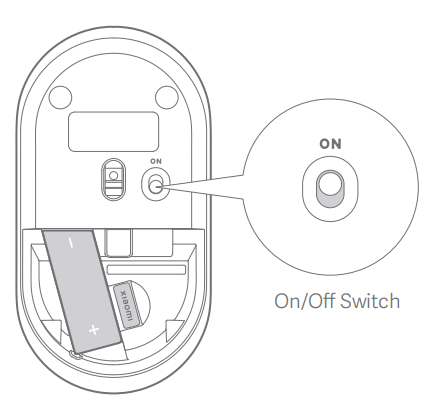
3. Install an AA battery into the battery compartment, and turn on the mouse;
4. The mouse is ready for use when your computer system notifies that the installation is successful.
1. Slide down the battery compartment cover to remove it as illustrated;
2. Take out the dongle and plug it into the USB port on the computer;
3. Install an AA battery into the battery compartment, and turn on the mouse;
4. The mouse is ready for use when your computer system notifies that the installation is successful.
Does it help?
Yes
No