

How to use AI expansion on the POCO F6?
The POCO F6's camera crop tool has an AI expansion feature that uses artificial intelligence to improve photo cropping. This feature makes the process more intuitive and efficient, allowing you to enhance your photos with optimal composition and focus using minimal manual intervention.
To use AI Expansion on your phone, you can refer to the following steps:
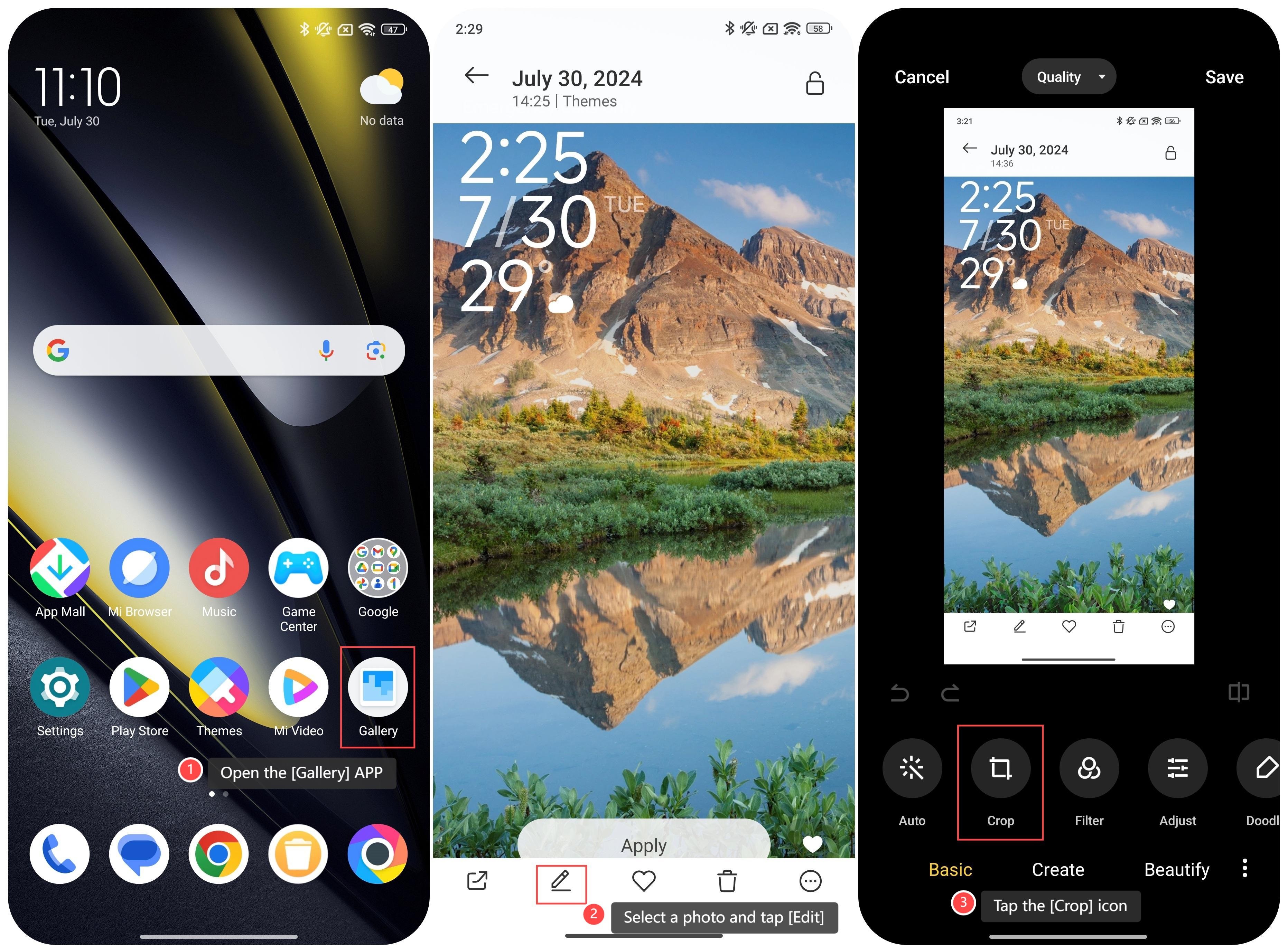
1. Open the [Gallery] APP on your phone;
2. Select a photo and tap [Edit];
3. Tap the [Crop] icon;
To use AI Expansion on your phone, you can refer to the following steps:
1. Open the [Gallery] APP on your phone;
2. Select a photo and tap [Edit];
3. Tap the [Crop] icon;
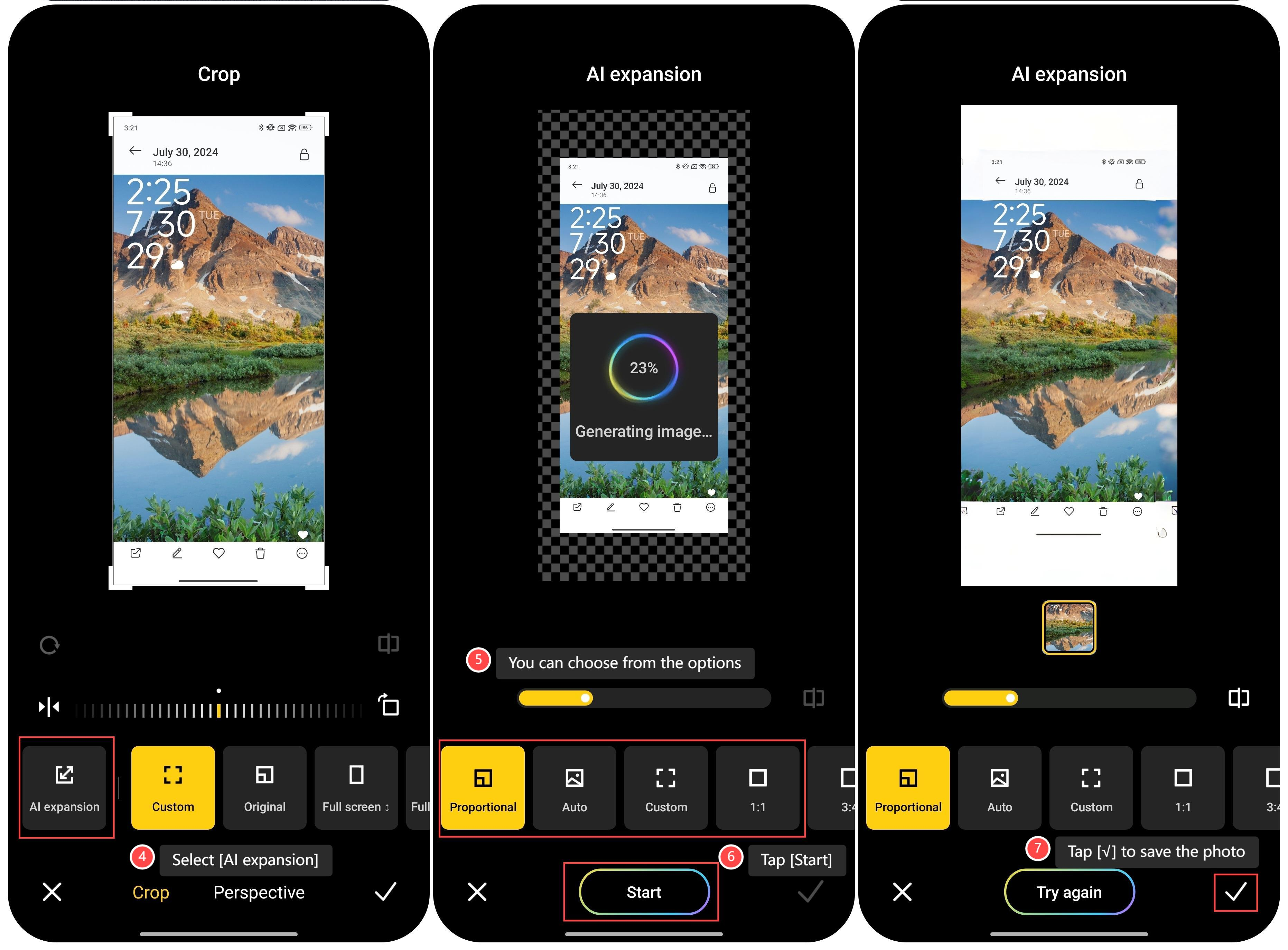
4. Select [AI expansion];
5. You can choose from the options: [Proportional], [Auto], [Custom], [1∶1], [3∶4] and so on;
6. Tap [Start], the screen will show that the generating image is in process;
7. After completing the generating image, tap [√] to save the photo.
Note:
1. Proportional: This mode allows you to maintain the original aspect ratio of the photo while cropping;
2. Auto: The AI automatically suggests the best crop based on the content of the photo. It uses AI to analyze the image and propose an optimal cropping area highlighting key elements and improving composition;
3. Custom: This option allows you to adjust the cropping area to your preference manually. You can drag and resize the crop box to fit your desired composition;
4. 1∶1: This aspect ratio creates a square crop (equal width and height). It is ideal for creating images suited for platforms that require or prefer square formats, or when you want a symmetrical look for your photo;
5. 3∶4: It is a standard size for most photos. It is ideal for traditional photography, providing a balanced and visually pleasing composition.
Does it help?
Yes
No