

How to use the camera on the POCO F6 Pro to scan QR code?
In the POCO F6 Pro, QR code scanning is integrated into the default Camera APP. You can quickly scan and access information encoded in QR codes without needing a separate APP.
To use the camera to scan the QR code, please refer to the following steps:
1. Launch the [Camera] APP;
2. Tap the arrow icon on the top of the interface;
3. Then tap the settings icon at the upper right corner to enter the Camera settings;
4. Select [Smart suggestions];
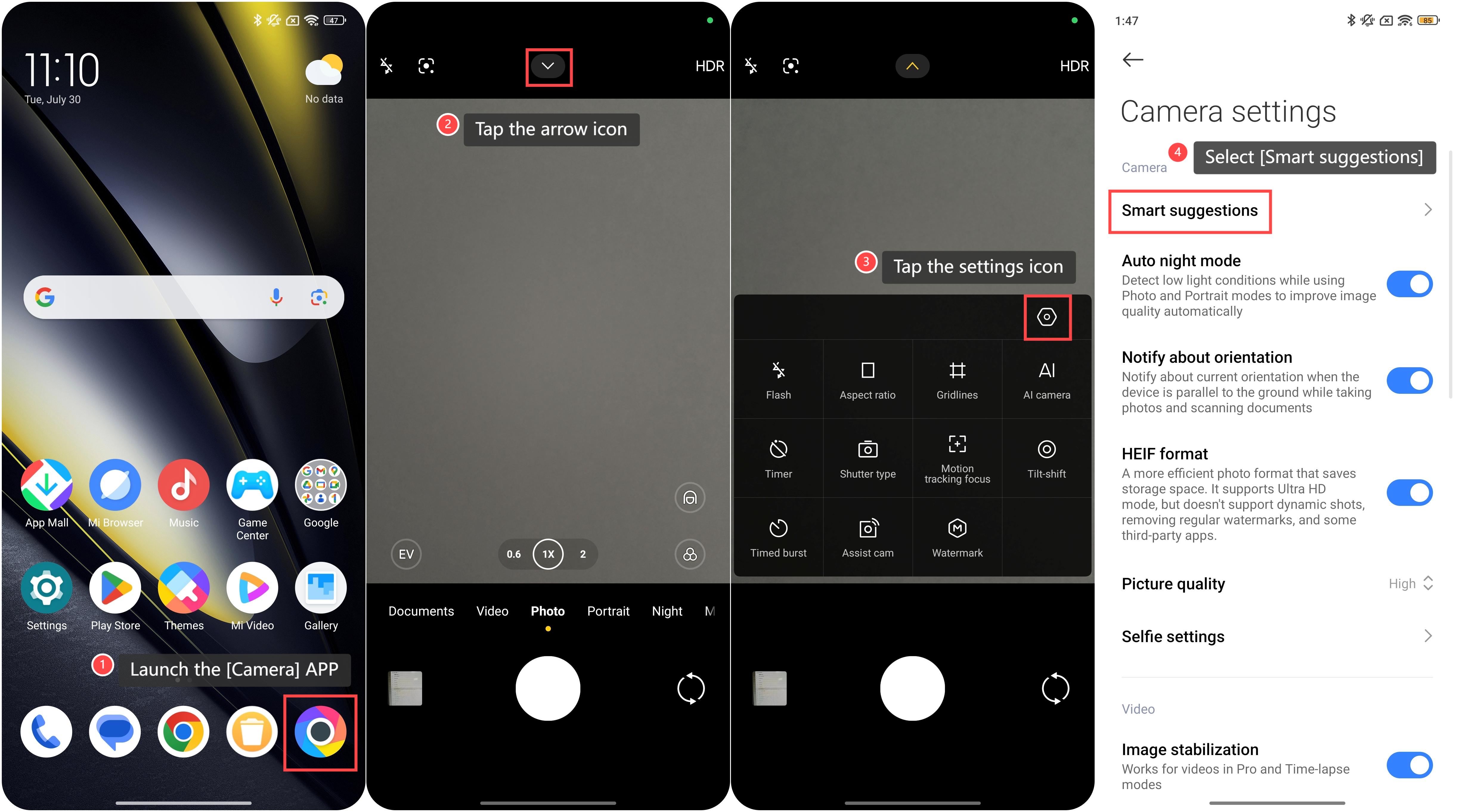
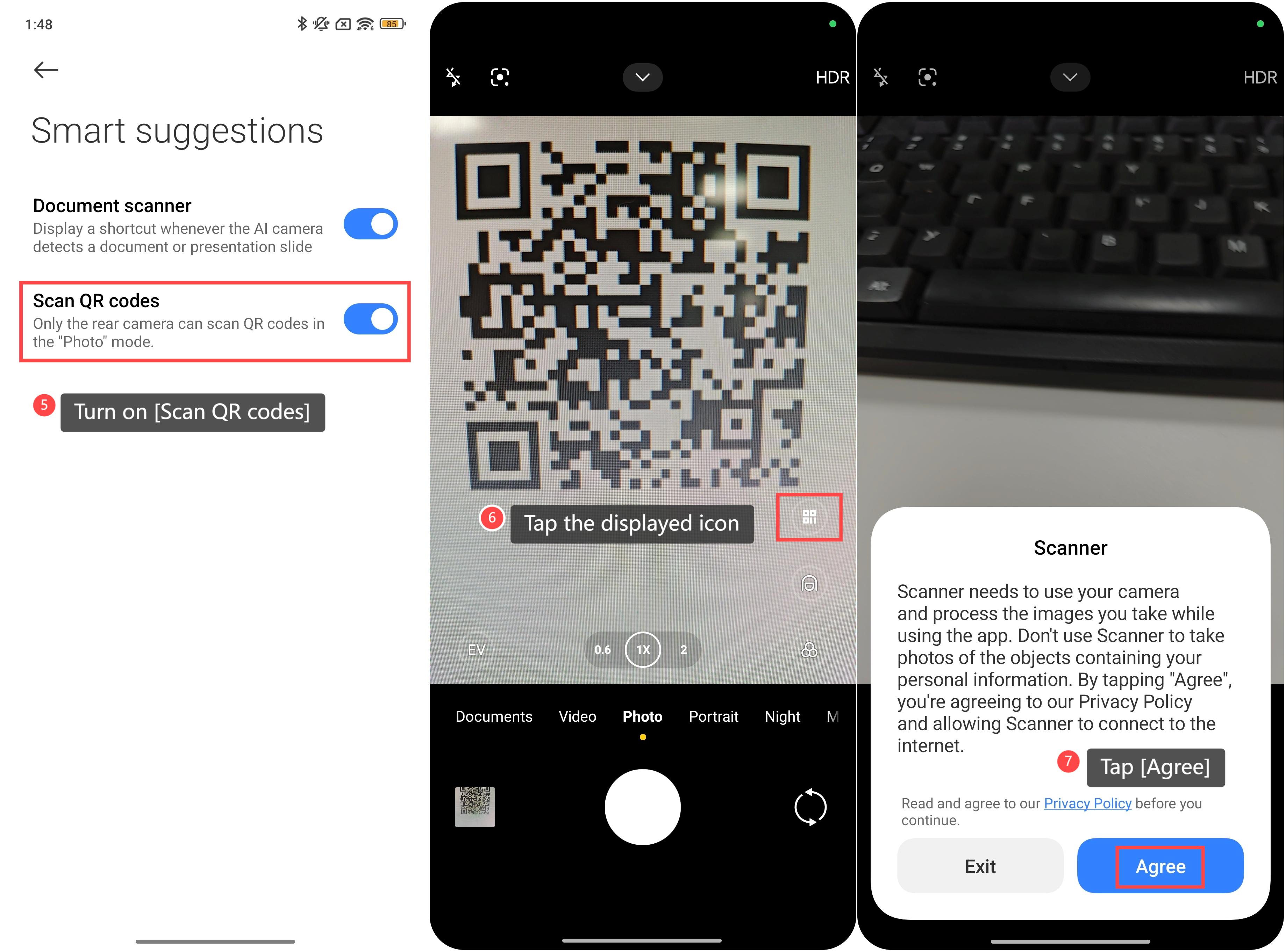
5. Turn on [Scan QR codes];
6. Go back to the Camera’s interface and point the camera of your phone at the QR code. The Camera APP will automatically detect the QR code and display an icon for the content. Tap the displayed icon to open the link or view the information encoded in the QR code;
7. If you use this feature for the first time, you need to tap [Agree] to allow permission to use it.
Friendly tips:
1. Ensure the QR code is well-lit and visible to the camera for accurate scanning;
2. Hold your phone steady while scanning to avoid blurry images;
3. Make sure the QR code is not obscured or damaged for the best results.
To use the camera to scan the QR code, please refer to the following steps:
1. Launch the [Camera] APP;
2. Tap the arrow icon on the top of the interface;
3. Then tap the settings icon at the upper right corner to enter the Camera settings;
4. Select [Smart suggestions];
5. Turn on [Scan QR codes];
6. Go back to the Camera’s interface and point the camera of your phone at the QR code. The Camera APP will automatically detect the QR code and display an icon for the content. Tap the displayed icon to open the link or view the information encoded in the QR code;
7. If you use this feature for the first time, you need to tap [Agree] to allow permission to use it.
Friendly tips:
1. Ensure the QR code is well-lit and visible to the camera for accurate scanning;
2. Hold your phone steady while scanning to avoid blurry images;
3. Make sure the QR code is not obscured or damaged for the best results.
Does it help?
Yes
No