

How to connect the Xiaomi Gaming Mouse Lite?
The steps for connecting the Xiaomi Gaming Mouse Lite are listed below:
1. Remove the protective film on the bottom of the mouse;
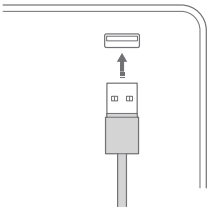
2. Remove the cable tie, and plug the USB connector into a computer. Then the computer will automatically detect the USB device and install the driver for the mouse;
3. After the installation is successful, the system prompts that the current device is available, and the mouse can be used normally.
1. Remove the protective film on the bottom of the mouse;
2. Remove the cable tie, and plug the USB connector into a computer. Then the computer will automatically detect the USB device and install the driver for the mouse;
3. After the installation is successful, the system prompts that the current device is available, and the mouse can be used normally.
Does it help?
Yes
No