

How to set up Memory extension on the POCO F6 Pro?
The POCO F6 Pro features memory extension, which creates additional RAM by occupying storage. Use this feature only when there’s enough storage space available on your device.
To set up Memory extension on the POCO F6 Pro, please refer to the following methods:
Method 1:
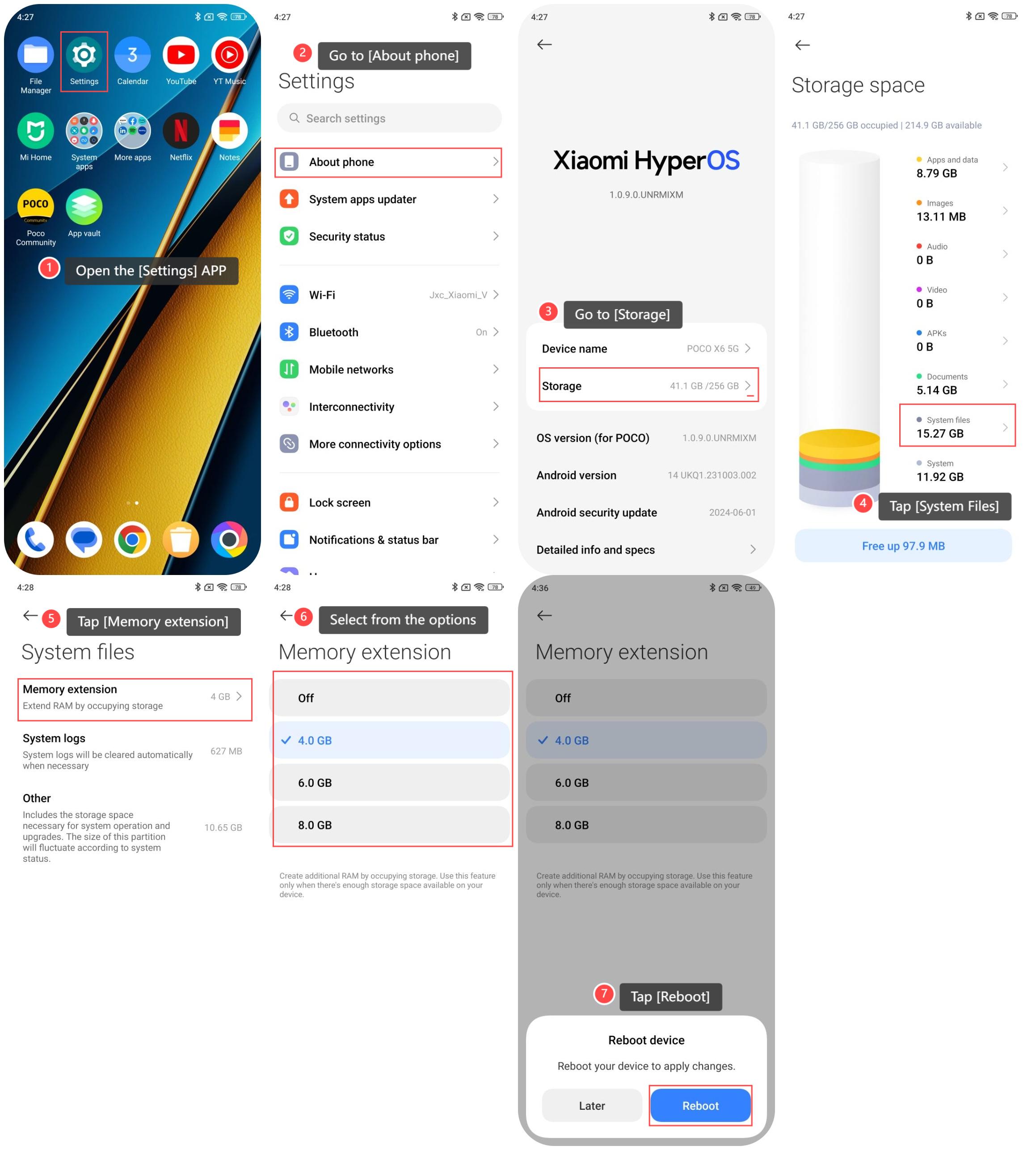
1. Open the [Settings] APP;
2. Go to [About phone];
3. Go to [Storage];
4. Tap [System files];
5. Tap [Memory extension];
6. Select from the options according to your needs;
7. Tap [Reboot] to apply changes.
Method 2:
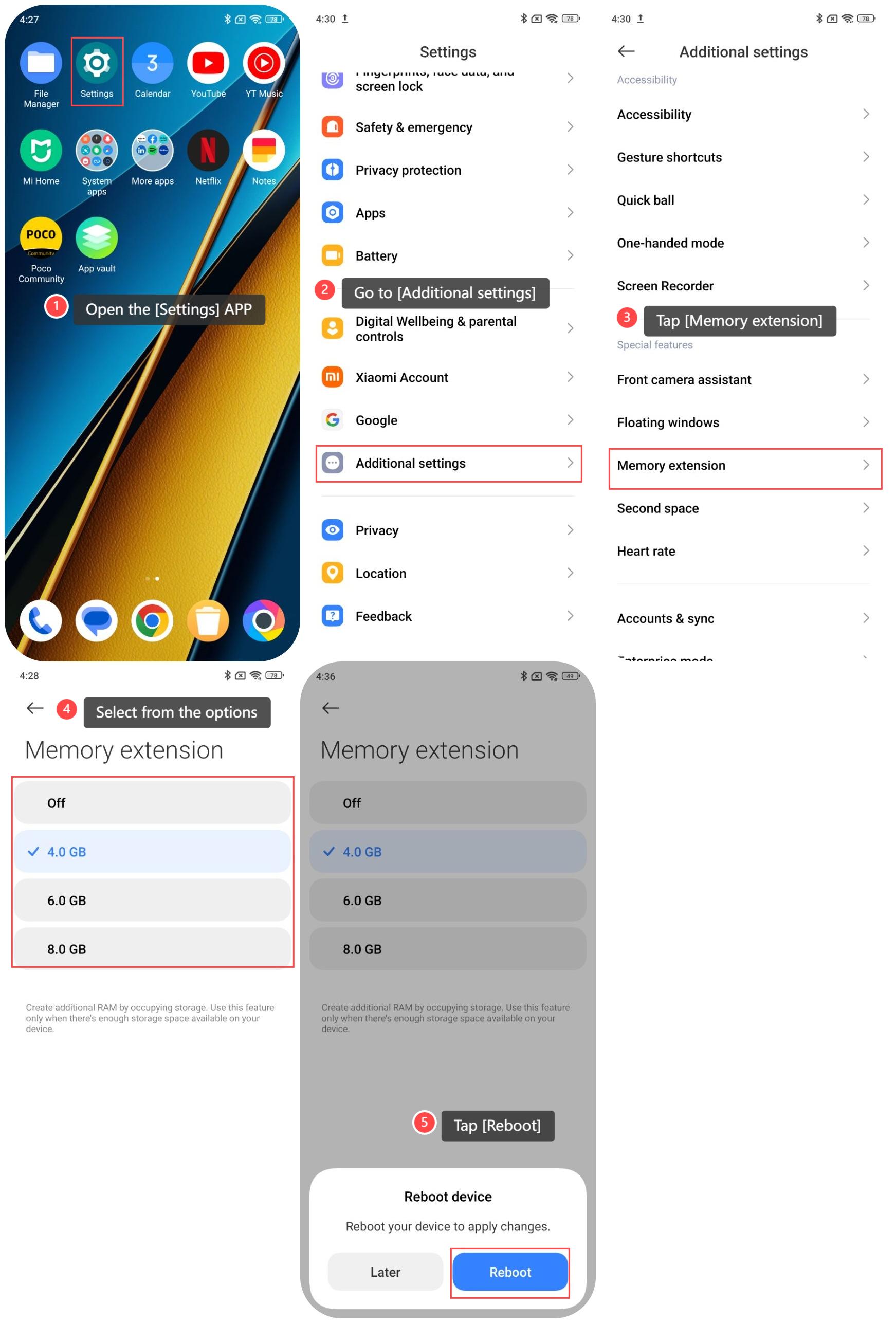
1. Open the [Settings] APP;
2. Go to [Additional settings];
3. Tap [Memory extension];
4. Select from the options according to your needs;
5. Tap [Reboot] to apply changes.
To set up Memory extension on the POCO F6 Pro, please refer to the following methods:
Method 1:
1. Open the [Settings] APP;
2. Go to [About phone];
3. Go to [Storage];
4. Tap [System files];
5. Tap [Memory extension];
6. Select from the options according to your needs;
7. Tap [Reboot] to apply changes.
Method 2:
1. Open the [Settings] APP;
2. Go to [Additional settings];
3. Tap [Memory extension];
4. Select from the options according to your needs;
5. Tap [Reboot] to apply changes.
Does it help?
Yes
No