

How to turn on Dark mode on the POCO F6 Pro?
The Dark mode on the POCO F6 Pro is a display setting that changes the color scheme of an interface to predominantly dark colors, helping to reduce eye strain, especially in low-light conditions, and conserve battery life on your phone.
To turn on Dark mode, please refer to the following methods:
Method 1:
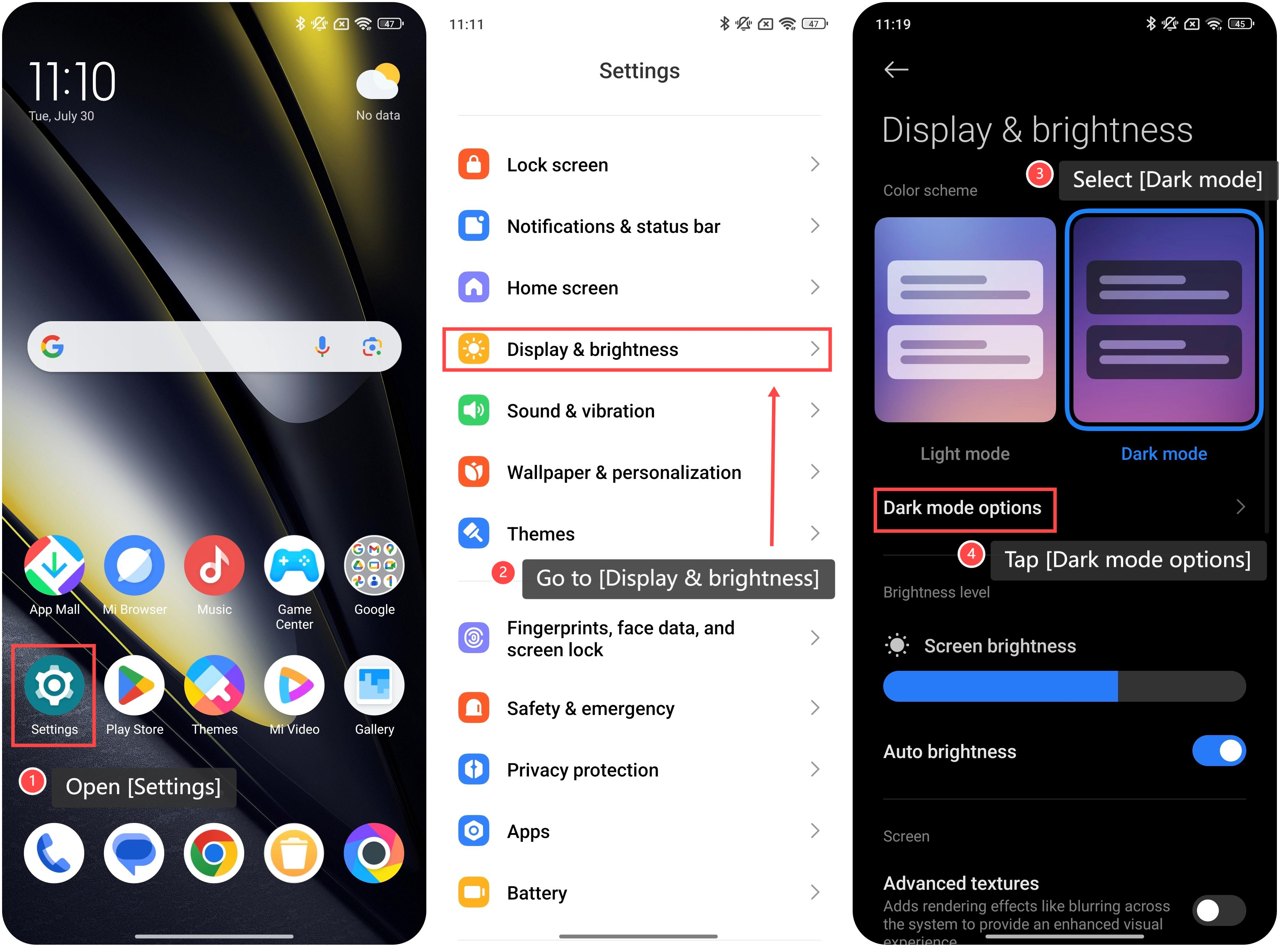
1. Open [Settings];
2. Go to [Display & brightness];
3. Select [Dark mode], then the interface of your phone will display a dark color;
4. Your phone also offers [Dark mode options] for you to further adjust these settings according to your preferences. Tap to enter it;
To turn on Dark mode, please refer to the following methods:
Method 1:
1. Open [Settings];
2. Go to [Display & brightness];
3. Select [Dark mode], then the interface of your phone will display a dark color;
4. Your phone also offers [Dark mode options] for you to further adjust these settings according to your preferences. Tap to enter it;
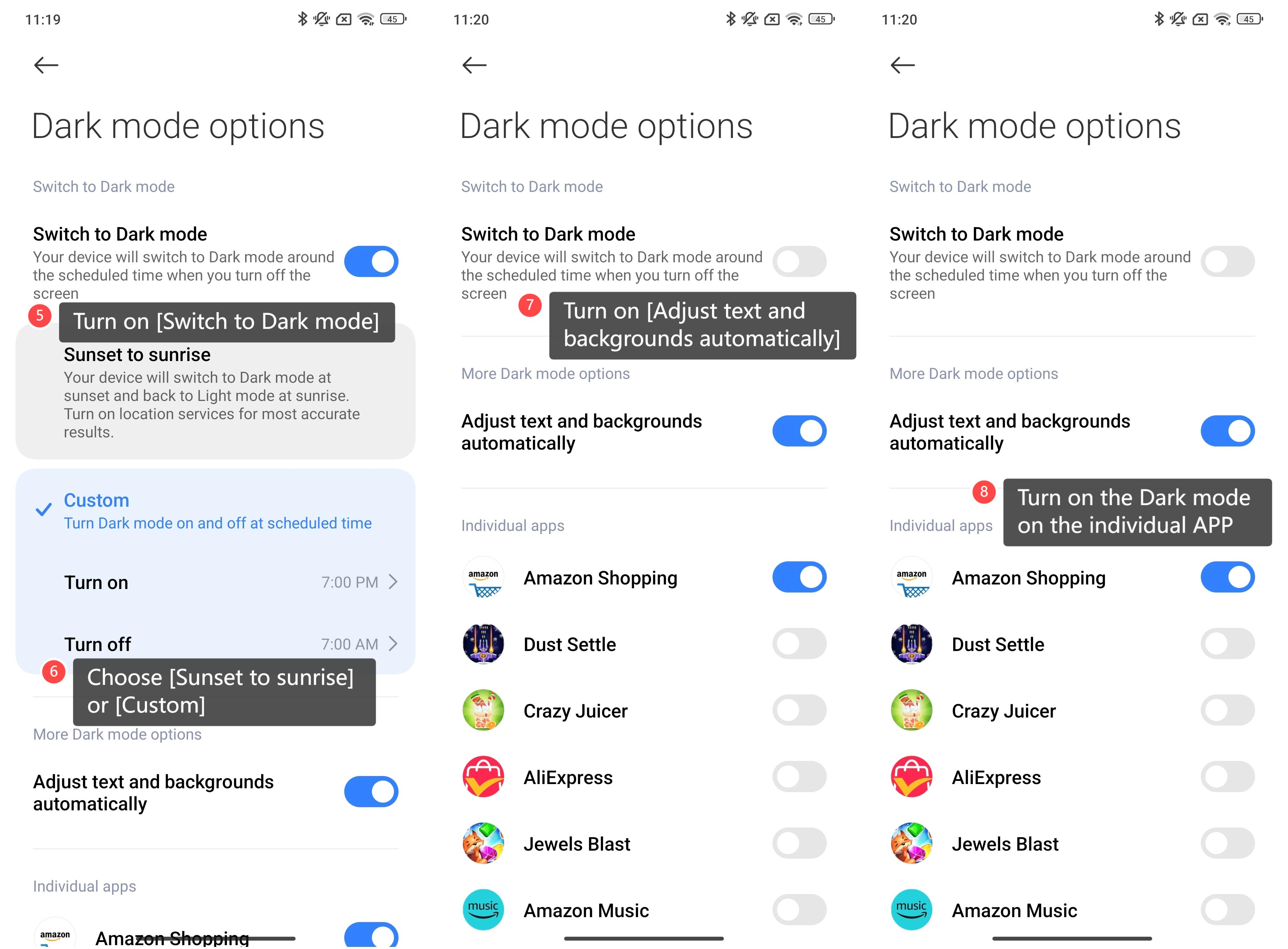
5. Within the interface, you can turn on [Switch to Dark mode], and your device will switch to Dark mode around the scheduled time when you turn off the screen;
6. You can choose [Sunset to sunrise] or [Custom] to schedule the Dark mode time;
7. You can also choose to turn on [Adjust text and backgrounds automatically];
8. Or choose to turn on the Dark mode on the individual APP.
6. You can choose [Sunset to sunrise] or [Custom] to schedule the Dark mode time;
7. You can also choose to turn on [Adjust text and backgrounds automatically];
8. Or choose to turn on the Dark mode on the individual APP.
Method 2:
1. Swipe down from the top of the screen to enter the Control center;
2. Tap the [Dark mode] icon to enable Dark mode.
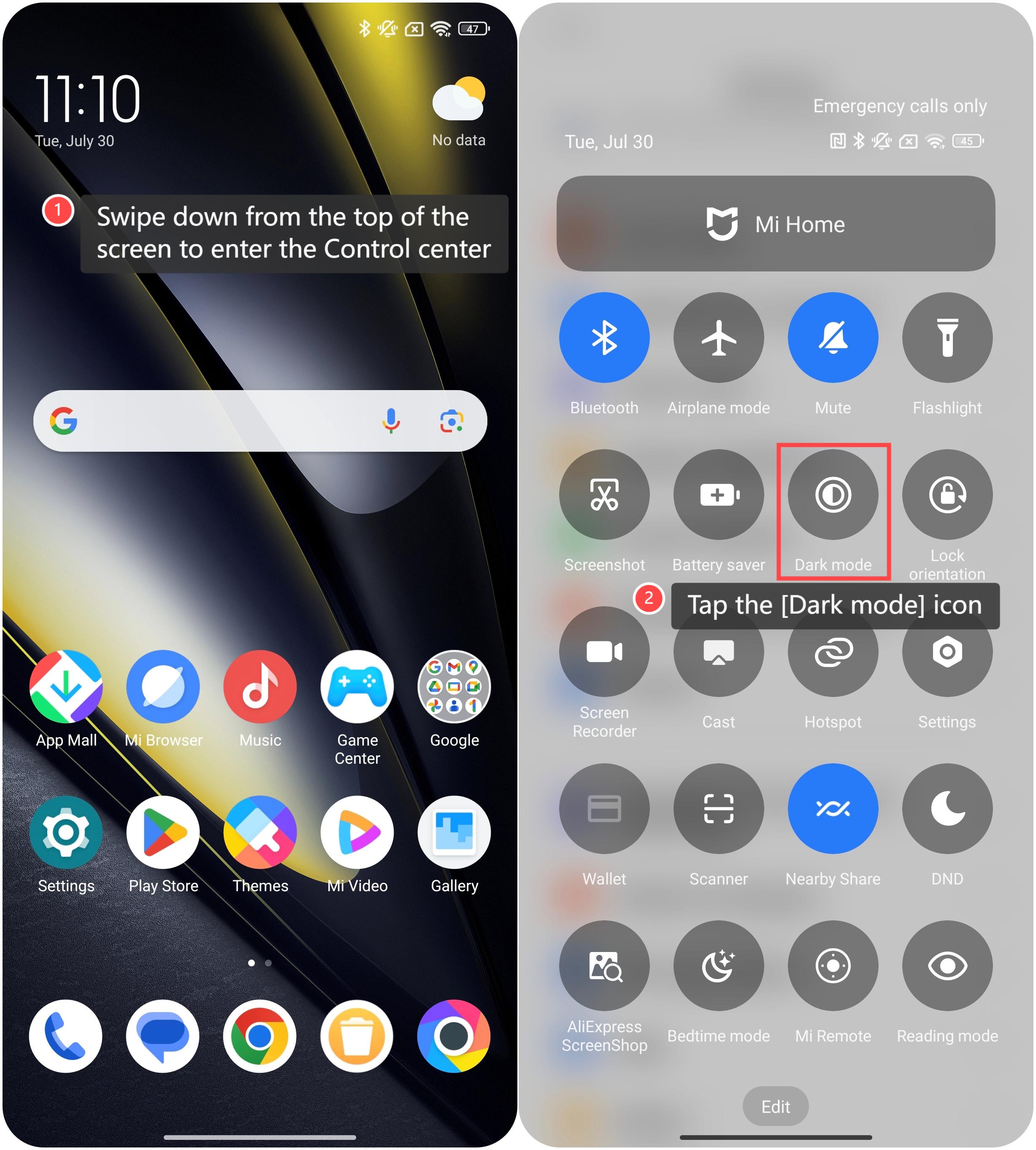
1. Swipe down from the top of the screen to enter the Control center;
2. Tap the [Dark mode] icon to enable Dark mode.
Does it help?
Yes
No