

How to turn on the AI image engine on the POCO F6?
The AI image engine on the POCO F6 refers to the use of artificial intelligence (AI) algorithms and computational photography techniques, which can upscale the resolution of videos or process videos using HDR effects.
To turn on the AI image engine, please refer to the following steps:
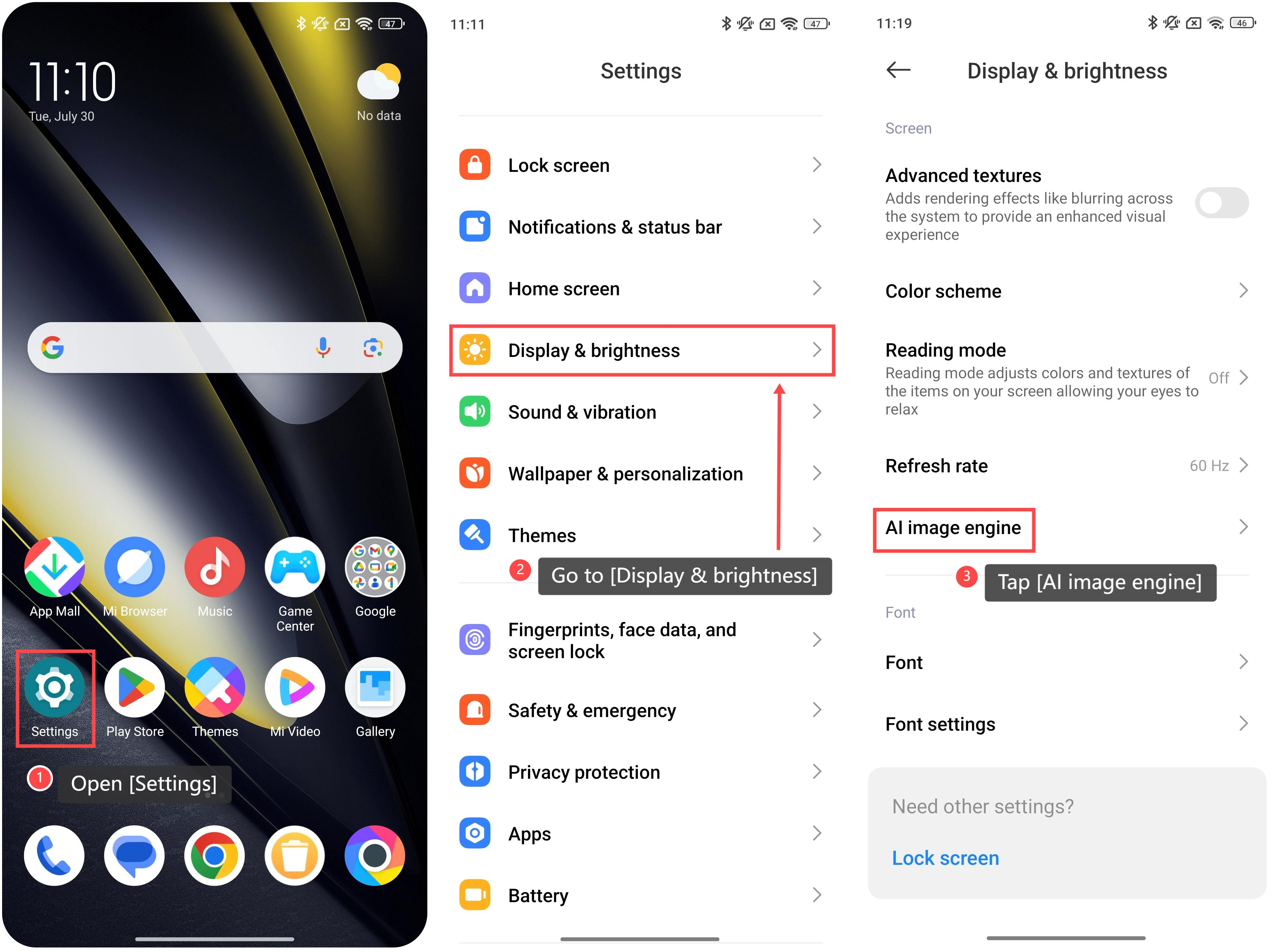
1. Open [Settings];
2. Go to [Display & brightness];
3. Swipe down and tap [AI image engine];
To turn on the AI image engine, please refer to the following steps:
1. Open [Settings];
2. Go to [Display & brightness];
3. Swipe down and tap [AI image engine];
4. Within the interface, your phone offers further customization of the AI image engine. You can choose [Super resolution] or [AI HDR enhancement];
5. Turn on [Enhance videos], and your phone will upscale the resolution of videos;
6. Turn on [AI HDR enhancement], and your phone will process videos using HDR effects to bring out more details in the lighter and darker areas.
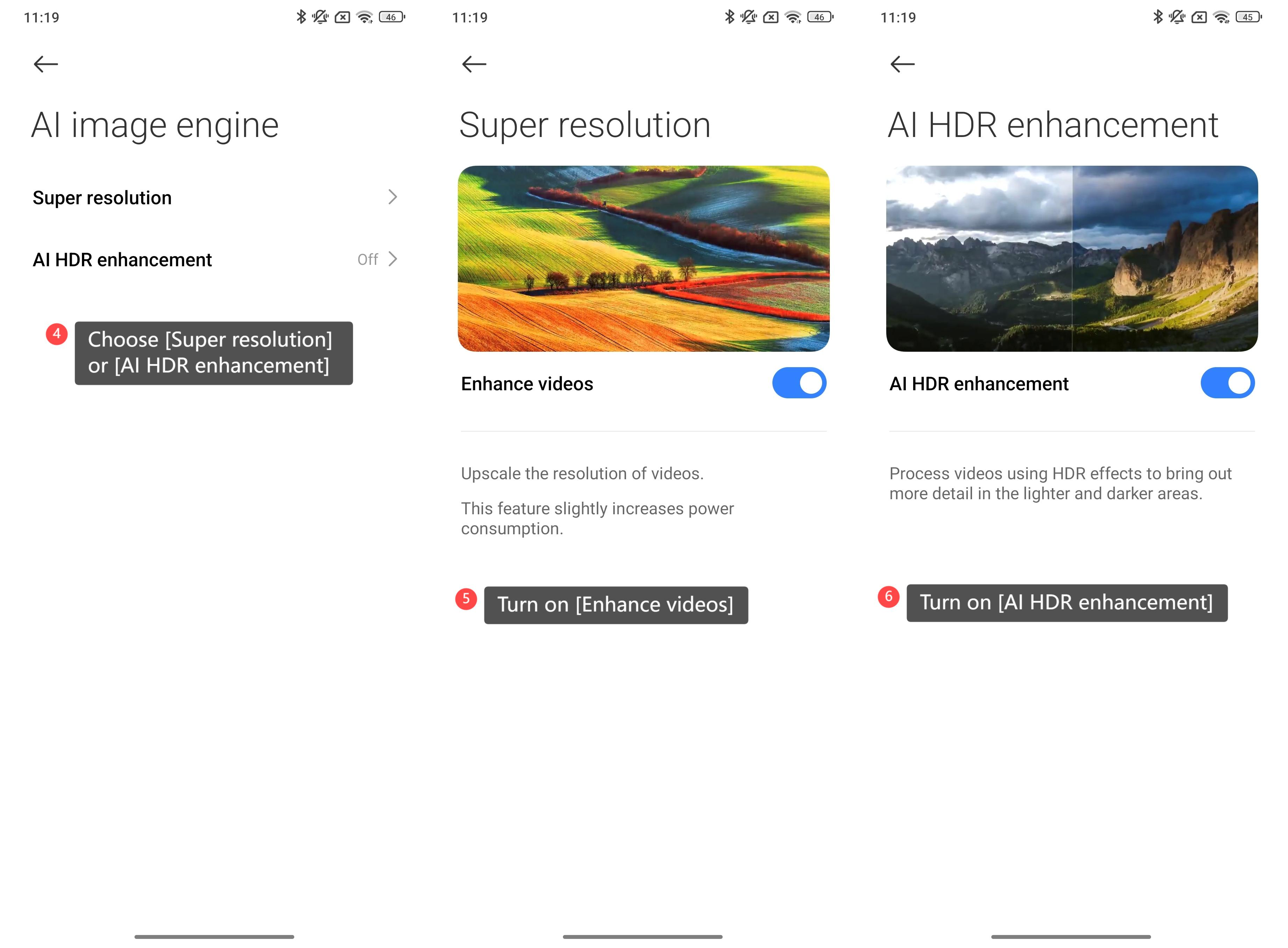
5. Turn on [Enhance videos], and your phone will upscale the resolution of videos;
6. Turn on [AI HDR enhancement], and your phone will process videos using HDR effects to bring out more details in the lighter and darker areas.
Note:
This feature slightly increases power consumption.
This feature slightly increases power consumption.
Does it help?
Yes
No