

How to connect the Xiaomi Smart Temperature and Humidity Monitor 3 to Mi Home/Xiaomi Home APP?
The methods of connection are listed below:
1. Scan the QR code to download and install the Mi Home/Xiaomi Home APP. If you have installed the APP, tap [Add device]. Or search the Mi Home/Xiaomi Home APP in the Play Store to download and install it;
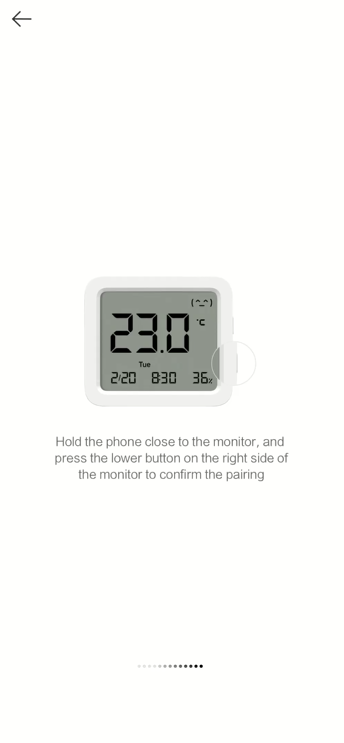
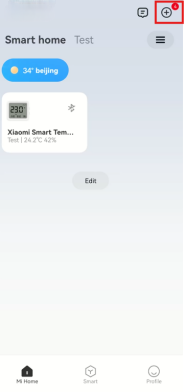
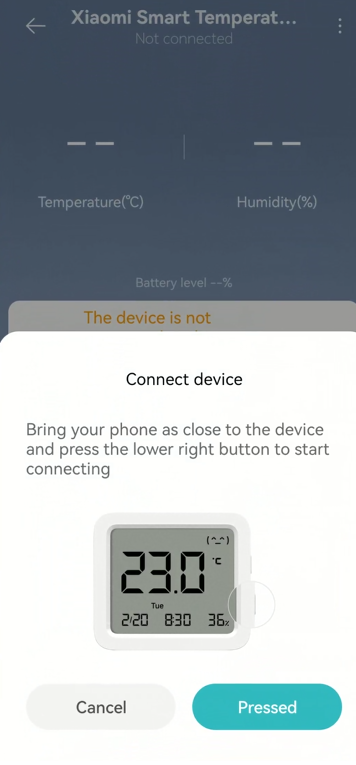
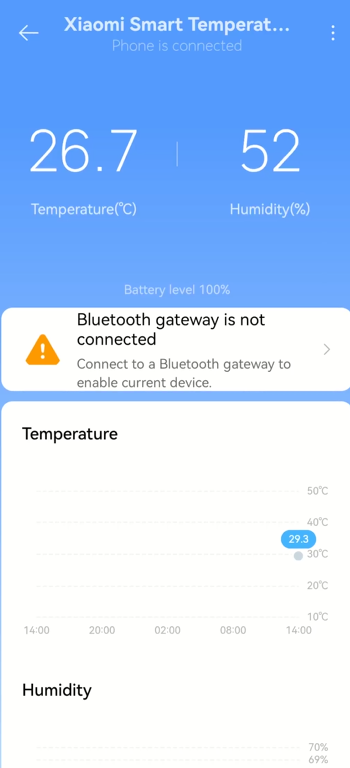
2. Open [Mi Home/Xiaomi Home] APP, tap [+] at the right top of the screen and connect with the monitor according to the instructions.
Note:
1. Because the APP has not added new devices for a long time, you need to press and hold both the Up and Down Buttons simultaneously for 7 seconds to reset the monitor and connect;
2. The update of the Mi Home/Xiaomi Home APP will lead to some deviations in practical operations. Please follow the instructions of the current Mi Home/Xiaomi Home APP.

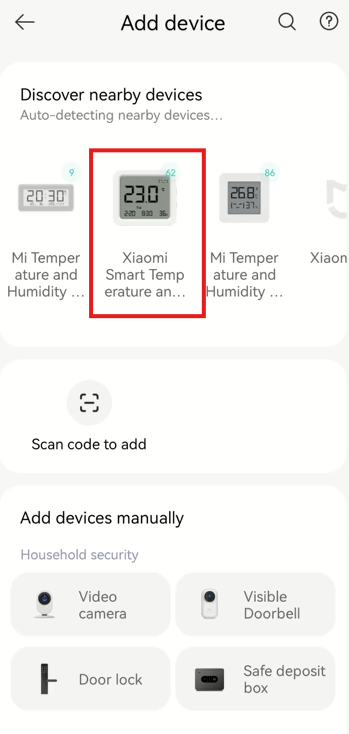
1. Scan the QR code to download and install the Mi Home/Xiaomi Home APP. If you have installed the APP, tap [Add device]. Or search the Mi Home/Xiaomi Home APP in the Play Store to download and install it;
2. Open [Mi Home/Xiaomi Home] APP, tap [+] at the right top of the screen and connect with the monitor according to the instructions.
Note:
1. Because the APP has not added new devices for a long time, you need to press and hold both the Up and Down Buttons simultaneously for 7 seconds to reset the monitor and connect;
2. The update of the Mi Home/Xiaomi Home APP will lead to some deviations in practical operations. Please follow the instructions of the current Mi Home/Xiaomi Home APP.
Does it help?
Yes
No