

What are the functions of Up Button and Down Button at the side of the Xiaomi Smart Temperature and Humidity Monitor 3?
The functions of Up Button and Down Button are listed below:
1. On the side of the body, two physical buttons have been designed. Pressing these buttons will activate the Bluetooth signals. Connecting to the Mi Home/Xiaomi Home APP enables access to additional functions;
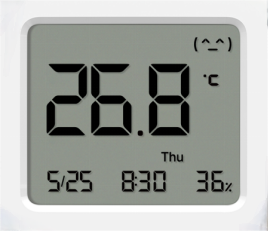
2. Pressing the Up Button allows for the swapping of display positions of temperature, humidity, and time. The main display area supports a cycle switch between temperature, humidity, and time;
3. Press and hold the Up and Down Buttons simultaneously for 7 seconds to reset the monitor. The monitor will reset automatically, and you can then add and bind the monitor in the Mi Home/Xiaomi Home APP;
4. Press and hold the Up Button to activate the time setting. Simultaneously, press the Up and Down Buttons to switch the sequence between years, months, days, hours, and minutes.
1. On the side of the body, two physical buttons have been designed. Pressing these buttons will activate the Bluetooth signals. Connecting to the Mi Home/Xiaomi Home APP enables access to additional functions;
2. Pressing the Up Button allows for the swapping of display positions of temperature, humidity, and time. The main display area supports a cycle switch between temperature, humidity, and time;
3. Press and hold the Up and Down Buttons simultaneously for 7 seconds to reset the monitor. The monitor will reset automatically, and you can then add and bind the monitor in the Mi Home/Xiaomi Home APP;
4. Press and hold the Up Button to activate the time setting. Simultaneously, press the Up and Down Buttons to switch the sequence between years, months, days, hours, and minutes.
Does it help?
Yes
No