

How to use the Xiaomi Smart Pet Food Feeder 2?
To use the Xiaomi Smart Pet Food Feeder 2, please refer to the following steps:
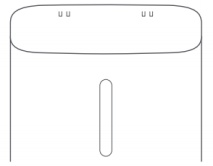
1. Add pet food: Open the cover to add pet food, and then close the cover;
Note:
The feeder supports dispensing dry foods and mixed freeze-dried foods with a kibble diameter of less than 12mm. Pure freeze-dried food is not supported.
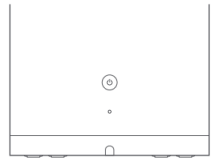
2. Press the power button to turn on the feeder;
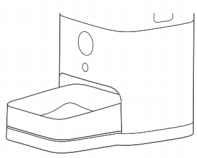
3. Single portion: Press the dispense button once and a portion of food (approximately 10g) will be dispensed. You can press it many times. Holding on the dispense button to dispense many portions of food is not supported;
Note:
The density of different types of pet foods is different. Only a portion of dry foods is 10g. Weight deviation will occur in terms of freeze-dried foods.
4. Automatic feeding schedule: After connecting the feeder to the Mi Home/Xiaomi Home APP, you can set a feeding schedule for scheduled dispensing;
5. Install standby batteries: Open the battery cover and install four 5-cell alkaline batteries based on the positive and negative polarity indicators. After installing standby batteries, the feeder remains working even when the feeder is in the event of a power outage;
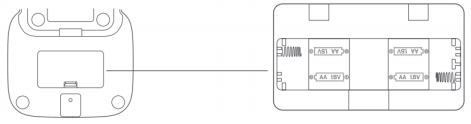
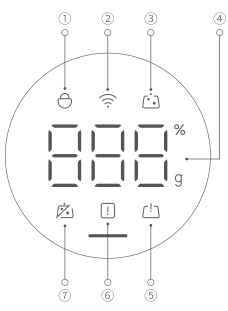
6. Emergency functions: Four 5-cell alkaline batteries can be installed at the bottom of the feeder. After the power outage, the Wi-Fi indicator will be OFF, and the automatic feeding plan will be implemented (which needs to be set in the APP) with 2 weeks of power supply by battery.
Note:
After the power outage, you can dispense the foods manually, and the feeder will be disconnected with the Mi Home/Xiaomi Home APP and cannot be controlled from the network.
1. Add pet food: Open the cover to add pet food, and then close the cover;
Note:
The feeder supports dispensing dry foods and mixed freeze-dried foods with a kibble diameter of less than 12mm. Pure freeze-dried food is not supported.
2. Press the power button to turn on the feeder;
3. Single portion: Press the dispense button once and a portion of food (approximately 10g) will be dispensed. You can press it many times. Holding on the dispense button to dispense many portions of food is not supported;
Note:
The density of different types of pet foods is different. Only a portion of dry foods is 10g. Weight deviation will occur in terms of freeze-dried foods.
4. Automatic feeding schedule: After connecting the feeder to the Mi Home/Xiaomi Home APP, you can set a feeding schedule for scheduled dispensing;
5. Install standby batteries: Open the battery cover and install four 5-cell alkaline batteries based on the positive and negative polarity indicators. After installing standby batteries, the feeder remains working even when the feeder is in the event of a power outage;
6. Emergency functions: Four 5-cell alkaline batteries can be installed at the bottom of the feeder. After the power outage, the Wi-Fi indicator will be OFF, and the automatic feeding plan will be implemented (which needs to be set in the APP) with 2 weeks of power supply by battery.
Note:
After the power outage, you can dispense the foods manually, and the feeder will be disconnected with the Mi Home/Xiaomi Home APP and cannot be controlled from the network.
Does it help?
Yes
No