

How to use the Find your earphones function of the Xiaomi Buds 5?
The Xiaomi Buds 5 supports the Find your earphones function, which will make a high-frequency beep sound, helping you to easily locate its orientation.
To use the Find your earphones function, please refer to the following steps:
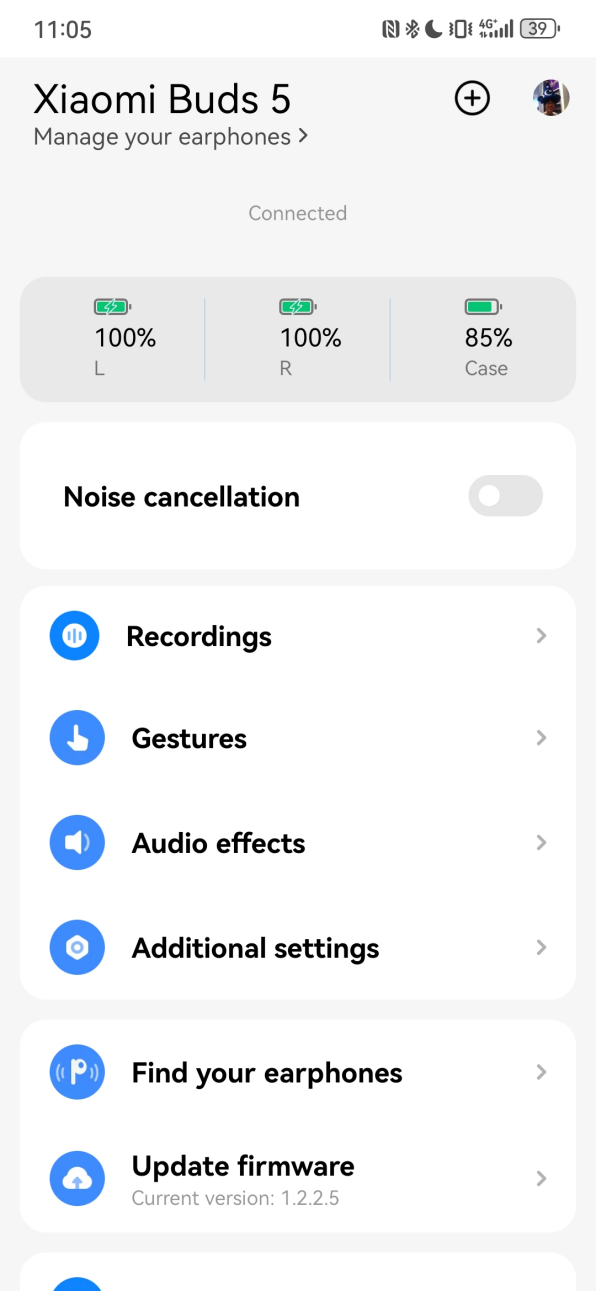
1. Ensure the earbuds are connected to the phone;
2. Open the Xiaomi Earbuds APP;
3. Select [Xiaomi Buds 5];
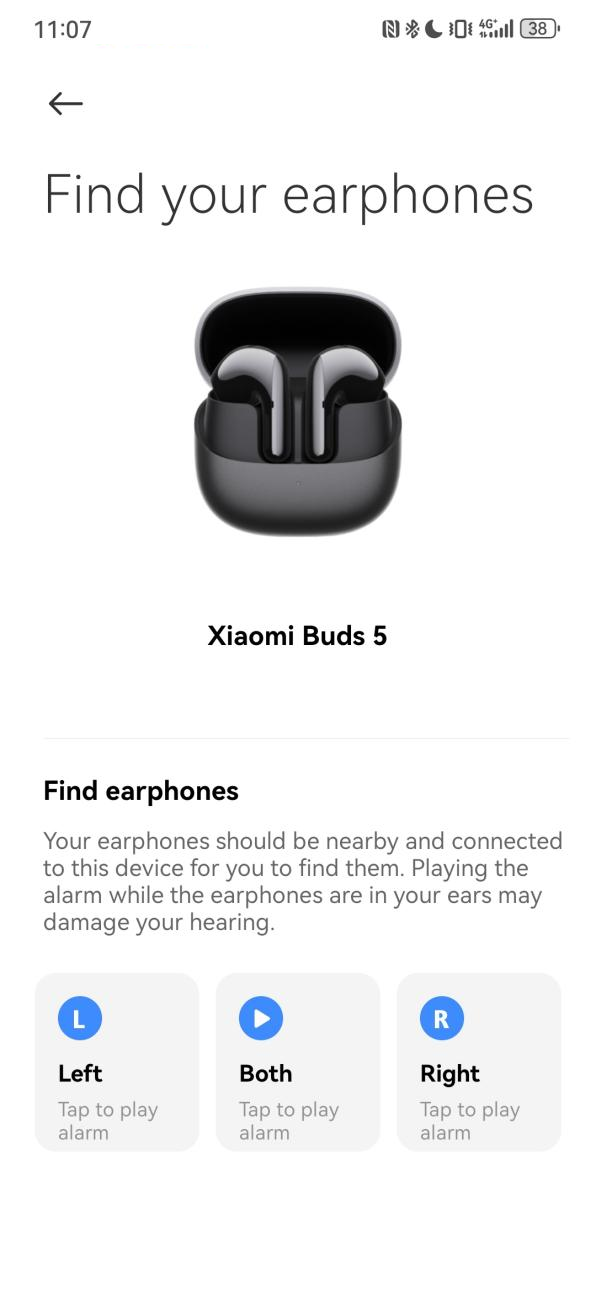
4. Select [Find your earphones];
5. Tap [Left], [Right] or [Both] to find your earbuds.
Note:
1. This feature is useful when the earbuds are near you but you don't know their exact location. If the distance is a little far, you can’t hear the alarm sound from the earbuds;
2. The effective distance for hearing the alarm sound varies depending on personal hearing, and is expected to be within 1-2 meters. At the same time, if the surroundings are noisy, it will also affect the judgment of the location.
To use the Find your earphones function, please refer to the following steps:
1. Ensure the earbuds are connected to the phone;
2. Open the Xiaomi Earbuds APP;
3. Select [Xiaomi Buds 5];
4. Select [Find your earphones];
5. Tap [Left], [Right] or [Both] to find your earbuds.
Note:
1. This feature is useful when the earbuds are near you but you don't know their exact location. If the distance is a little far, you can’t hear the alarm sound from the earbuds;
2. The effective distance for hearing the alarm sound varies depending on personal hearing, and is expected to be within 1-2 meters. At the same time, if the surroundings are noisy, it will also affect the judgment of the location.
Does it help?
Yes
No