

Does the Xiaomi Buds 5 support Missing earphone alert?
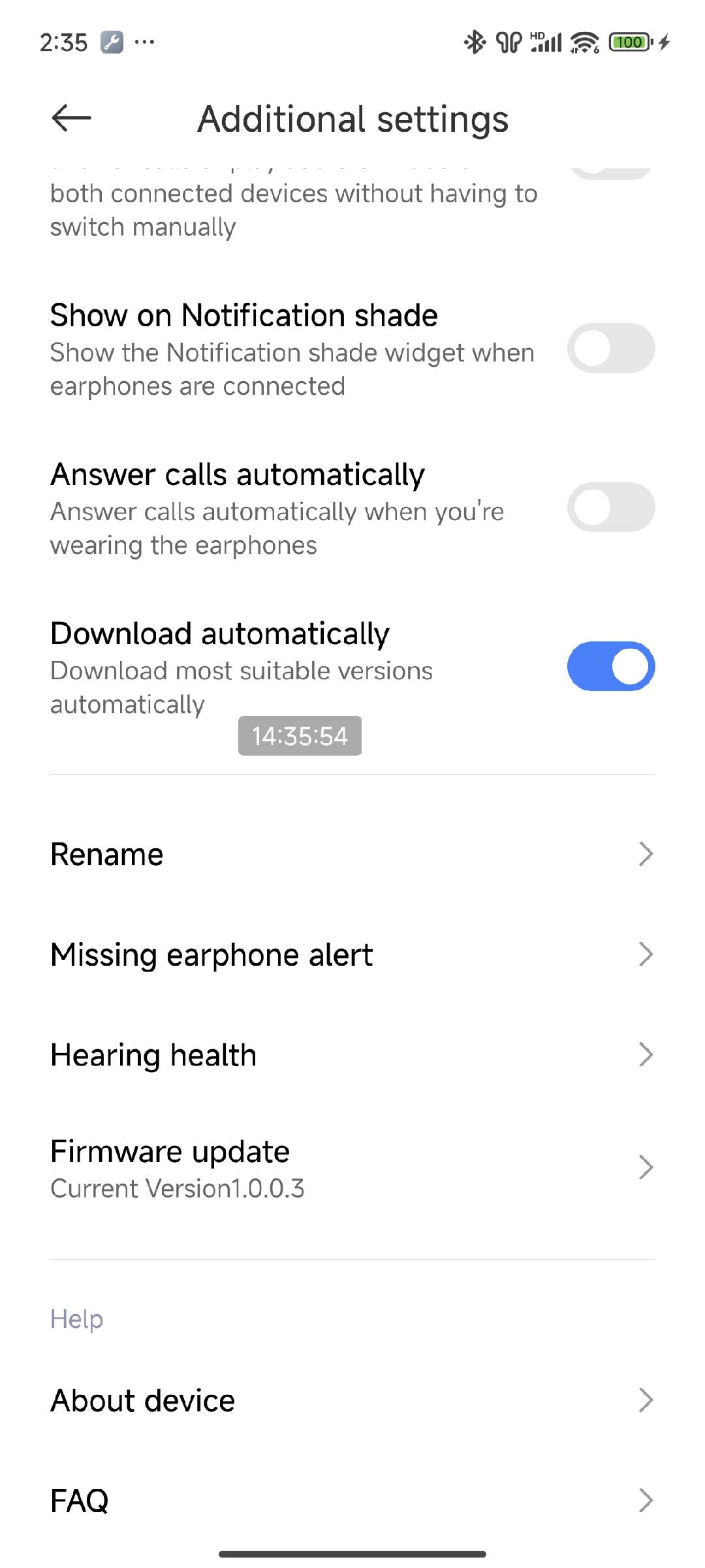
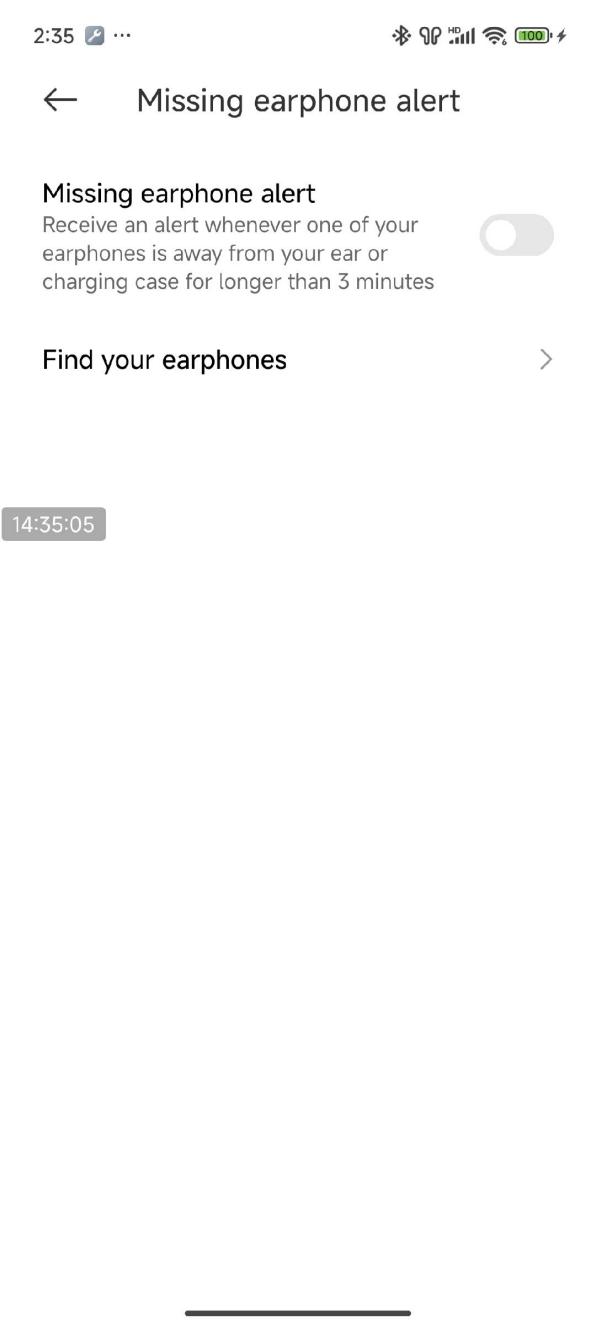
Some Xiaomi smartphones have the Missing earphone alert option in the Bluetooth setting interface. After turning on this function, you can receive an alert whenever one of your earbuds is away from your ear or charging case for longer than 3 minutes.
To enable this function, please refer to the following steps:
1. Open the [Settings] APP on your phone;
2. Tap [Bluetooth];
3. Tap [Xiaomi Buds 5];
4. Select [Missing earphone alert], and turn on this function.
Note:
The Xiaomi Earbuds APP doesn’t support the Missing earphone alert function.
To enable this function, please refer to the following steps:
1. Open the [Settings] APP on your phone;
2. Tap [Bluetooth];
3. Tap [Xiaomi Buds 5];
4. Select [Missing earphone alert], and turn on this function.
Note:
The Xiaomi Earbuds APP doesn’t support the Missing earphone alert function.
Does it help?
Yes
No