

How to use the recording function of the Xiaomi Buds 5?
The recording function can record 90 minutes of audio for each earbud. The recording code uses Opus code, and the recording file extension is “ogg”. The recording file is saved in the earbuds. You can export the recording file via the Xiaomi Earbuds APP.
The following is a brief description of how to use the recording function:
1. To start the recording, make sure your earbuds are connected to your device. Press the Pinch Control Area three times in a row. You will hear a prompt, indicating that the recording function is started;
2. To end the recording, press the Pinch Control Area three times again. You will hear another prompt, indicating that the recording is ended;
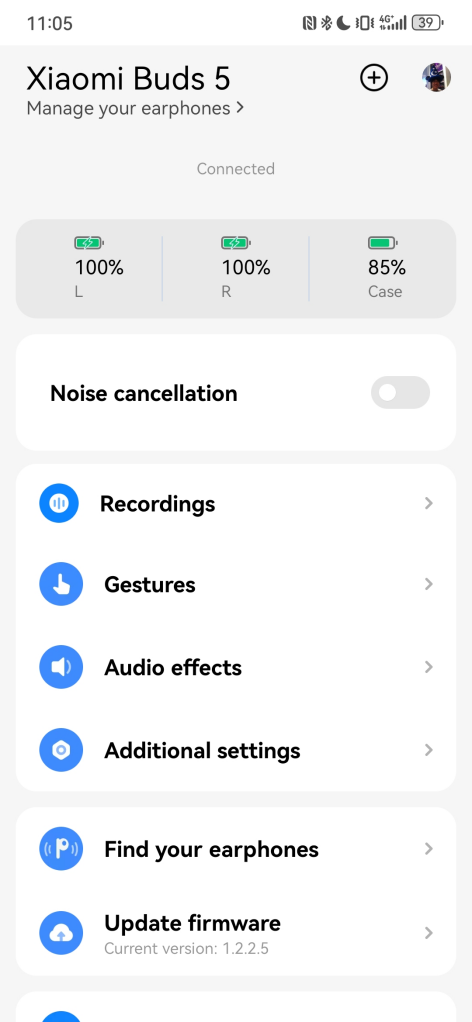
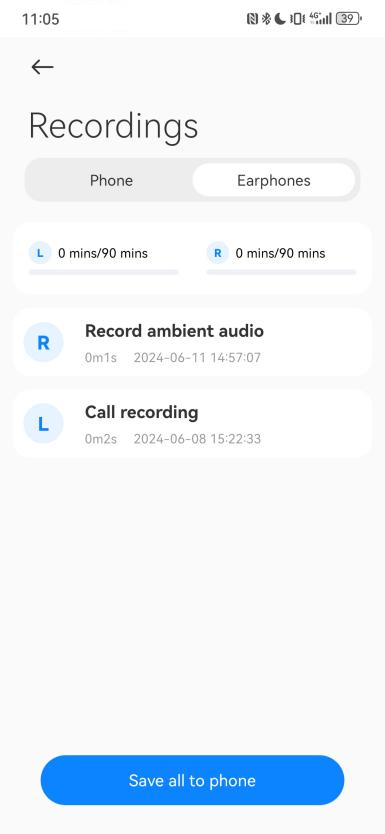
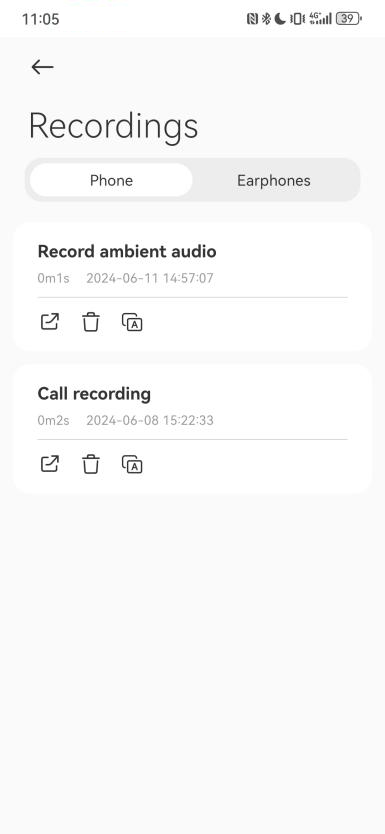
3. To export recording files, please make sure your earbuds are connected to your phone and open the Xiaomi Earbuds APP >> [Recordings] >> [Earphones] >> select [Save all to phone] to export the recording files to your phone.
Note:
Both Android and iOS phones support the recording function. iOS phones use BLE, and the export time will be longer than the Android phone. The specific transmission time is affected by the file size and the network environment during transmission.
The following is a brief description of how to use the recording function:
1. To start the recording, make sure your earbuds are connected to your device. Press the Pinch Control Area three times in a row. You will hear a prompt, indicating that the recording function is started;
2. To end the recording, press the Pinch Control Area three times again. You will hear another prompt, indicating that the recording is ended;
3. To export recording files, please make sure your earbuds are connected to your phone and open the Xiaomi Earbuds APP >> [Recordings] >> [Earphones] >> select [Save all to phone] to export the recording files to your phone.
Note:
Both Android and iOS phones support the recording function. iOS phones use BLE, and the export time will be longer than the Android phone. The specific transmission time is affected by the file size and the network environment during transmission.
Does it help?
Yes
No