

How to operate and control the Xiaomi Buds 5?
You can control the functions of the Xiaomi Buds 5 by pressing the Pinch Control Area.
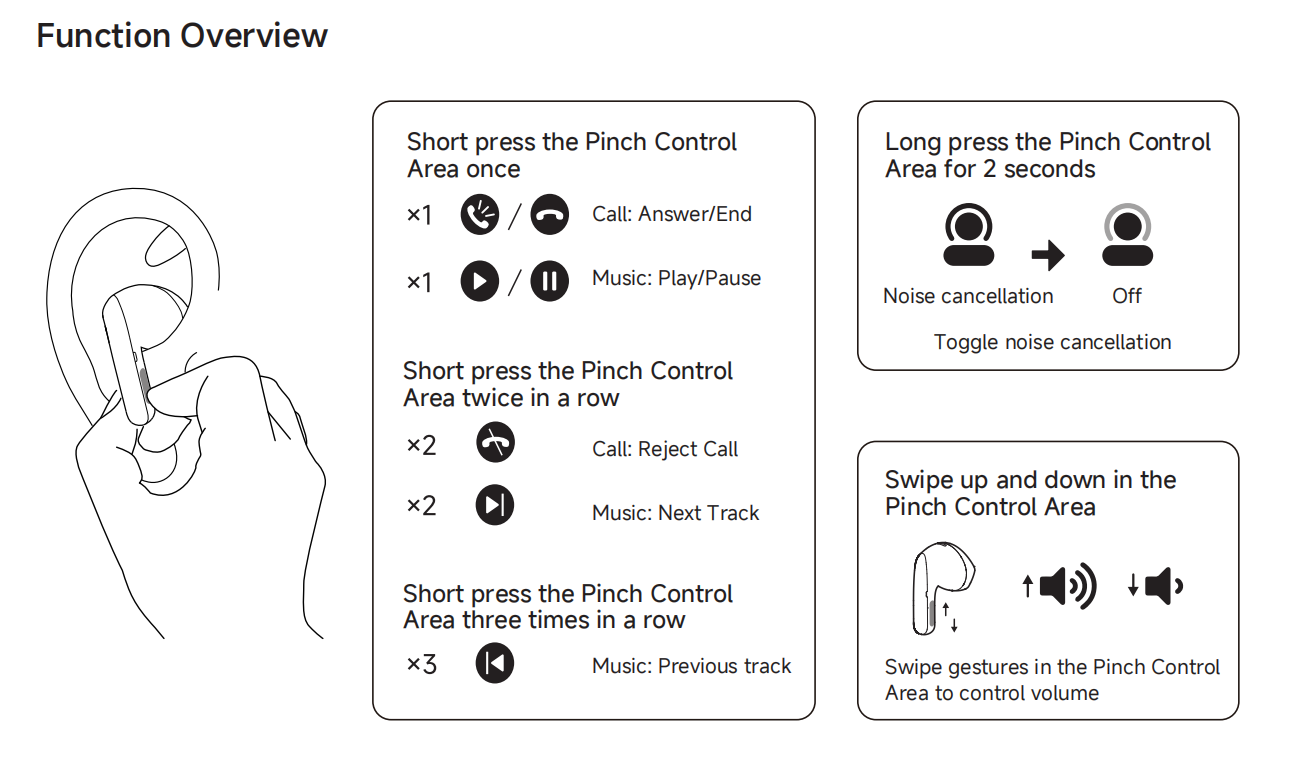
For your reference, the factory default functions of the Pinch Control Area are as follows:
1. Press the Pinch Control Area once: Answer/End calls or play/pause music;
2. Press the Pinch Control Area twice in a row: Reject calls or play the next track;
3. Press the Pinch Control Area three times in a row: Play the previous track;
4. Press and hold the Pinch Control Area for 2 seconds: Toggle noise cancellation;
5. Swipe up and down in the Pinch Control AreControl volume up and down.
Note:
You can customize the left/right earbud gestures through the Xiaomi Earbuds APP. After resetting the earbuds, the left/right earbud functions will return to the default settings.
For your reference, the factory default functions of the Pinch Control Area are as follows:
1. Press the Pinch Control Area once: Answer/End calls or play/pause music;
2. Press the Pinch Control Area twice in a row: Reject calls or play the next track;
3. Press the Pinch Control Area three times in a row: Play the previous track;
4. Press and hold the Pinch Control Area for 2 seconds: Toggle noise cancellation;
5. Swipe up and down in the Pinch Control AreControl volume up and down.
Note:
You can customize the left/right earbud gestures through the Xiaomi Earbuds APP. After resetting the earbuds, the left/right earbud functions will return to the default settings.
Does it help?
Yes
No