

How to clean and maintain the Xiaomi Smart Tower Fan (European standard)?
The tower fan is divided into parts that can be cleaned and parts that cannot be cleaned.
To clean the washable parts, please refer to the following steps:
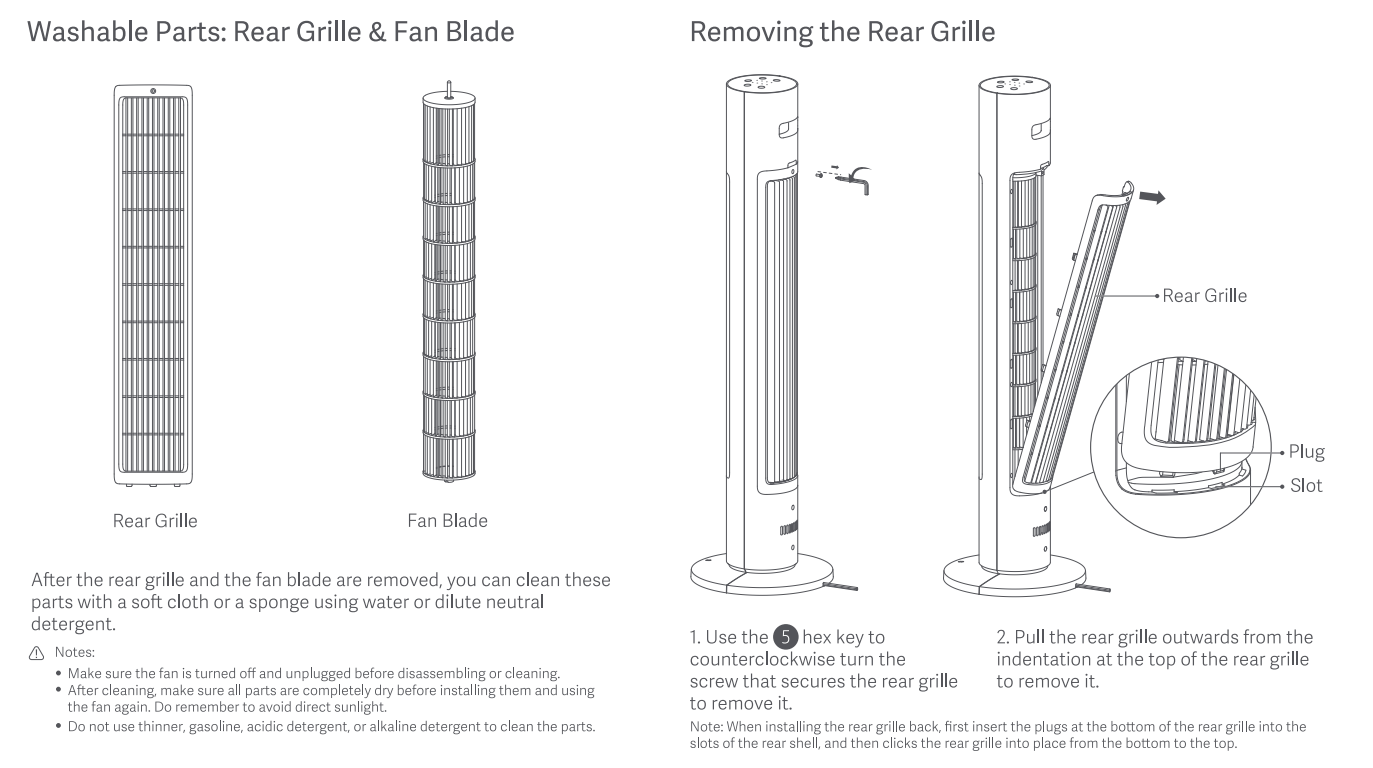
1. Use the hex key to turn counterclockwise the screw that secures the rear grille to remove it;
2. Pull the rear grille outwards from the indentation at the top of the rear grille to remove it;
Note:
When installing the rear grille back, first insert the plugs at the bottom of the rear grille into the slots of the rear shell, and then click the rear grille into place from the bottom to the top.
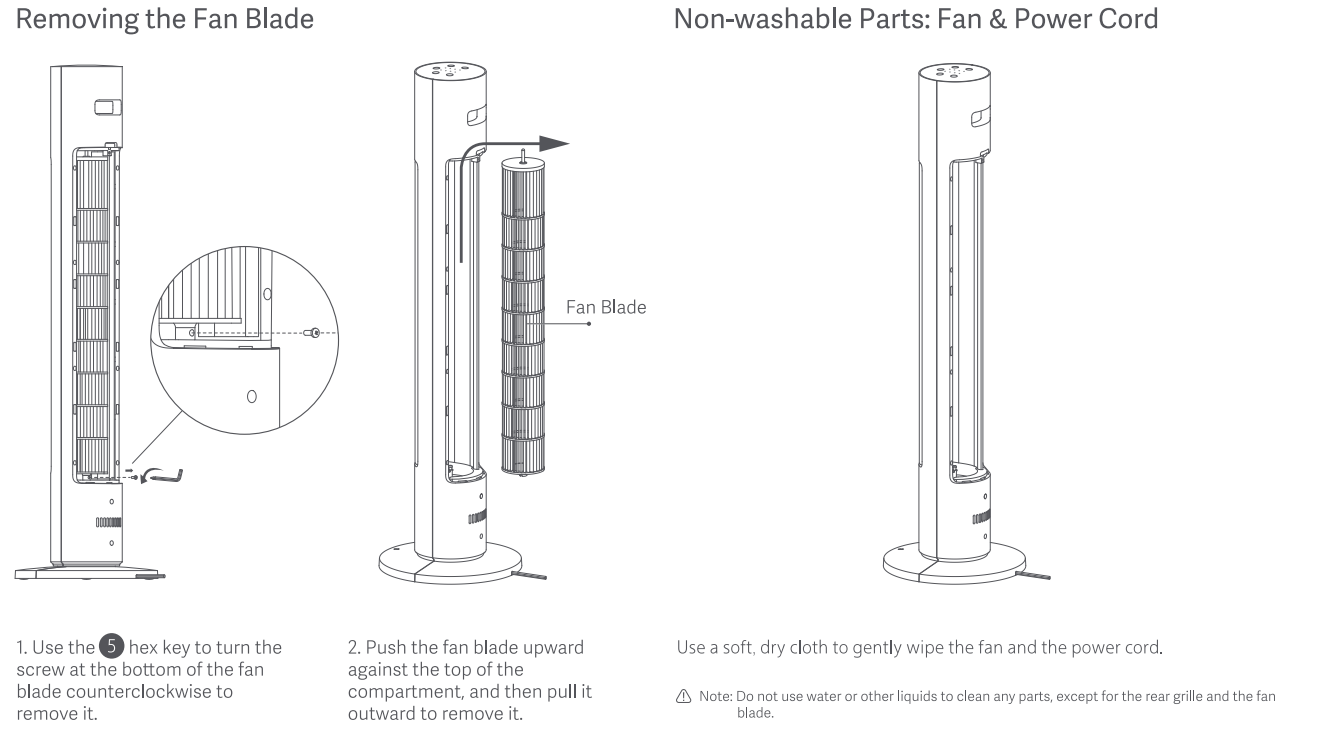
3. Use the hex key to turn the screw at the bottom of the fan blade counterclockwise to remove it;
4. Push the fan blade upward against the top of the compartment, and then pull it outward to remove it.
After the rear grille and the fan blade are removed, you can clean these parts with a soft cloth or a sponge using water or dilute neutral detergent.
Note:
1. Make sure the fan is turned off and unplugged before disassembling or cleaning;
2. After cleaning, make sure all parts are completely dried before installing them and using the fan again. Do remember to avoid direct sunlight;
3. Do not use thinner, gasoline, acidic detergent, or alkaline to clean the parts of the fan.
To clean the non-washable parts, please refer to the following method:
Use a soft, dry cloth to gently wipe the fan and the power cord.
Note:
Do not use water or other liquids to clean any parts, except for the grille and the fan blade.
To store the fan when it is not in use, please refer to the following steps:
1. First separate the front base and rear base;
2. Then separate them from the fan;
3. Use the provided sealed bag to store them to prevent dust accumulation.
To clean the washable parts, please refer to the following steps:
1. Use the hex key to turn counterclockwise the screw that secures the rear grille to remove it;
2. Pull the rear grille outwards from the indentation at the top of the rear grille to remove it;
Note:
When installing the rear grille back, first insert the plugs at the bottom of the rear grille into the slots of the rear shell, and then click the rear grille into place from the bottom to the top.
3. Use the hex key to turn the screw at the bottom of the fan blade counterclockwise to remove it;
4. Push the fan blade upward against the top of the compartment, and then pull it outward to remove it.
After the rear grille and the fan blade are removed, you can clean these parts with a soft cloth or a sponge using water or dilute neutral detergent.
Note:
1. Make sure the fan is turned off and unplugged before disassembling or cleaning;
2. After cleaning, make sure all parts are completely dried before installing them and using the fan again. Do remember to avoid direct sunlight;
3. Do not use thinner, gasoline, acidic detergent, or alkaline to clean the parts of the fan.
To clean the non-washable parts, please refer to the following method:
Use a soft, dry cloth to gently wipe the fan and the power cord.
Note:
Do not use water or other liquids to clean any parts, except for the grille and the fan blade.
To store the fan when it is not in use, please refer to the following steps:
1. First separate the front base and rear base;
2. Then separate them from the fan;
3. Use the provided sealed bag to store them to prevent dust accumulation.
Does it help?
Yes
No