

How to use the Xiaomi Dust Mite Vacuum Cleaner Pro?
To use the Xiaomi Dust Mite Vacuum Cleaner Pro, please refer to the following steps:
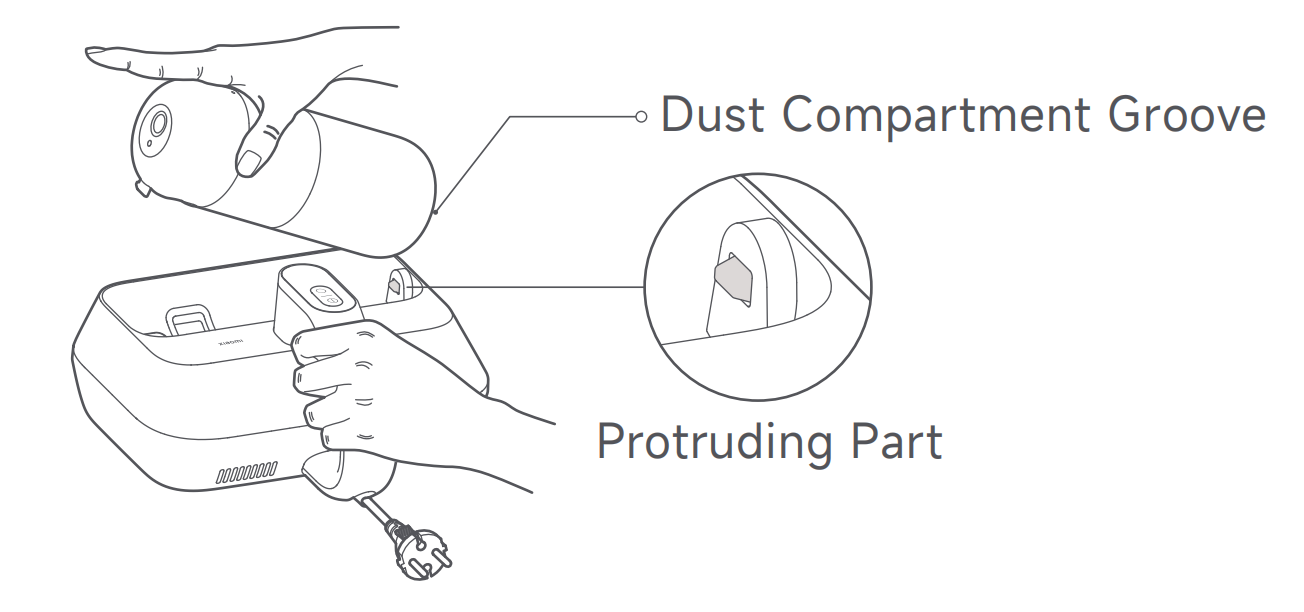
1. Align the dust compartment groove with the protruding part. Press down on the dust compartment until you hear a "click" sound, indicating it is installed in place;
2. Connect the dust mite vacuum cleaner to power, and press its Power Button to turn it on. The dust mite vacuum cleaner defaults to the low suction mode the first time it is turned on. Press the Mode Button to switch from modes;
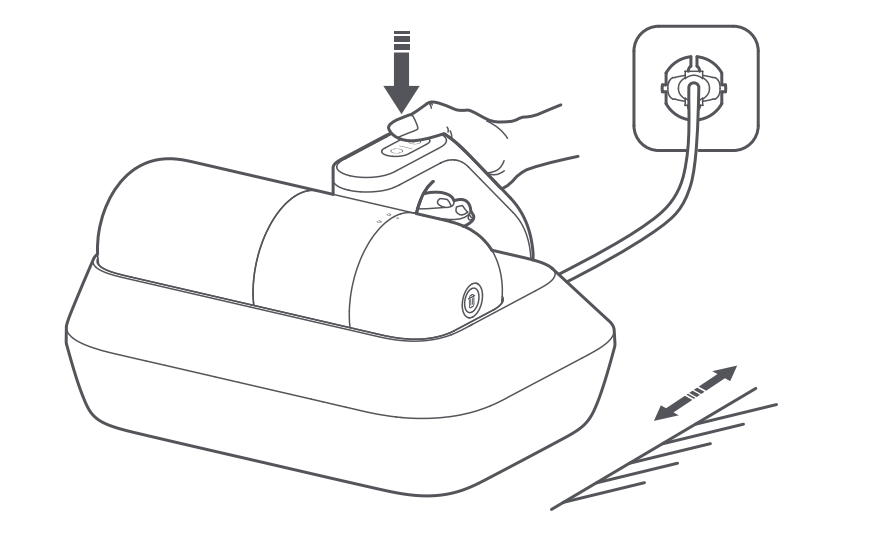
3. After use, press the Power Button to turn it off, then unplug the power cord.
Note:
During use, hot air will come out of the heat dissipation vent. For the first use, it is normal for a slight odor to come from the vent, and the odor will naturally dissipate after a period of use.
1. Align the dust compartment groove with the protruding part. Press down on the dust compartment until you hear a "click" sound, indicating it is installed in place;
2. Connect the dust mite vacuum cleaner to power, and press its Power Button to turn it on. The dust mite vacuum cleaner defaults to the low suction mode the first time it is turned on. Press the Mode Button to switch from modes;
3. After use, press the Power Button to turn it off, then unplug the power cord.
Note:
During use, hot air will come out of the heat dissipation vent. For the first use, it is normal for a slight odor to come from the vent, and the odor will naturally dissipate after a period of use.
Does it help?
Yes
No