

How to use the button of the Xiaomi Smart Air Fryer 5.5L?
This product adopts a combination of LCD screen and knob. Various functions and modes are accessed through operations such as rotating, pressing, and pressing and holding on.
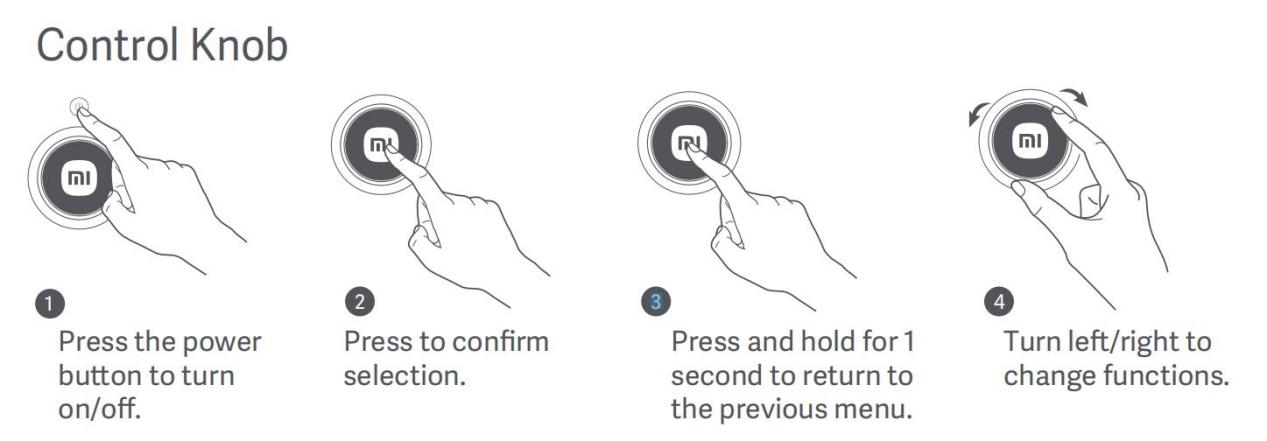
To use the button of the device, please refer to the following steps:
1. Press the power button to turn on/off;
2. Press the control knob to confirm selection;
3. Press and hold the control knob for 1 second to return to the previous menu;
4. Turn left/right the control knob to change functions.
Friendly tips:
1. You can press and hold the knob to choose the function. Once the air fryer is powered on, it defaults to manual mode. Please turn the knob to the right to select the function mode as your preference and press the knob briefly to enter function selection, then you can select the corresponding function cooking;
2. You can press and hold the control knob to adjust the temperature. Please press the button to enter the temperature option and turn right or left to increase or decrease the temperature;
3. You can awaken the device by pressing the control knob when it enters a power-saving mode after 5 minutes of inactivity by default.
To use the button of the device, please refer to the following steps:
1. Press the power button to turn on/off;
2. Press the control knob to confirm selection;
3. Press and hold the control knob for 1 second to return to the previous menu;
4. Turn left/right the control knob to change functions.
Friendly tips:
1. You can press and hold the knob to choose the function. Once the air fryer is powered on, it defaults to manual mode. Please turn the knob to the right to select the function mode as your preference and press the knob briefly to enter function selection, then you can select the corresponding function cooking;
2. You can press and hold the control knob to adjust the temperature. Please press the button to enter the temperature option and turn right or left to increase or decrease the temperature;
3. You can awaken the device by pressing the control knob when it enters a power-saving mode after 5 minutes of inactivity by default.
Does it help?
Yes
No