

Why does the screen not respond when I tap or press and hold on the corner of the screen while playing some games on the Xiaomi Pad 6S Pro 12.4?
If you encounter this problem, please refer to the following method:
1. Open Game Turbo;
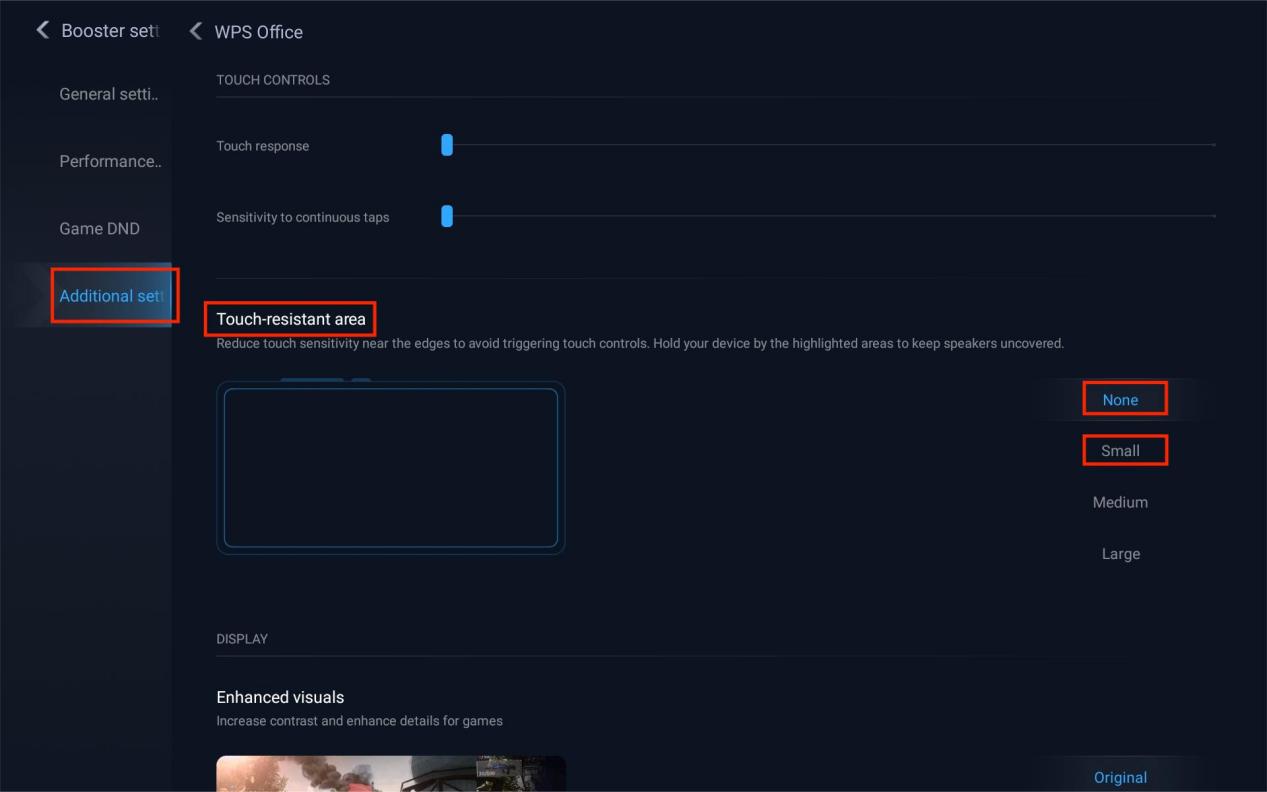
2. Go to [Booster settings] >> [Additional settings] >> select the current game >> [Touch-resistant area];
3. Select [None] or [Small].
1. Open Game Turbo;
2. Go to [Booster settings] >> [Additional settings] >> select the current game >> [Touch-resistant area];
3. Select [None] or [Small].
Does it help?
Yes
No