

What are the Xiaomi Smart Filtered Water Dispenser Pro WiFi indicator states?
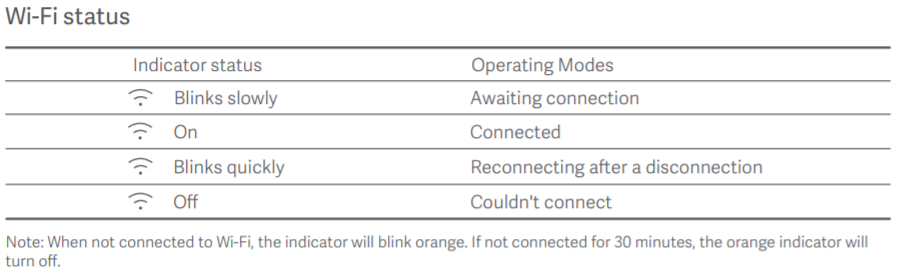
A: The WiFi indicator status of the Xiaomi Smart Filtered Water Dispenser Pro is described below:
1. Waiting to connect: The WiFi icon flashes slowly;
2. Successful connection: The WiFi icon is always on;
3. Dropped and reconnected: The WiFi icon flashes fast;
4. Failed to connect: The WiFi icon is off.
Note:
1. When WiFi is not connected, the WiFi icon flashes;
2. If WiFi is not connected within 30 minutes, the WiFi icon will disappear;
3. When you need to connect to the Mi Home App again, tap the left and right buttons to display the WiFi settings on the screen. Then, tap the [Water collection (confirm)/Child lock button] to wake up the WiFi and connect to the Mi Home App.
1. Waiting to connect: The WiFi icon flashes slowly;
2. Successful connection: The WiFi icon is always on;
3. Dropped and reconnected: The WiFi icon flashes fast;
4. Failed to connect: The WiFi icon is off.
Note:
1. When WiFi is not connected, the WiFi icon flashes;
2. If WiFi is not connected within 30 minutes, the WiFi icon will disappear;
3. When you need to connect to the Mi Home App again, tap the left and right buttons to display the WiFi settings on the screen. Then, tap the [Water collection (confirm)/Child lock button] to wake up the WiFi and connect to the Mi Home App.
Does it help?
Yes
No