

How to turn off alarm vibration and ringing on the Xiaomi Watch S3?
The Xiaomi Watch S3 alarm does not support turning off vibration, however you can delay it for 10 minutes by pressing the power button or shortcut key when ringing.
To turn off the alarm ringing on the watch, please refer to the following methods:
Method 1:
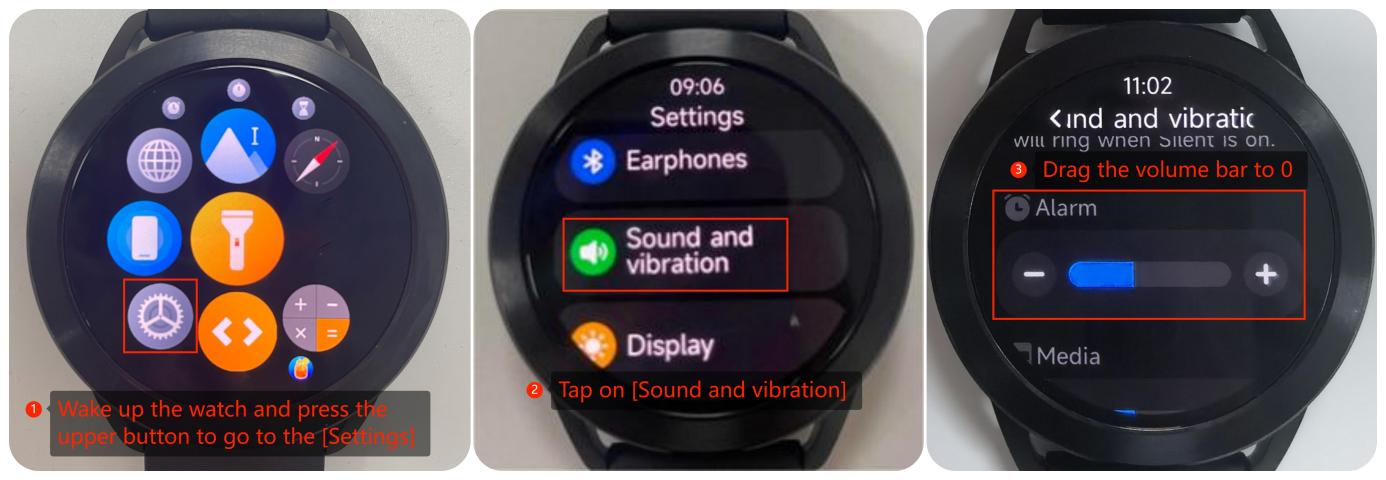
1. Wake up the watch and press the upper button to go to the [Settings];
2. Tap on [Sound and vibration];
3. Drag the volume bar to 0.
To turn off the alarm ringing on the watch, please refer to the following methods:
Method 1:
1. Wake up the watch and press the upper button to go to the [Settings];
2. Tap on [Sound and vibration];
3. Drag the volume bar to 0.
Method 2:
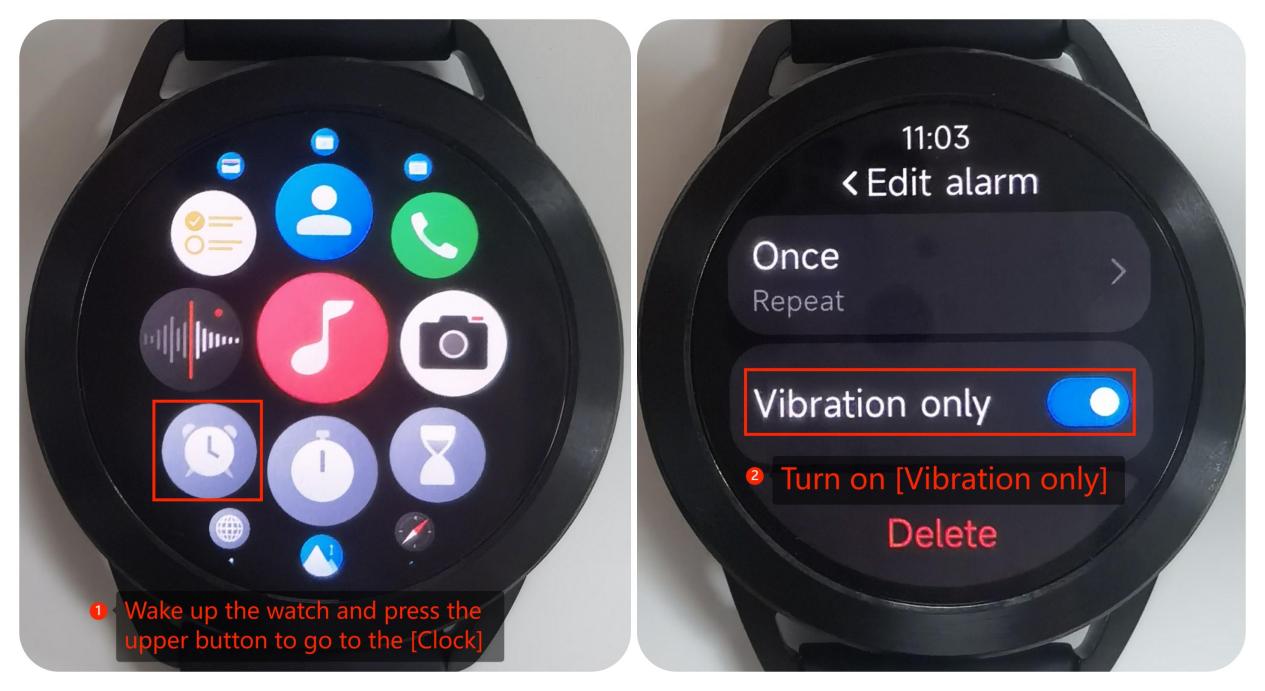
1. Wake up the watch and press the upper button to go to the [Clock];
2. You can turn on [Vibration only] in the alarm clock editing interface.
Does it help?
Yes
No